How to create Stock Transfer Receive document in ADempiere Retail
Stock Transfer Received means officially accepting and recording items that have been sent from another location or warehouse into your location’s inventory.
User Access
Who Can Access
- Admin
- Manager
- Back office
- Cashier
What User Can Do
- Verify the received items
- Check quantities and item conditions
- Record the receipt
- Report any discrepancies
- Update stock levels
- Generate a receiving report
Pre-Requisite Activities
- Receive Transfer Notification
- Access Inventory System
- Verify Transfer Documents
Business Rules
- Only Receive Approved Transfers
- Verify Items Before Acceptance
- Update Inventory System Promptly
- Maintain Transfer Records
User Interface
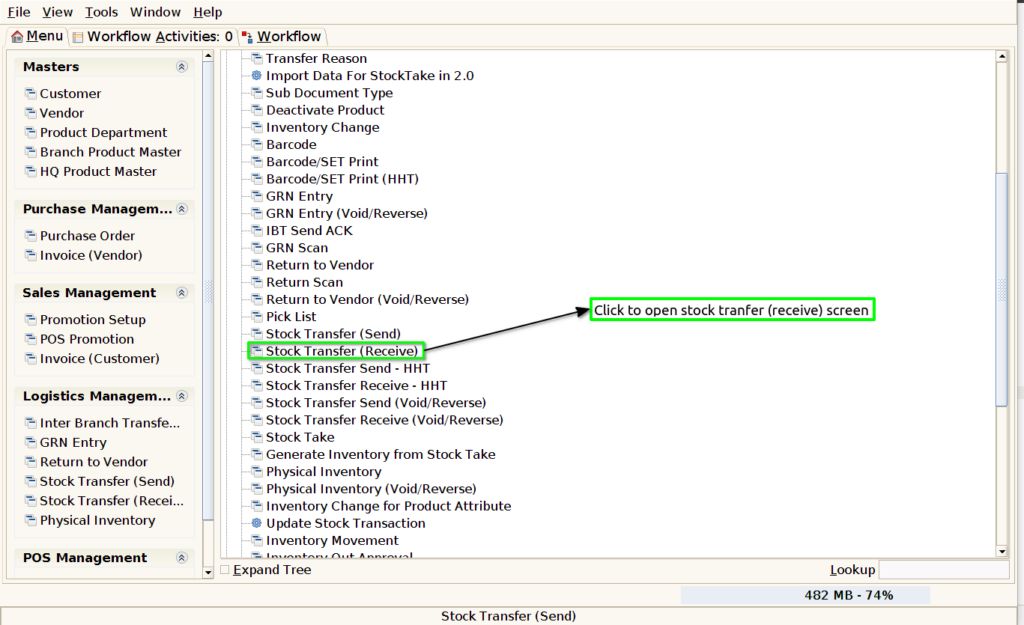
Step 1 : Select ‘Stock transfer receive’ in Menu -> Logistics management > Stock transfer receive or Search Stock transfer receive in Lookup.
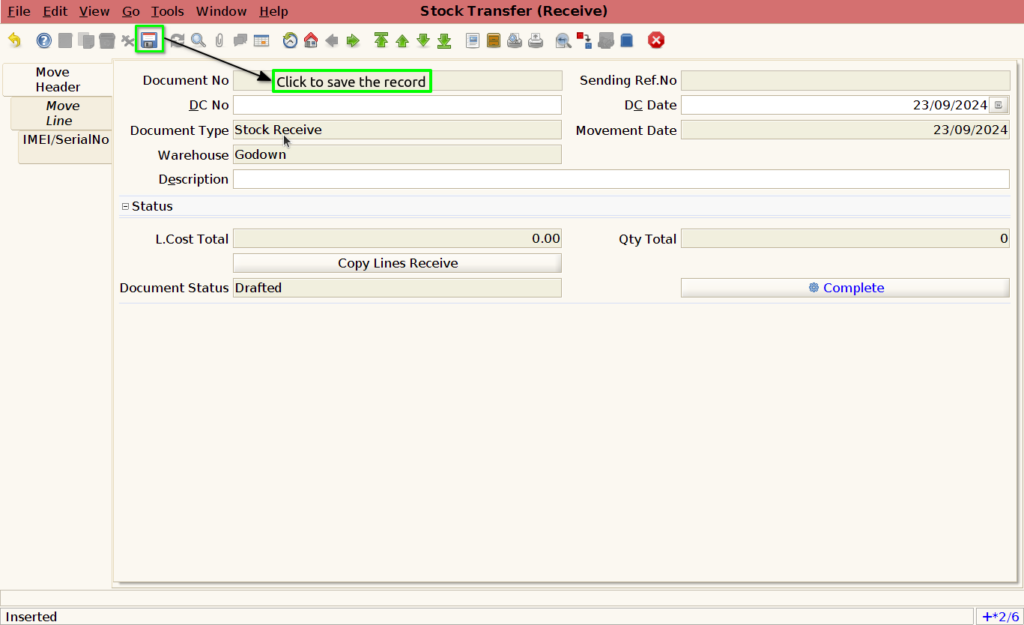
Step 2 : To create new stock transfer receive document

Step 3 : Save the record to generated document no
Step 4 : To use the copy line receive option to select the send document reference


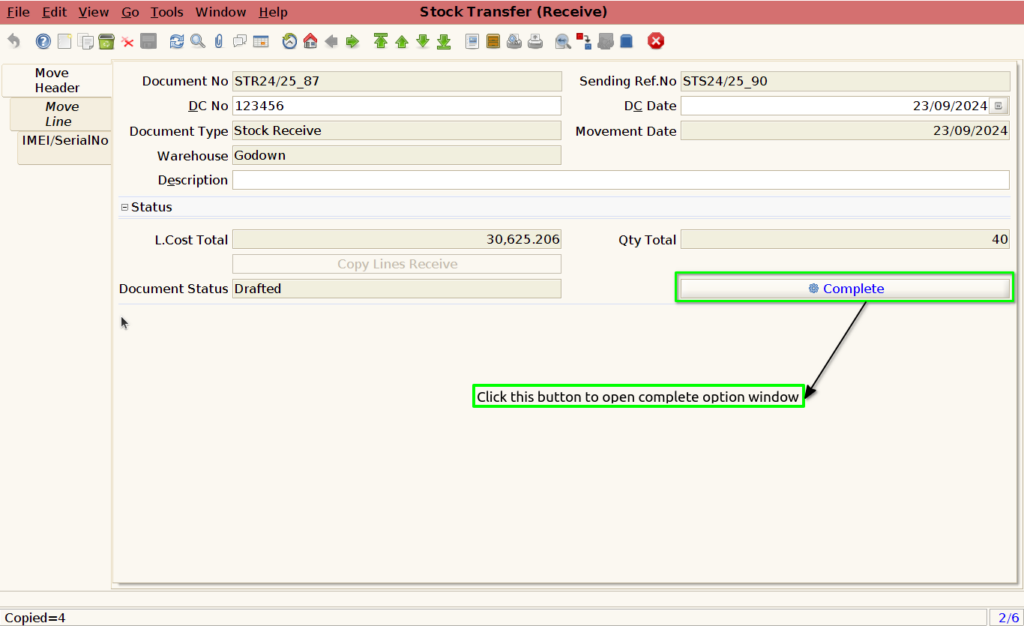
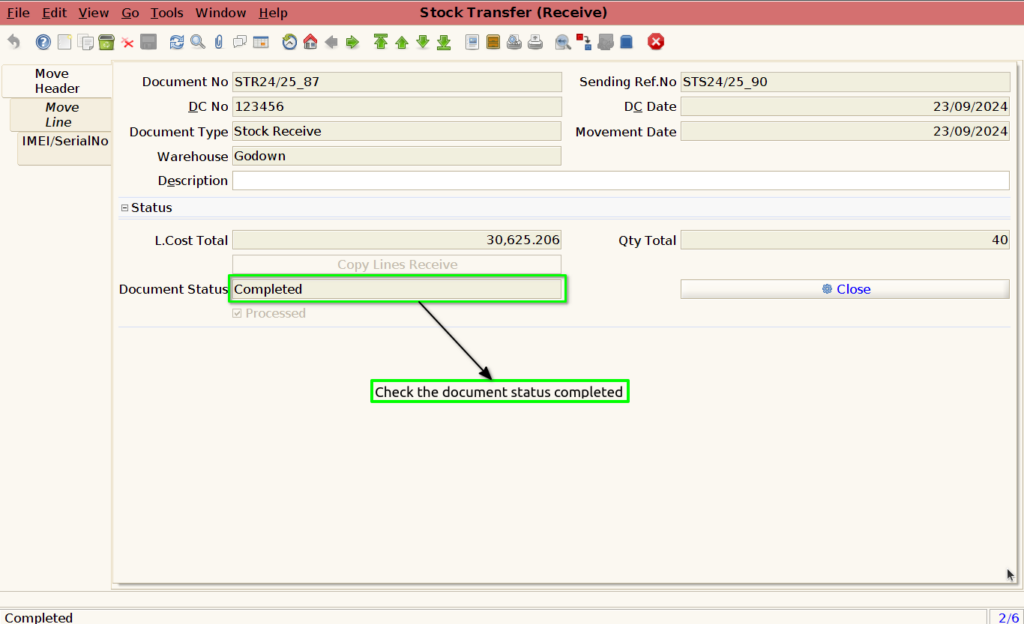
Step 5 : Check the product totals ,date etc and complete the document