How to create a New Order for Non-Registered Customers in Adempiere Retail
Creating a new sales order in the system for a regular (standard) customer whose details are already registered.
User Access
Who can Access
- Cashier
- Admin
- Manager
- Back Office
What User Can Do
- Select Standard Customer
- Create New Order
- Add Products to Order
- Apply Discounts or Offers
- Review Order Details
Pre-Requisite Activities
- Customer Registration
- Product Master Setup
- User Access Permissions
- Pricing and Discount Rules Configured
- Inventory Availability
Business Rules
- Existing Customer Only
- Valid Product Selection
- Pricing and Discounts
- Order Accuracy
- Inventory Update
- Order Confirmation
- User Authorization
User Interface
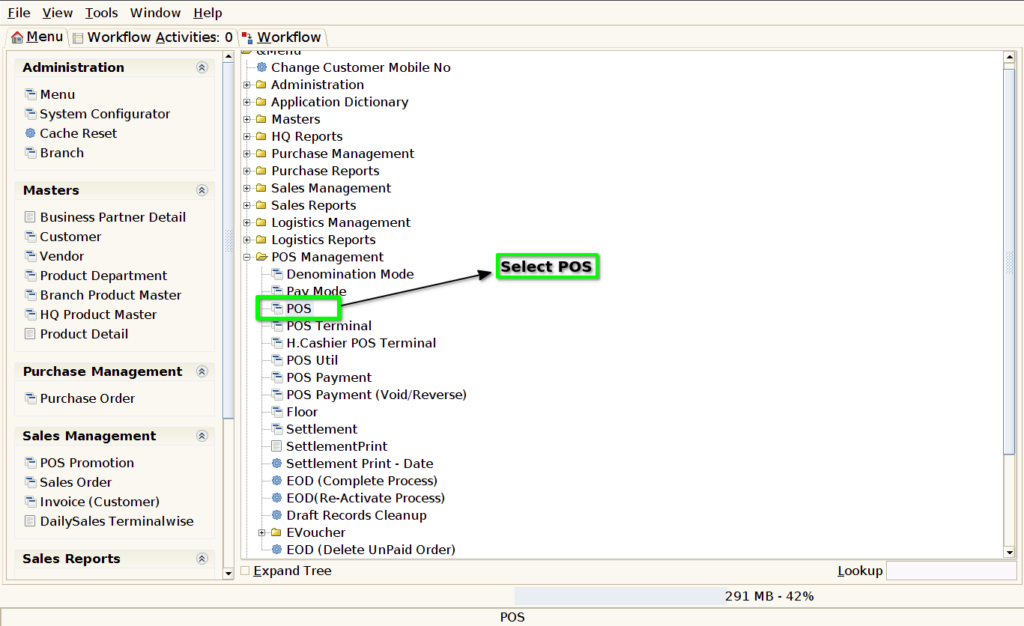
Step 1 : Select ‘POS’ in Menu -> POS Management -> POS or Search POS in Lookup.
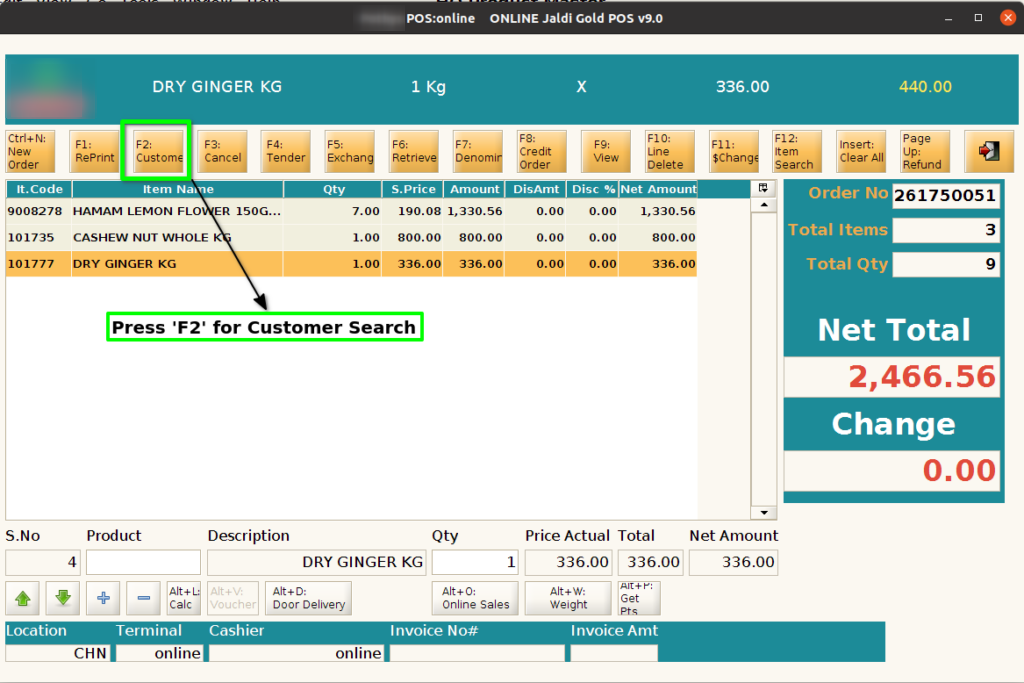
Step 2 : Search Product using Product Code, Product Name, Barcode, IMEI, Serial Number
User Authorization
Step 3 : Press ‘F2’ for customer search
Step 4 : Select Customer using search parameters

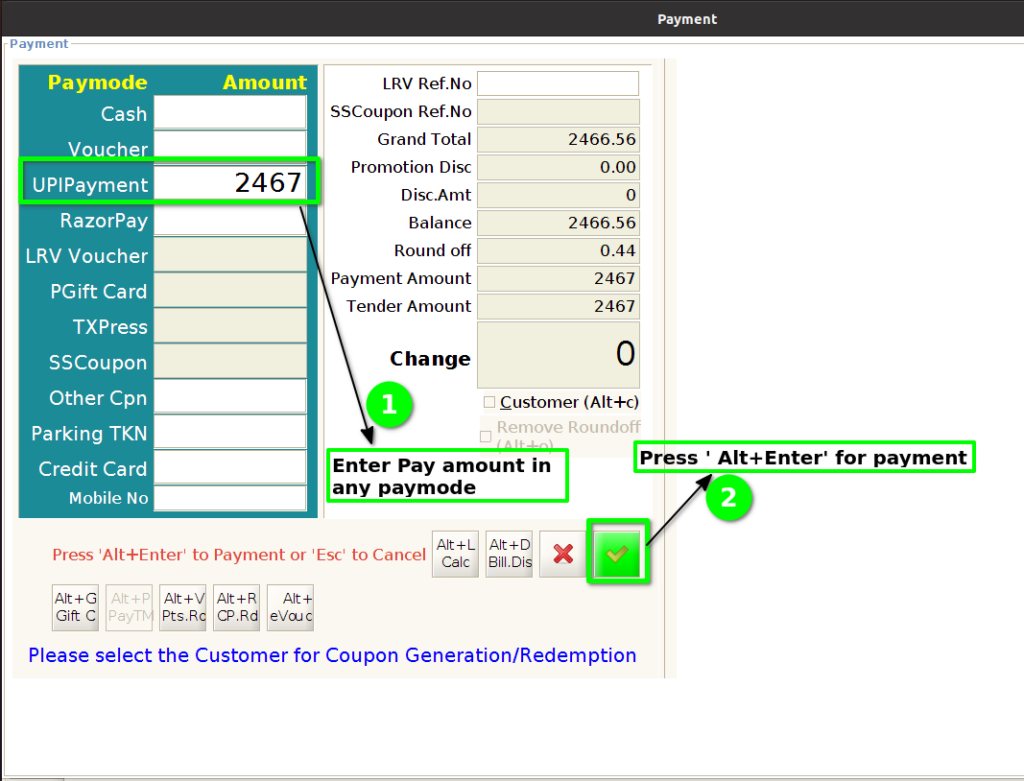
Step 5 : Click ‘F4’ for payment

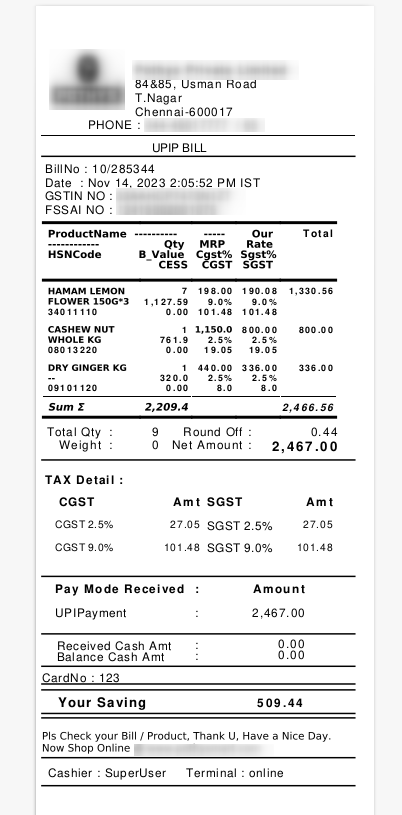
Step 6 : After payment invoice will generate. Register/Standard customer invoice number start with 10/