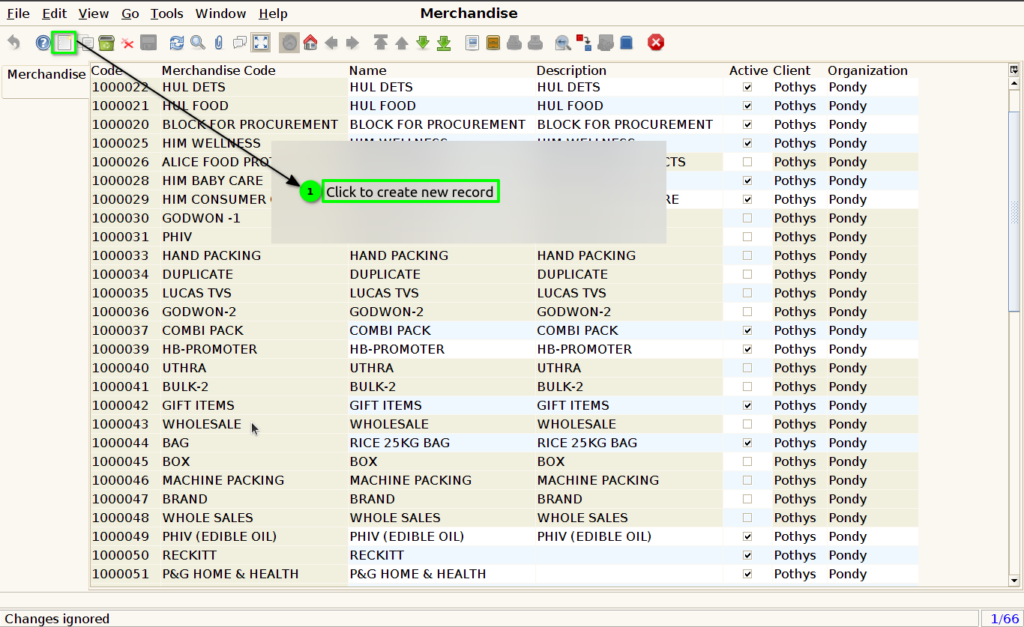
How to create Product Merchandise in Adempiere Retail
Merchandise refers to the products or goods that a business buys and sells to customers. It includes any item kept in stock for retail or wholesale sale.
User Access
Who Can Access
- Back Office
- Manager
- Admin
- Cashier
What User Can Do
- Create and manage merchandise
- Active an inactive merchandise
Pre-Requisite Activities
- Set Up User Roles and Permissions in merchandise screen
- Supplier and Vendor Information
- Create Product
BUSINESS RULES
- Every merchandise item must have a unique identifier (SKU or code)
- Merchandise status (Active/Inactive) should control visibility in sales
- Changes in merchandise should be logged for audit
USER INTERFACE
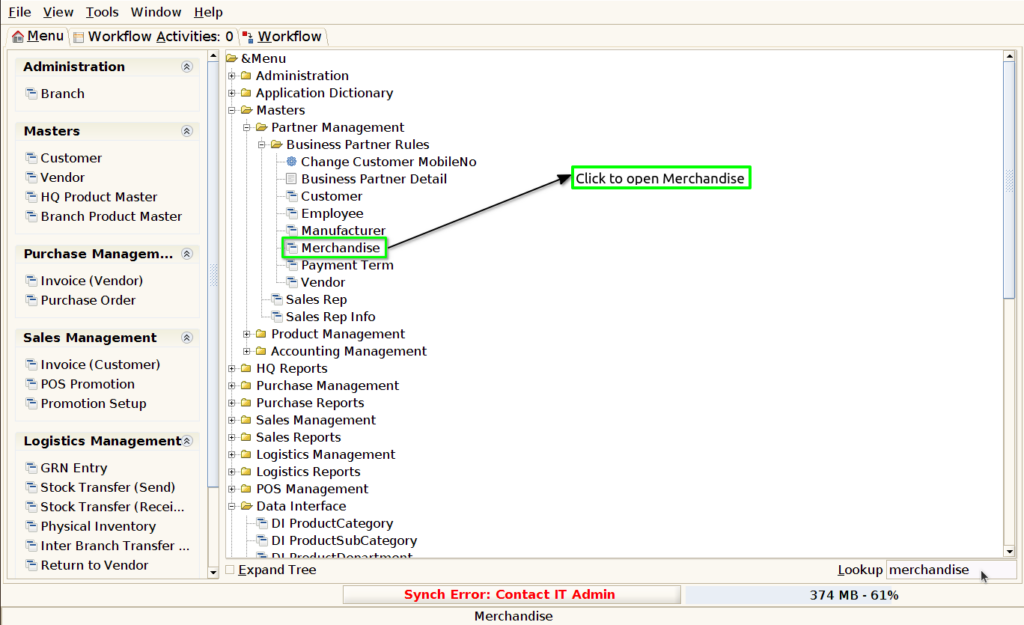
Step 1 : Select ‘Merchandise’ in Menu -> Master > Partner Management > Business partner rules > Merchandise or Search Merchandise in Lookup.
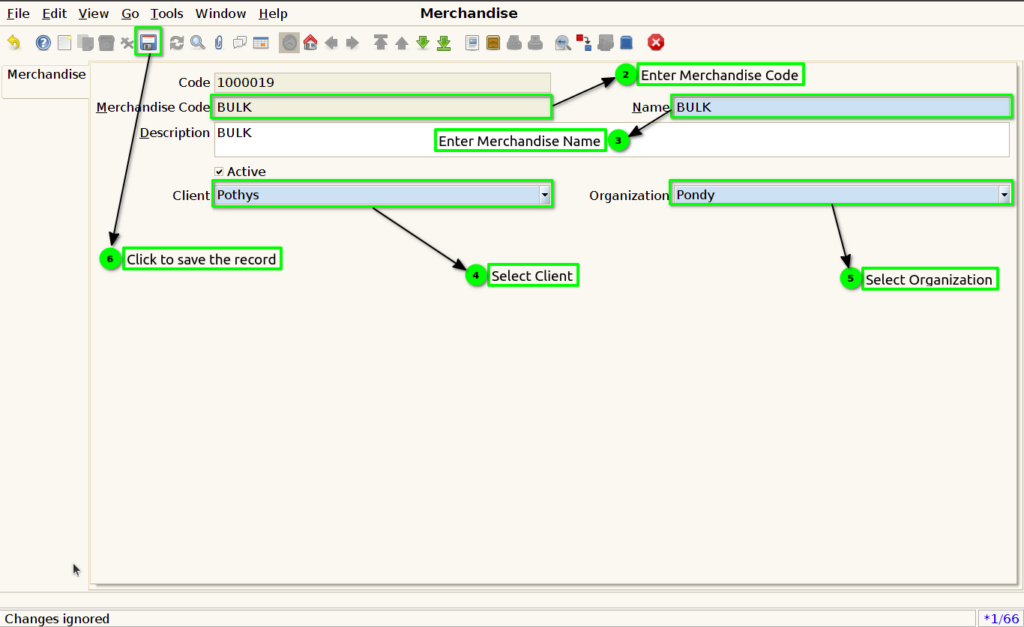
Step 2 : To create new merchandise by following these steps.