How to generate payment using Payment Selection (Manual) in Adempiere Retail
Manual Payment Selection refers to the process where the user manually selects due invoices to be paid to vendors, instead of the system auto-selecting them based on predefined rules.
User Access
Who Can Access
- Back Office
- Purchase Manager
- Manager
- Admin
What User Can Do
- View outstanding vendor invoices
- Manually choose specific invoices for payment
- Set payment date, method (e.g., bank, cash), and reference
- Edit or remove selected invoices before confirmation
Pre-Requisite Activities
- Vendor master and invoice entries should be available
- Bank accounts and payment methods configured
- User roles and rights defined for payment authorization
- Open payable/invoices must be posted and verified
Business Rules
- Only open and approved invoices can be selected for payment
- User must have access rights to perform manual selection
- Payment cannot exceed invoice balance
- Once confirmed, selection is locked for editing
- Duplicate payments should be blocked by the system
User Interface
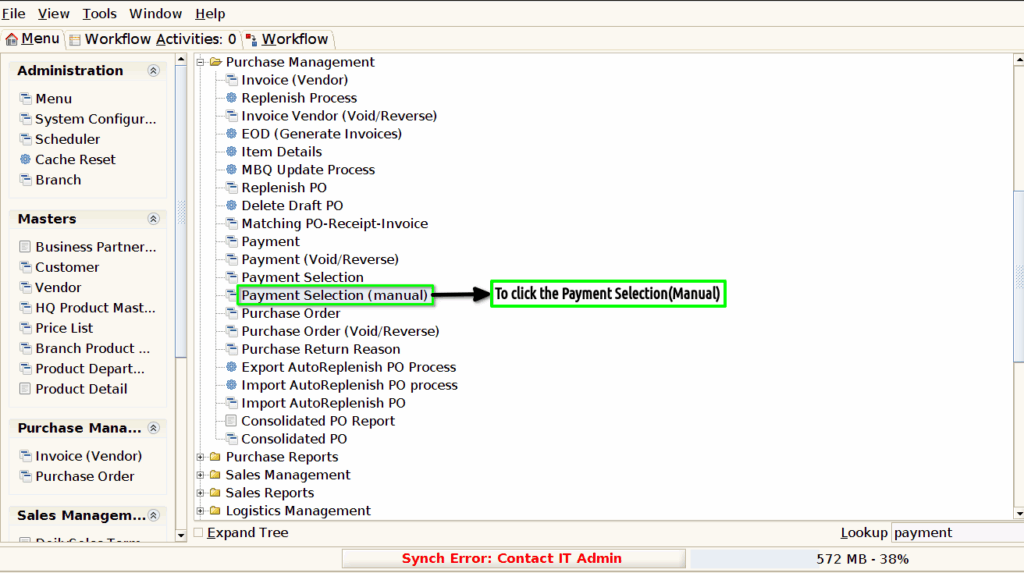
Step 1 : To Select a Branch in Menu.Then to click a Payment Selection(Manual).
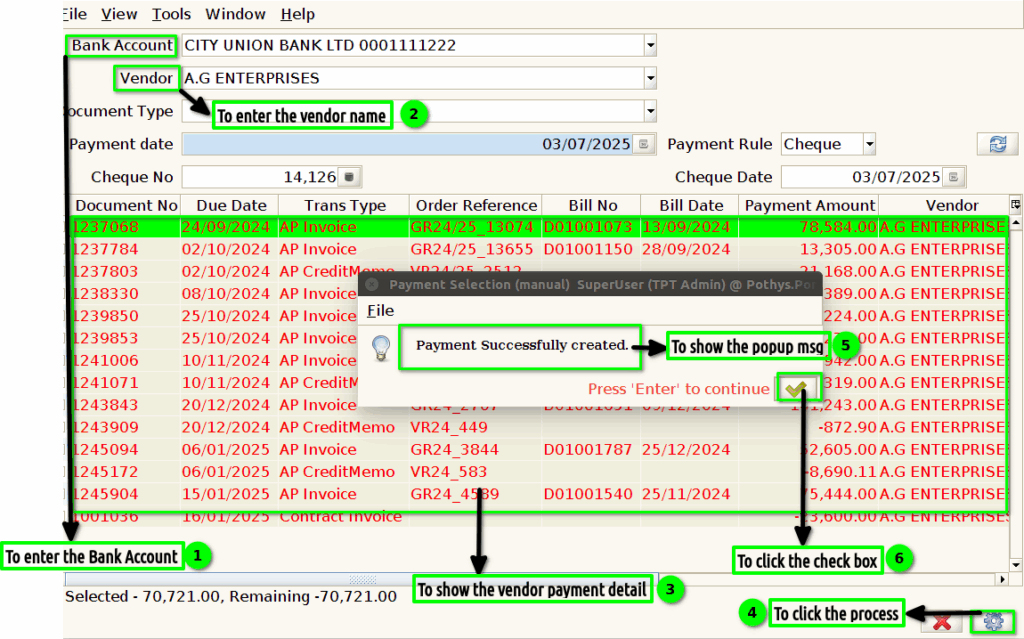
Step 2 :To enter the value for Bank account,Vendor,Document type,Payment Rule ,cheque no and then to show the payment details for based on document type then to click the process.
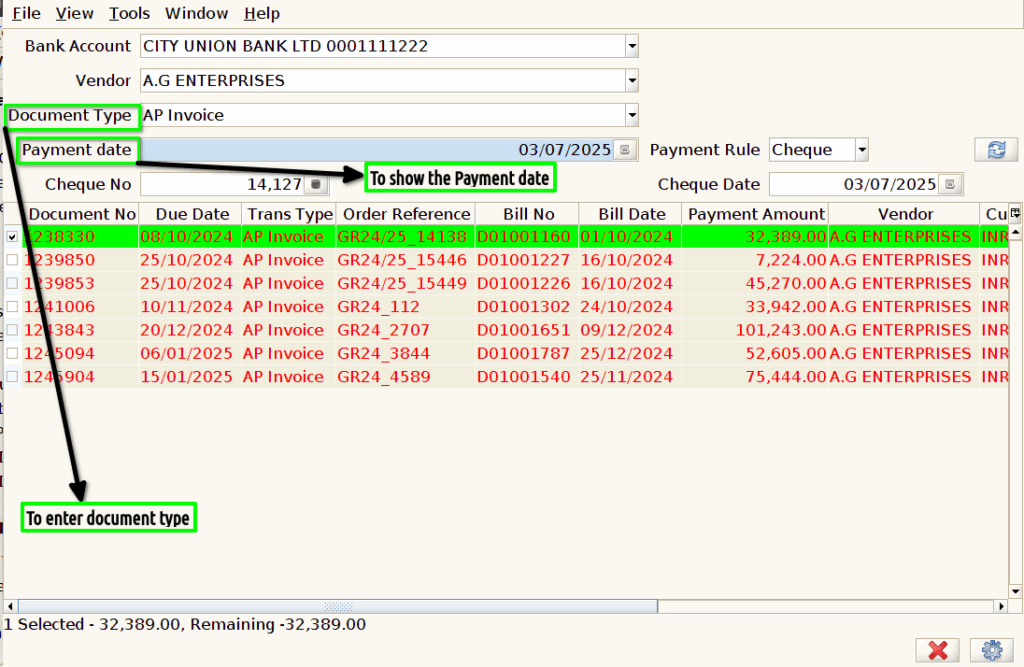
Step 3 :To enter the value for Document Type and to update and to show the Payment date.