How to create Invoice (Vendor) document in Adempiere Retail
Vendor Invoice is a document received from a supplier (vendor) that requests payment for goods delivered or services rendered. It confirms the purchase details like items, quantities, prices, and taxes.
User Access
Who Can Access
- Back Office
- Cashier
- Purchase Manager
- Manager
- Admin
What User Can Do
- Cancel or reverse invoice if needed
Pre-Requisite Activities
- Vendor master and item master must be created
- GRN (Goods Receipt Note) should be completed if linked
- PO must be approved if invoice is PO-based
- Tax and charge categories should be set
- User must have invoice creation right
Business Rules
- Invoice cannot be created without vendor details
- Duplicate invoices with the same vendor and invoice number should be blocked
- Invoice total must match with GRN or PO (if linked)
- Only authorized users can cancel or reverse invoices
- Payment terms from the vendor must be followed
User Interface
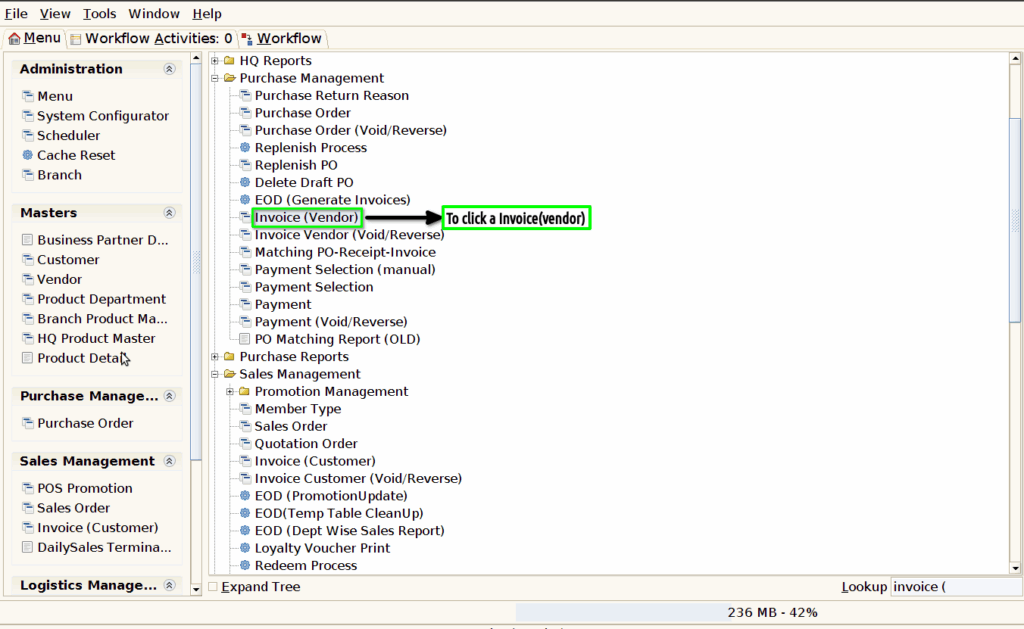
Step 1 : To Select a Branch in Menu.Then to click a Invoice(Vendor).
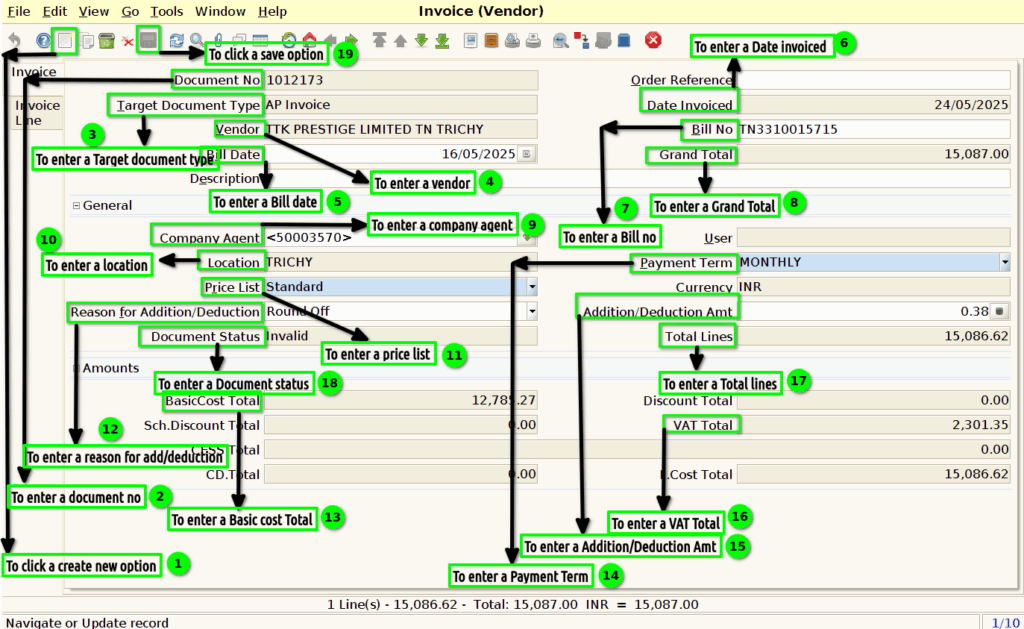
Step 2 : To click a create new option and to enter the values for Document no,Target document type ,vendor,bill date,company agent,Bill no,grand total,Date invoiced,payment term,Addition/Deduction amt,total lines,location,company agent,price list,VAT total,basic cost total and to update document status.
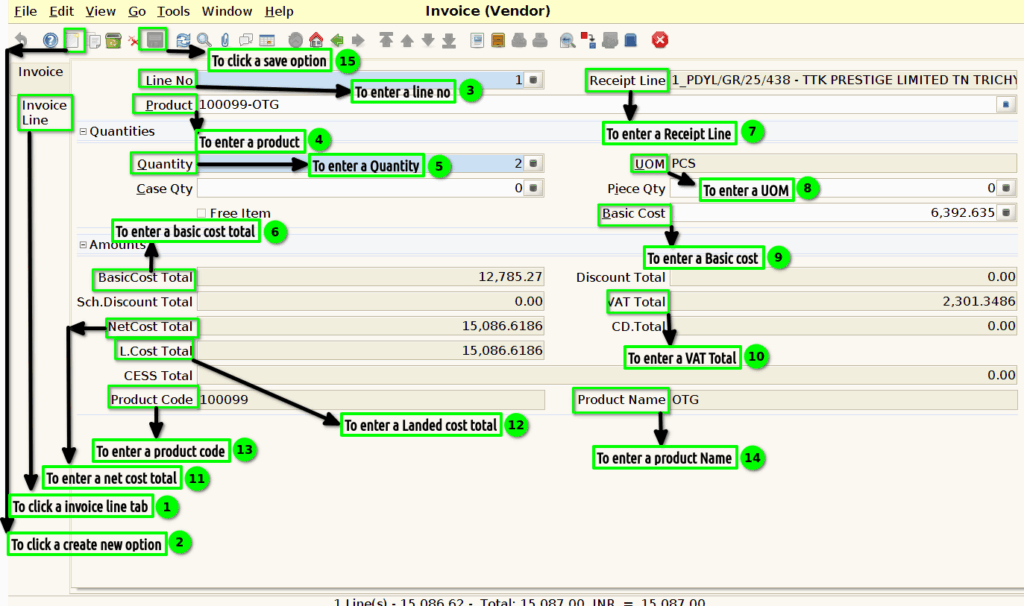
Step 3 : To click a Invoice line tab and to click a create new record option and to enter a values for Line no,product,Quantity,Basic cost total,Receipt line,UOM,Basic cost,Basic cost total,VAT Total,product name,product code,Net cost total,and landed cost total .Finally to save a invoice line.