How to view PO Matching Report (OLD) LS in Adempiere Retail
A Matching PO Report is a document used to compare and verify that the details on a Purchase Order (PO) match the Invoice and the Goods Receipt.
Who Can Access
- Back Office
- Cashier
- Purchase Manager
- Manager
- Admin
What User Can Do
- View and Compare
- Approve for Payment
- Export or Print Report
Pre-Requisite Activities
- PO Creation
- Goods Receipt (GRN)
- Invoice Received
- Data Entry Completed
Business Rules
- Exact Item Match Required
- Quantity Tolerance
- Price Tolerance
- Invoice Without PO Not Allowed
- Duplicate Invoices Not Allowed
- Tax and Charges Validation
- Invoice Date Must Be Within Valid Period
User Interface
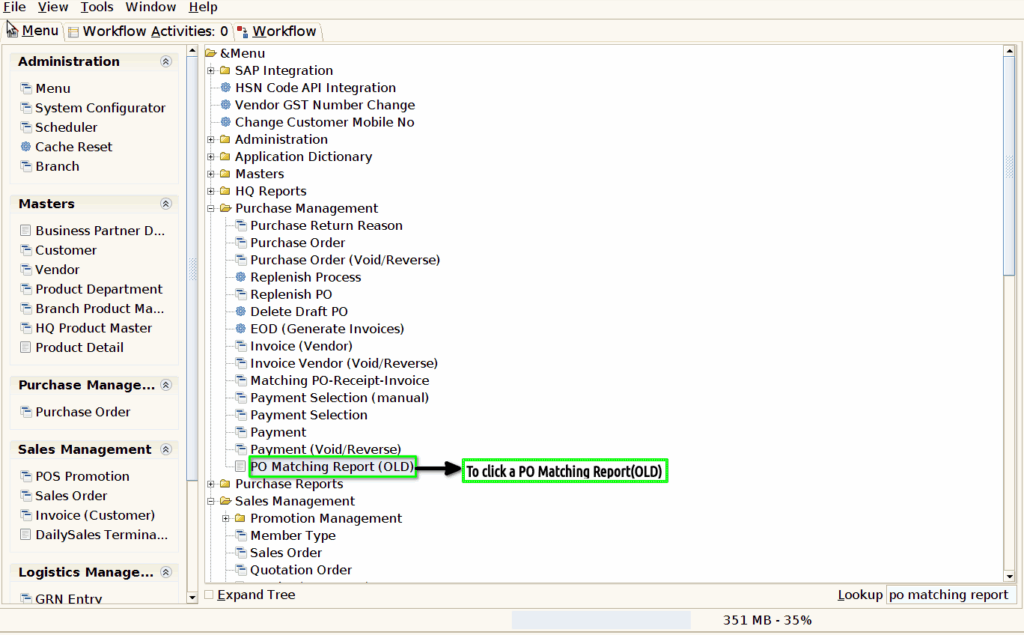
Step 1 : To Select a Branch in Menu.Then to click a PO Matching Report(OLD).
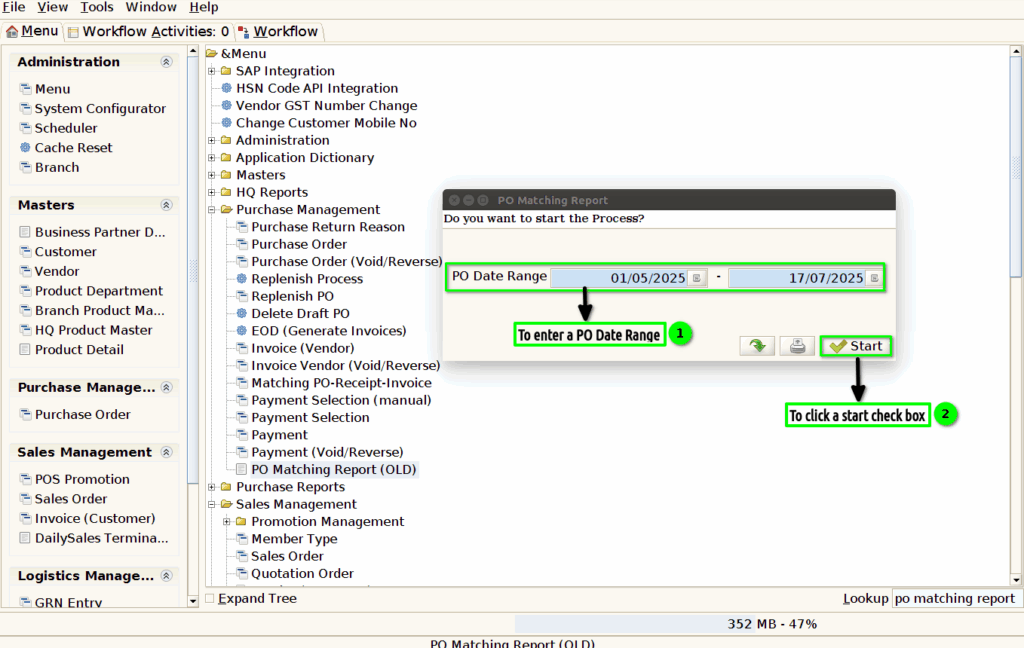
Step 2 : To enter a date range value for From date and To date.
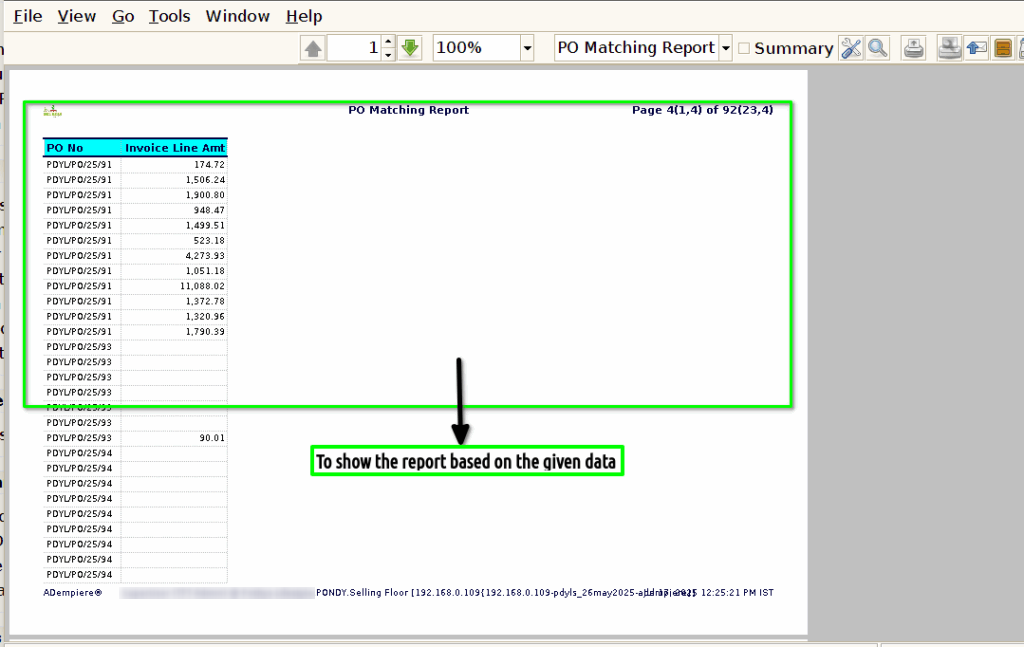
Step 3 : Once to run the process to open the report based on the given data.
1.PO no
2.PO Date
3.Purchase Order
4.Vendor
5.Product code
6.PO Product
7.Po Qty

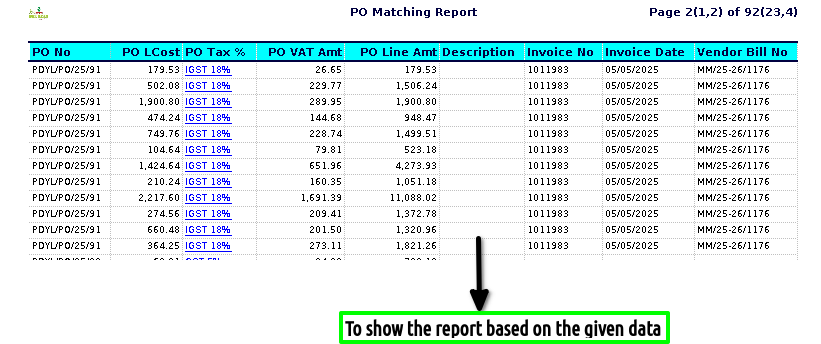
8.PO L.Cost
9.PO Tax
10.PO VAT Amt
11.PO Line Amt
12.Description
13.Invoice no
14.Invoice Date
15.Vendor Bill no

16.Invoice Line Amt.