How to do SS API setup in ADempiere Retail
Sivasakthi API Setup refers to the configuration of your system to connect and communicate with the Sivasakthi service provider using APIs. This setup allows you to exchange data such as orders, invoices information automatically and securely.
User Access
Who Can Access
- Manager
- Back Office
- Cashier
- Admin
What User Can Do
- Configure the API URL, token, username, and password
- Test connection to Sivasakthi’s API endpoint
- Enable or schedule data sync (orders, products, stock)
- Monitor API logs and sync status
Pre-Requisite Activities
- Obtain API credentials (URL, username, token, etc.) from Sivasakthi
- Ensure the system has internet access to reach the API
- Define what data will be pushed or pulled (sales, product, stock, etc.)
- Prepare product and customer data according to Sivasakthi’s API format
Business Rules
- Only authorized users can configure or run the API
- Data must follow Sivasakthi’s API schema (format, fields, etc.)
- API calls must be authenticated (e.g., using token-based access)
- Sync retries should be attempted if connection fails
- Logs of all API requests and responses must be maintainedcess
User Interface
Step 1 : Select ‘Branch’ in Menu Branch Configuration -> Branch or Search Branch in Lookup.

Step 2 : Select Pothys Organisation.

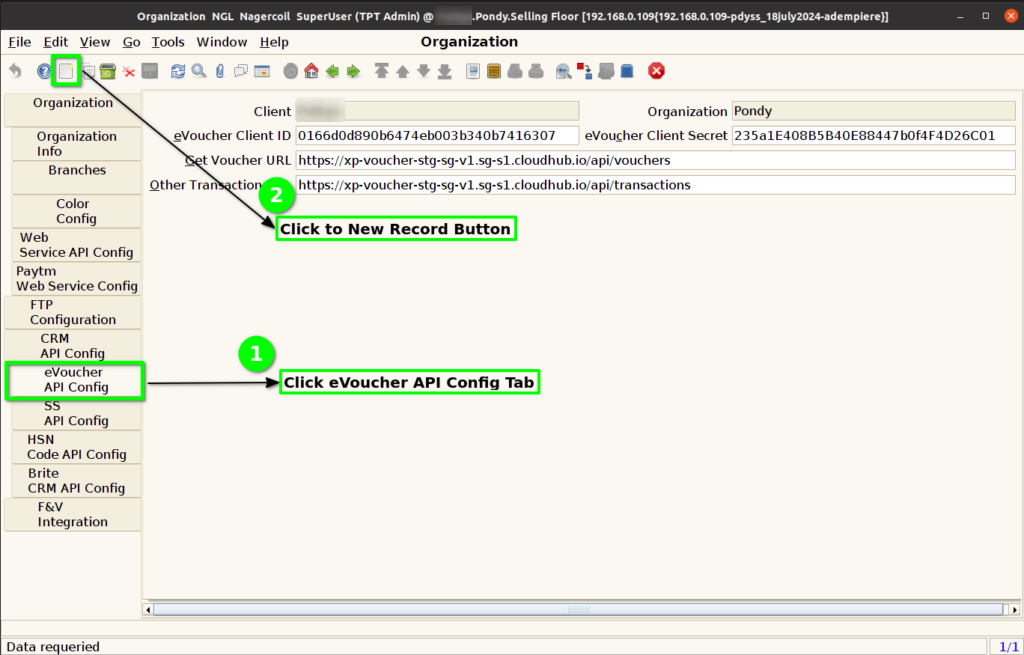
Step 3 : Click SS API Config Tab and Click New Button.
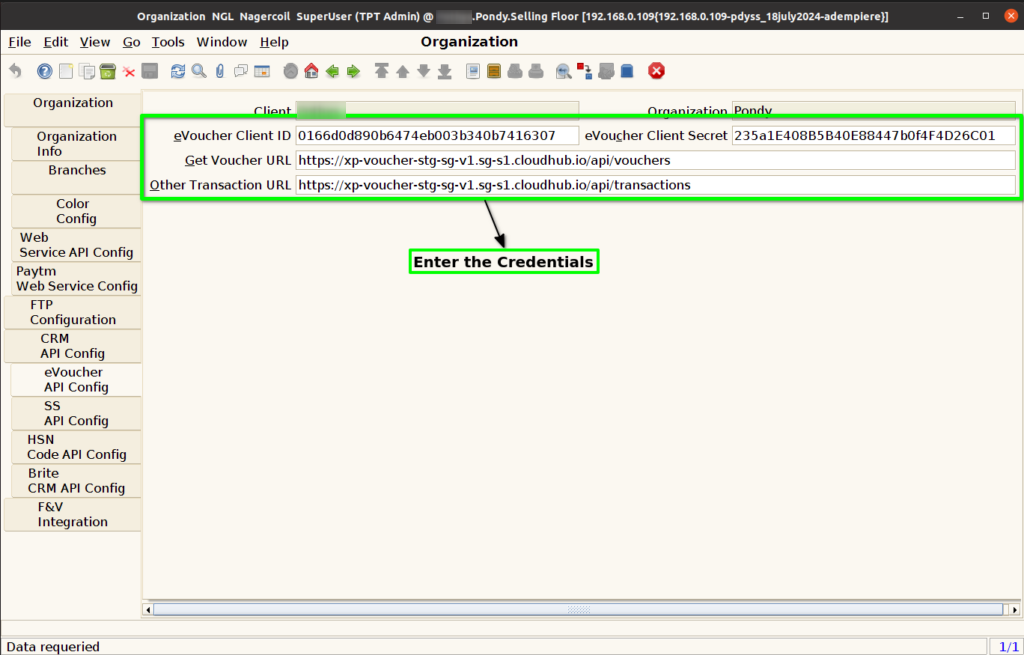
Step 4 : Enter Below Credentials for eVoucher API Config
- GRN URL
- User Name
- Password
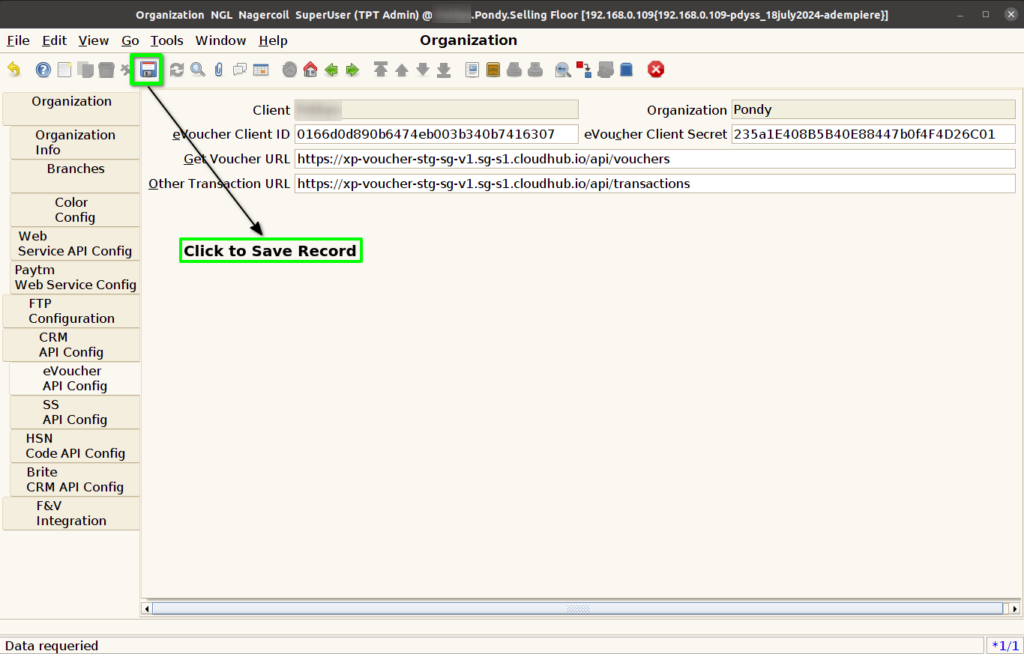
Step 5 : Click to Save the Record.