How to run Daily Sales Tax Wise Synch Process in Adempiere Retail
The Daily Sales Tax-Wise Sync Process refers to automatically sending daily sales data from your system to a central server, grouped by tax rates or categories (e.g., GST 5%, 12%, 18%).
This helps ensure accurate tax reporting.
User Access
Who Can Access
- Admin
- Cashier
- Manager
- Back office
What User Can Do
- Schedule or trigger daily sync of sales data
- Sync data categorized by tax slabs or tax types
- View sync status, logs, and summary reports
Pre-Requisite Activities
- Sales invoices must be properly tagged with HSN and tax
- Ensure tax master (GST %, CGST, SGST, IGST) is updated
- Sync scheduler service must be configured
- Server/API endpoint must be reachable
Business Rules
- Only finalized/posted sales invoices are included in sync
- Data must be grouped by tax percentage and tax type
- Duplicate or missing invoices must be flagged
- If sync fails, data should retry automatically or notify admin
- No manual editing of synced records allowed
- Sync must follow a standard format (JSON/XML/CSV) as per server config
User Interface
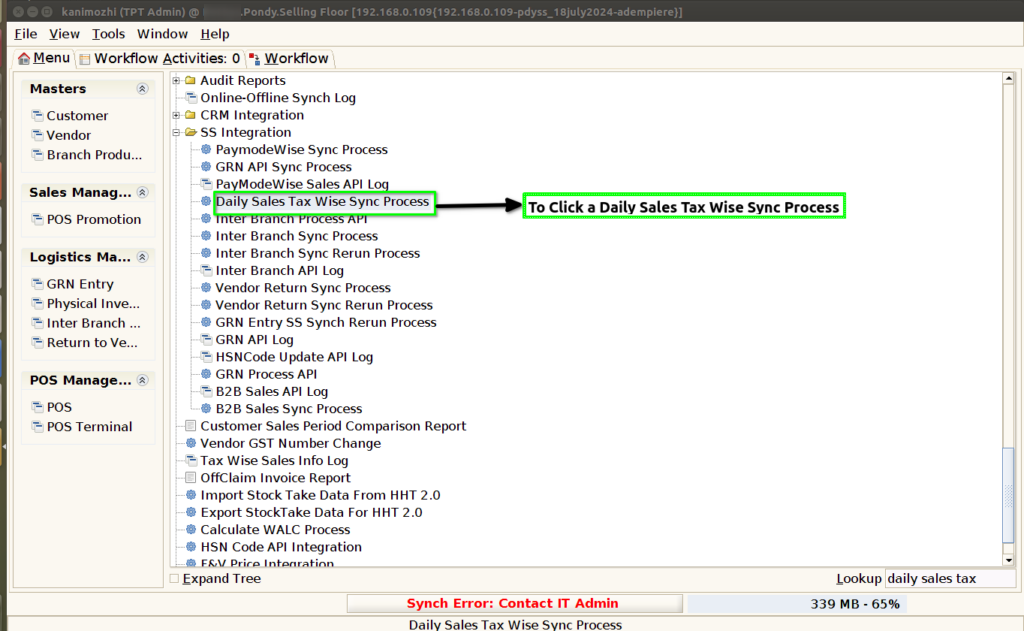
STEP 1: To select the Daily Sales Tax Wise Sync Process.
STEP 2: To enter a Date Range and to click a start check Box.

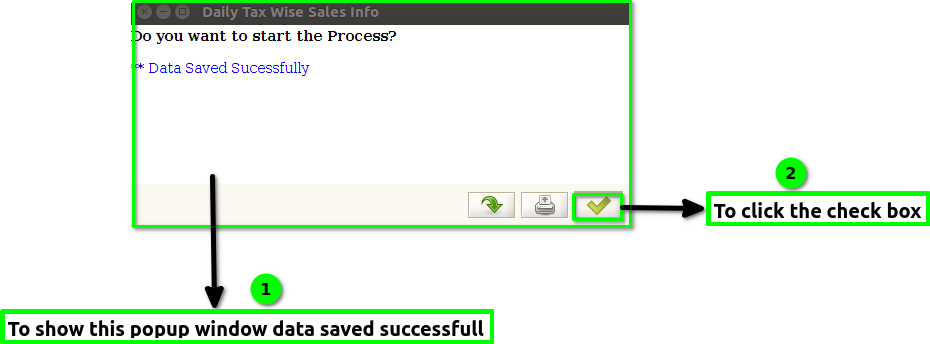
STEP 3: Once to run the process and to show this popup window data saved successfully and then to click the check box.