How to do eVoucher API Setup in Adempiere Retail
E-Voucher API Setup means configuring your system to connect with an external E-Voucher provider (like Edenred, GyFTR, etc.) using APIs. This allows automatic creation, validation, and redemption of digital vouchers in real-time during transactions.
User Access
Who Can Access
- Admin
What User Can Do
- Enter and configure API URL, client ID, client secret/token
- Enable real-time voucher generation and redemption
- View and manage voucher status (active, redeemed, expired)
- Sync voucher data with customer transactions
Pre-Requisite Activities
- Get API access credentials from the eVoucher provider
- Ensure your POS/ERP system supports API integration
- Map voucher-related fields (amount, type, validity)
Business Rules
- Voucher redemption should be allowed only for valid and active vouchers
- Each voucher must have a unique ID/code
- Voucher amount should not exceed the bill total unless configured
- Expired or already redeemed vouchers must be blocked
- API must be secure (HTTPS) and use authentication tokens
- Failed API responses must not complete the transaction
- All voucher activity must be logged for audit
User Interface
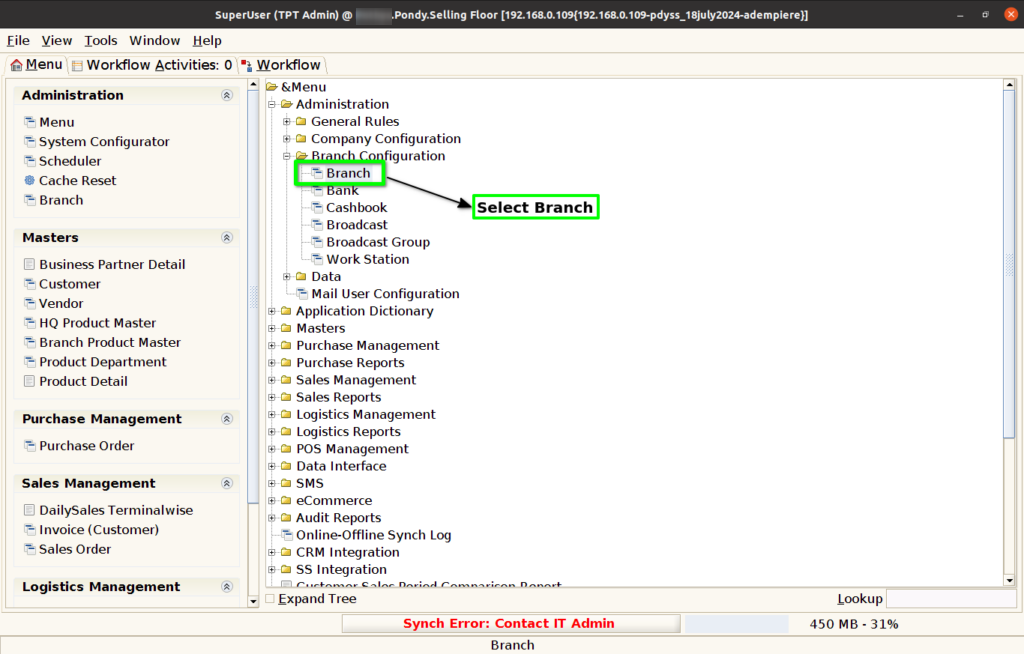
Step 1 : Select ‘Branch’ in Menu Branch Configuration -> Branch or Search Branch in Lookup.
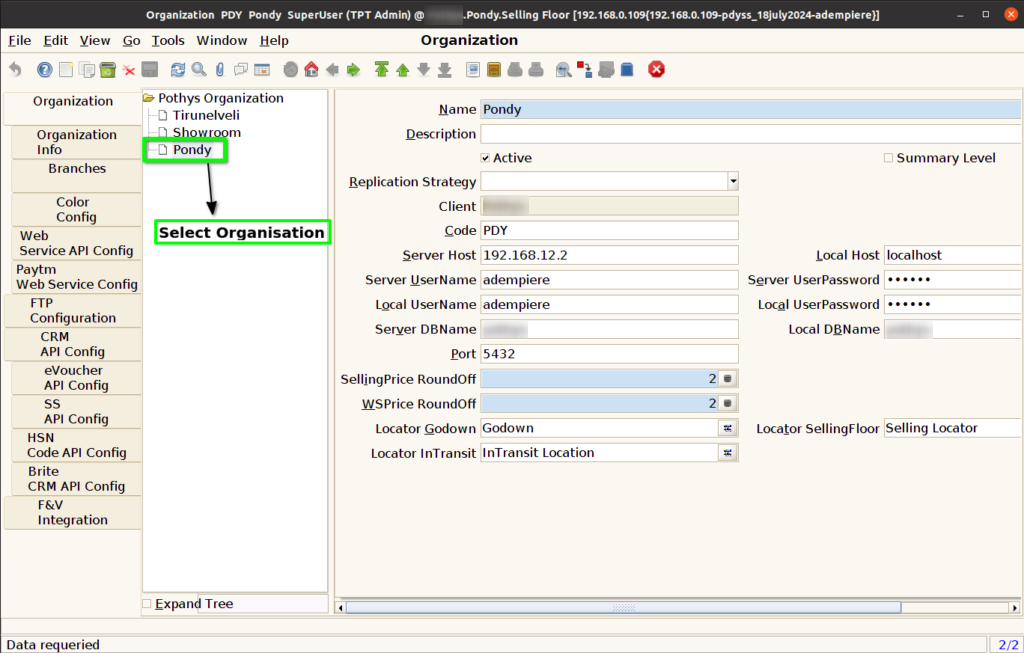
Step 2 : Select Organisation.
Step 3 : Click eVoucher API Config Tab and Click New Button.

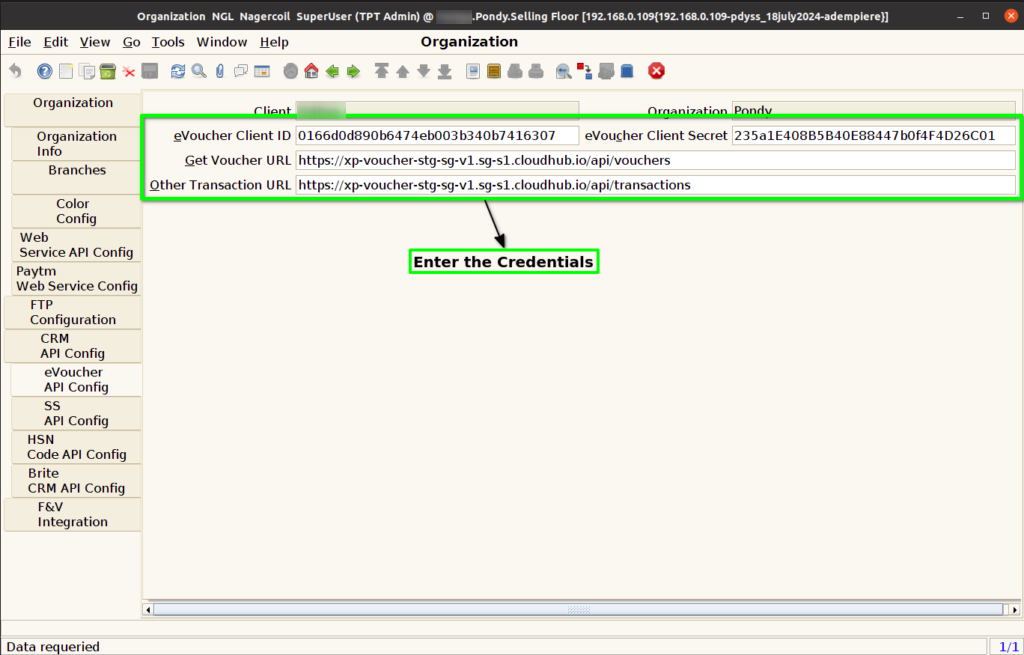
Step 4 : Enter Below Credentials for eVoucher API Config
- eVoucher Client ID
- eVoucher Client Secret
- Get Voucher URL
- Other Transaction URL
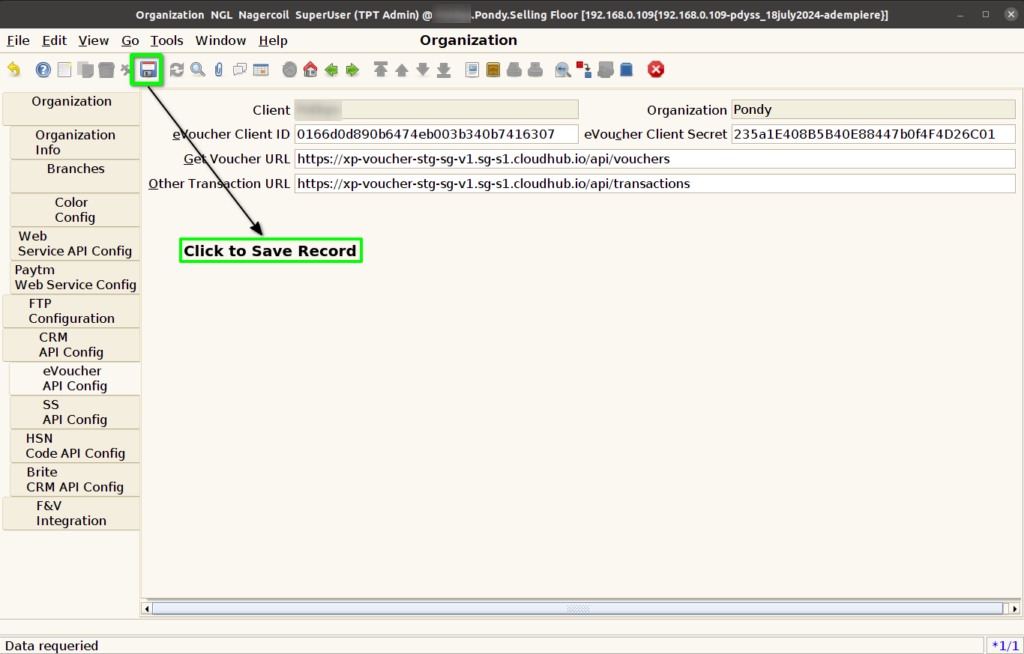
Step 5 : Click to Save the Record.