How to Create an Internal Stock Transfer in Odoo
Internal stock transfers are used to move inventory either between different warehouses, or between locations within the same warehouse. It helps avoid stockouts and overstocking. Transferring stock internally reduces purchasing and shipping costs. It ensures all locations have the products they need, improving operations. The process tracks stock movement for better management.
Navigate to Internal Stock Transfer: Inventory > Internal Transfer > Internal Stock Transfers
Mandatory Fields for Internal Stock Transfer
Transfer type is one of the mandatory fields used to specify the type of stock transfer (e.g., between branches or warehouses). After selecting the transfer type, the source and destination locations are set automatically.
The source location refers to the place from which the stock is being transferred, and the destination location refers to the place to which the stock is being transferred. Another mandatory field is product category, which is used to choose the category of products being transferred. Multiple categories can be selected.
Key Fields for Internal Stock Transfer
Contact is a field used to select the vendor for the transfer, and the scheduled date is automatically set to the current date.
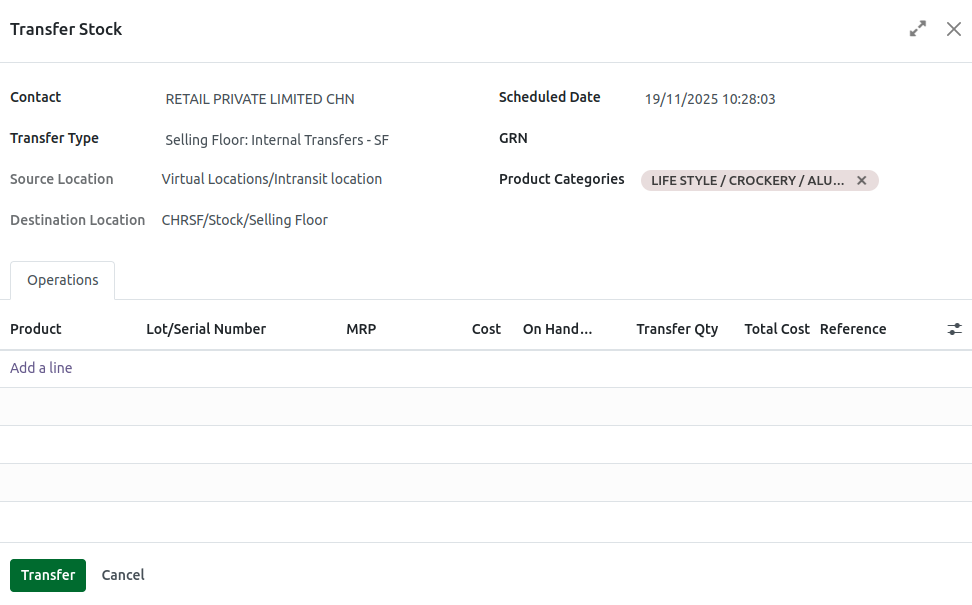
Add Product for Internal Stock Transfer
- Click Add a line Under the Operation Type.
- Select a Product using the Product code.
- Select the specific lot for the product.
Enter Transfer Quantity
Once choose the product and lot name, enter the transfer quantity. The total cost calculated based on the following formula
Total Cost=Transfer Quantity * CostNote: A validation error occur when the transfer quantity is not less than or equal to the on-hand quantity. If the product traceability is set to No tracking, the lot/serial number will not be displayed.
Once you click the Transfer button, the product will be transferred to the selected transfer type.
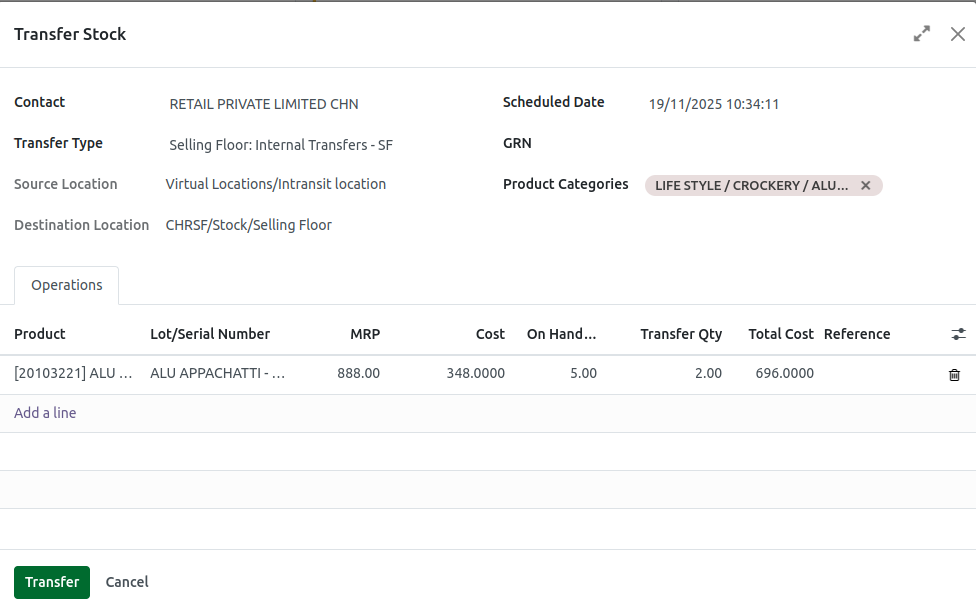
Transfer stock to the Intransit location
After selecting the products, click the transfer button to move the stock from the source location to the intransit location. Once confirmed, the stock transfer will update the inventory levels to both the source and intransit locations.

