How does the Bill-Only Terminal Work in the POS in Odoo
The Bill-Only Terminal generates bills without processing payments, speeding up billing when payments are handled separately. It minimizes payment errors, supports payment collection at different times or locations, and simplifies the POS by focusing solely on billing.
Access the Bill-Only Terminal
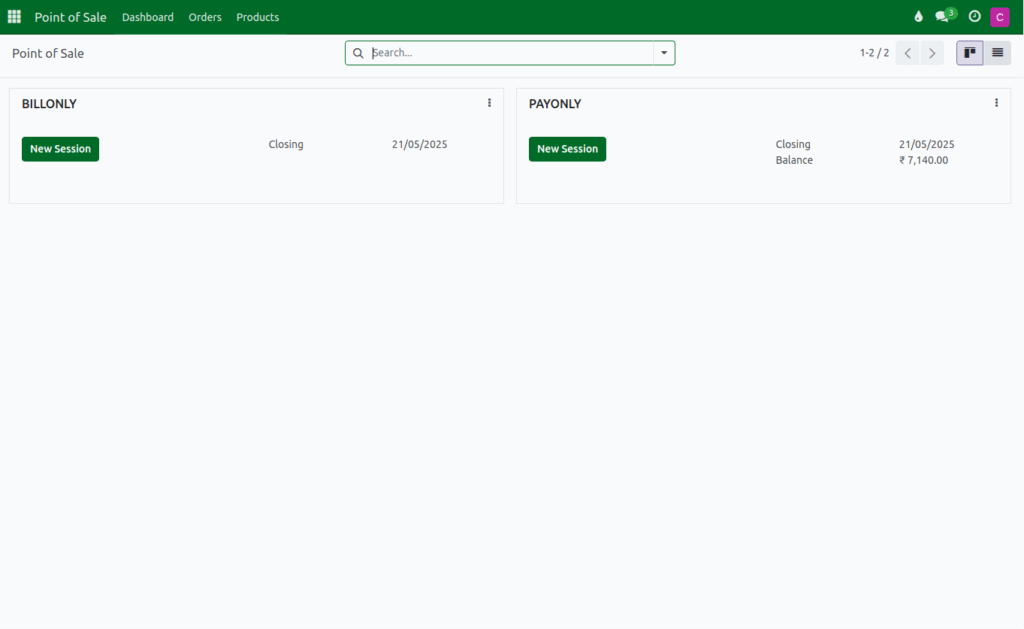
Log in using the Cashier role credentials and open the Point of Sale module from the dashboard. Navigate to the POS Bill-Only Terminal and click New Session to start a billing session. Then, select the cashier user.
Process a Order in Bill Only Terminal
- Add products to the POS cart by typing the product code (e.g., /2010058).
- Alternatively, scan the lot barcode or the product’s barcode/EAN code (or multiple barcodes).
- Enter the appropriate quantity for each product.
- Select the salesperson associated with each product.
- Customers cannot be selected, but they can only be created in this terminal.
Generate Bill Receipt in Bill Only Terminal
In the Bill-Only Terminal, the system does not allow payment by clicking the Payment button or using shortcut keys. To generate a bill receipt, click the Print button. Only Standard Orders are supported in this terminal. Additionally, customers can be created in the Bill-Only Terminal, but they cannot be selected.
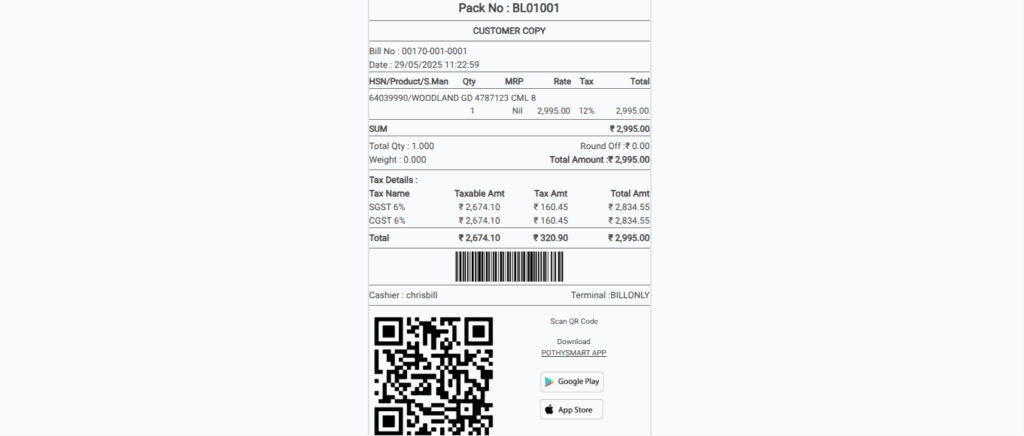
- After click the Ok order is save in the pay only terminal
- The bill receipt contain both customer copy & delivery copy
