How to Track the Status of a Purchase Order in Odoo
Tracking purchase orders in Odoo is straightforward once you understand the different stages of the order. From creating a Request for Quotation (RFQ) to approving and locking a purchase order, Odoo automatically updates the status at each step, helping you manage procurement efficiently.
Creating a New RFQ in Odoo Purchase
To start, open the Purchase module from the dashboard and click the +New button to create a Request for Quotation (RFQ). Select the vendor from the Vendor field and choose the products you want to purchase. Once all details are entered and the RFQ is saved, Odoo generates a unique Purchase Order Document Number. At this stage, the status of the order is RFQ, indicating that it is a draft request waiting for further action.

Send the RFQ to Vendor
Before confirming the RFQ, review all product details carefully, including specifications, descriptions, pricing, and quantities, to ensure everything is accurate.
To send the RFQ to vendor, you can click the Send by Email button to send the RFQ to the vendor; once the email is sent, the status changes to RFQ Sent.
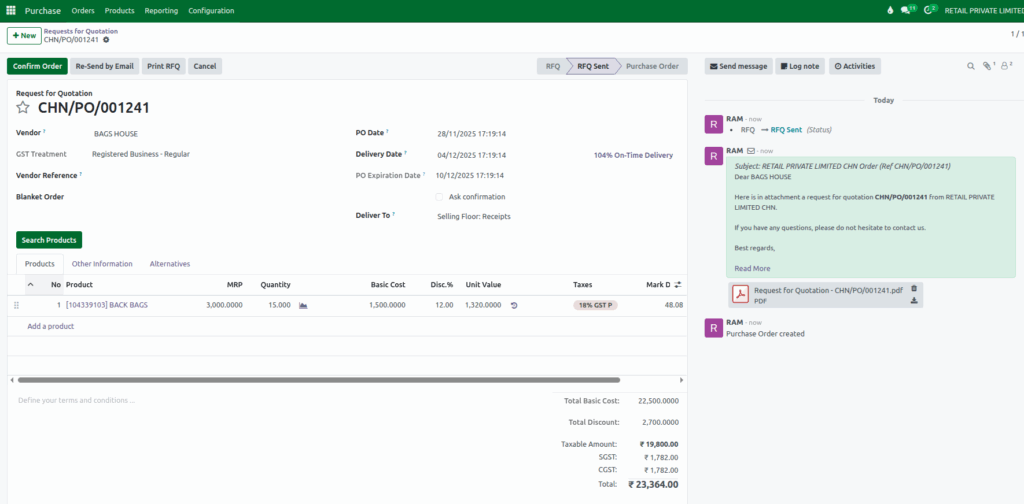
Approving the Purchase Order
After verification, clicking the Confirm Order button updates the status from RFQ Sent to To Approve, indicating that the order is now ready for the approval stage.
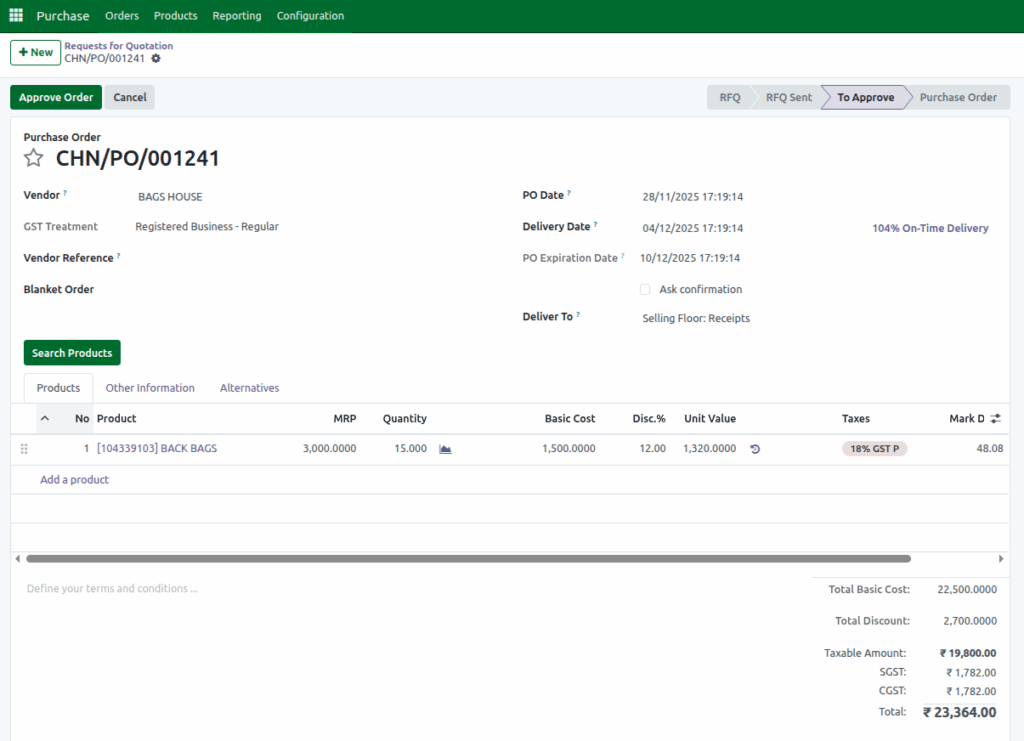
By Clicking Approve Order button, the status changes to Purchase Order, showing that it is officially confirmed. You can then track the order as it moves through procurement.
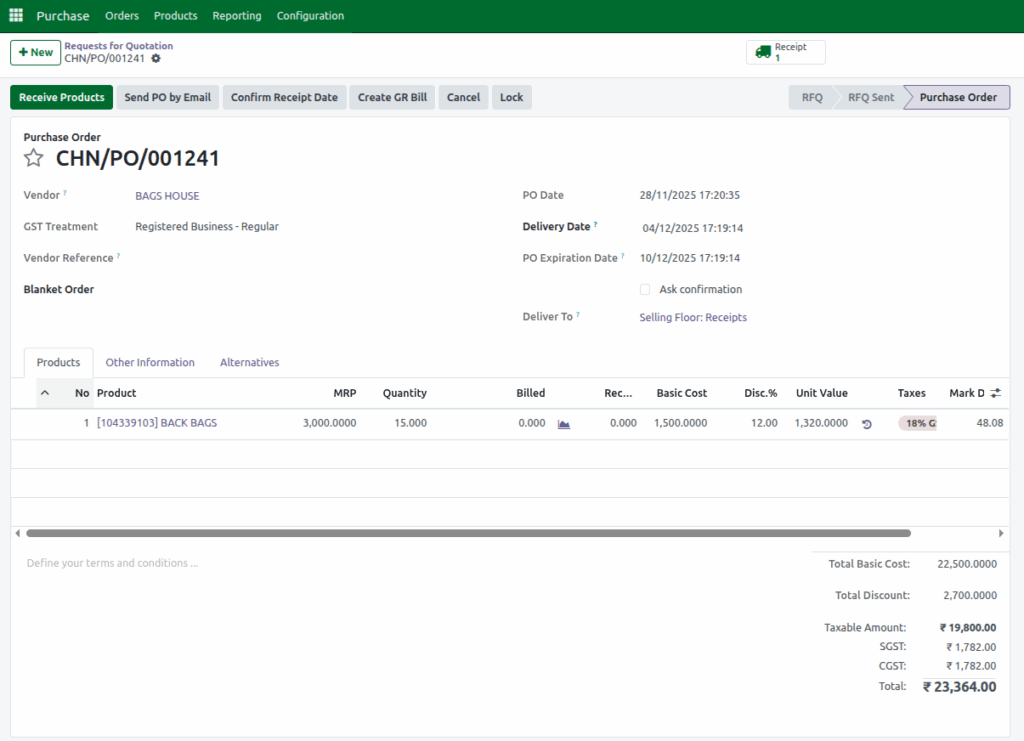
Locking the Purchase Order
For final control, Odoo allows you to lock a purchase order. If the Lock Confirmed Orders option is enabled in configurations, orders are automatically locked once confirmed. Otherwise, you can manually click the Lock button to change the status to Locked, preventing further edits and ensuring the order is finalized.
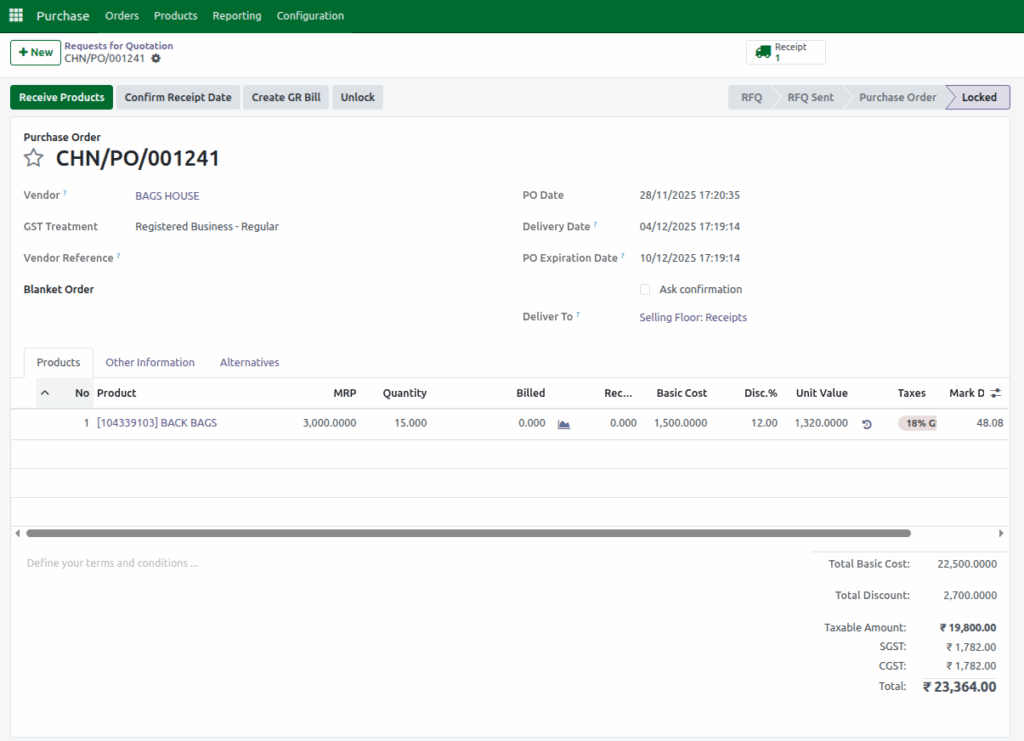
At every stage, Odoo clearly updates the status from RFQ to RFQ Sent, then To Approve, Purchase Order and finally Locked. So you always know the current state of your purchase orders.
