How to Configure Product Availability Features in Product Master in odoo
Product Availability features refer to the capabilities and tools within a system such as ERP or inventory management that help businesses track, manage. To ensure that products are available to meet customer demand, production schedules, and sales requirements for all products including service products.
Navigation to enable the product availability
Open Purchase module. Click Product in Purchase module. Choose one product to enable the product availability features.

Product Availability Check Boxes
- Can be Sold
- Can be Purchased
- Available in POS
- To Weigh with Scale Field
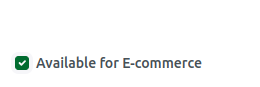
- Available for E-Commerce

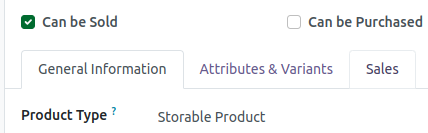
Can be Sold Field Functionality
When Can be Sold field is enabled for a product, the system allows the product to be sold through the POS system. Additionally, if Can be Sold is disabled, the Available in POS field will be automatically disabled.
Can be Purchased Field Functionality
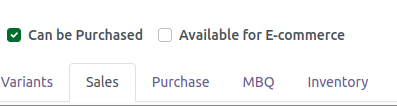
When Can be Purchased field is enabled, the product will be available to include in Purchase Orders. If Can be Purchased field is disable ,the Purchase tab not visible in the Product Master.
Available in POS Field Functionality
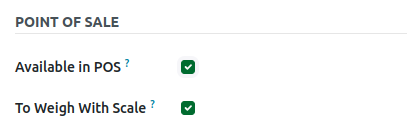
When the Available in POS field is enabled for a product, the product becomes available for sale in the POS system. If Available in POS field is disabled, the product will not be available for sale in the POS.
To Weigh with Scale Field Functionality
If “To Weigh with Scale” is enabled, the quantity on the POS bill receipt will be displayed as the weight, for example: Weight: 5.23. If “To Weigh with Scale” is disabled, the quantity will be shown as a regular number (not as weight) on the POS bill receipt.
Available for E-Commerce Field Functionality
If Available for E-Commerce is enabled, the product will be displayed in the e-commerce mart. If it is disabled, the product will not be shown in the e-commerce mart.