How to create a Scrap Wastage record for No-Tracking Products in Odoo Inventory
In Odoo inventory,Scrap wastage refers to the process of recording and managing products that are defective, or unusable during manufacturing, inventory handling, or quality checks.Scrap wastage are mainly used for No-tracking Products i.e ( Fruits & Vegetables). Where product on-hand quantity can be reduced by using scrap wastage when its damage
Navigation to Scrap Wastage in Odoo
To open a Scrap Wastage in Odoo, go to the Inventory module and navigate to Operations → Scrap Wastage. Then, click the New button to create a new Scrap Wastage record.
Mandatory Fields for Scrap Wastage
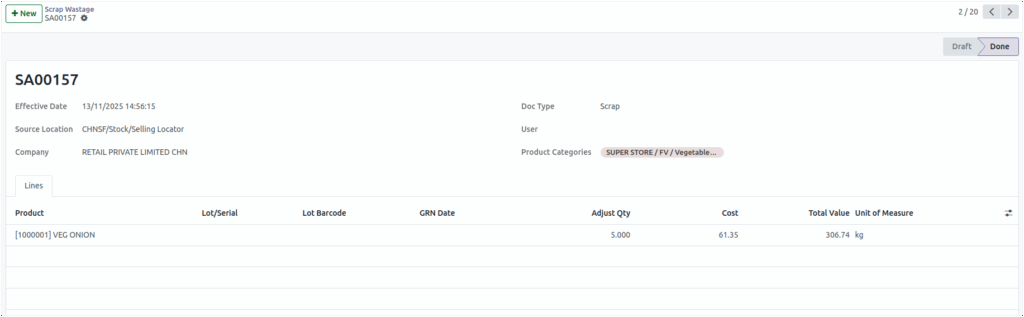
Select the appropriate source location of the product in the Source Location field, then choose the relevant product category in the Product Categories field. Once the record is saved, a document number will be automatically generated.
Enter Basic Details
The Owner field is optional and does not need to be filled in. The Doc Type field, when displayed as Scrap, is not editable. The Company field provides a drop down that displays the company name, and in the Effective Date field, you can select the appropriate date for the document.
How to Choose a Product
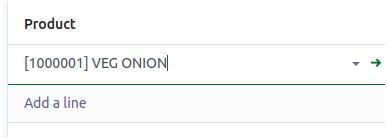
Select the product according to the chosen product category in the Product field. Once the product is selected, the UOM is filled in automatically, and the product’s average cost appears in the Cost field. For products with No Tracking, lot selection is not required. Additionally, the GRN date associated with the lot or product batch, if applicable, is automatically loaded.
Validate Scrap Wastage
Enter the required quantity in the Adjust Qty field. Decimal quantities are permitted for products with No Tracking.The entered quantity cannot exceed the available stock unless negative inventory is enabled.
The total value is calculated as,
           Total Value= Adjust Quantity * Cost

       Example:  Adjust Quantity = 5,    Cost = 61.35
                 Total value  =306.74
Click Validate, and the product will be scrapped. After validating the scrap document, the on-hand quantity of the product will be reduced accordingly.