How to Create a Sales Team in Odoo Sales
Creating a Sales Team in Odoo Sales helps your business organize people, manage regions, and improve customer relationships. A well-structured sales team makes it easier to reach customers in the right areas, understand what they need, convert leads into sales, and collect feedback to improve your products and services. Odoo provides an easy setup that allows you to build and manage different sales groups based on locations, products, or business goals.
Opening the Sales Team Menu
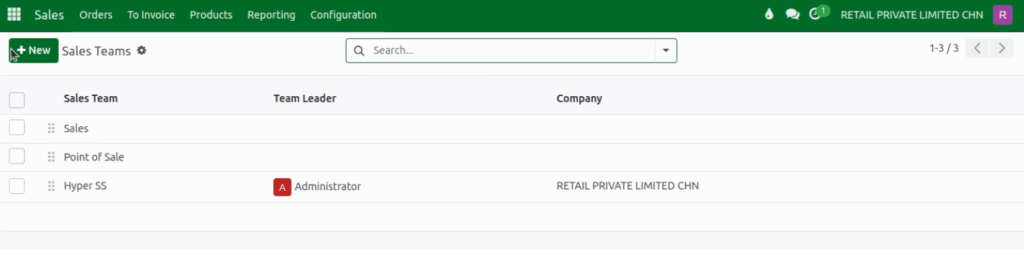
To create a new sales team, start by opening the Sales module. At the top of the screen, click the Configuration menu, and from the drop down options, choose Sales Teams. This page will show all existing teams in your system. To add a new one, click the + New button. This opens a form where you can enter the details for the new sales team.
Entering Basic Team Information
Begin by typing the Sales Team Name. This name is required and helps you easily identify the team later. Naming your team clearly also helps with tracking their performance and organizing activities within the Sales module. The Company field will automatically fill in, but you can change it if needed, especially in multi-company environments.
Setting Up the Team Leader
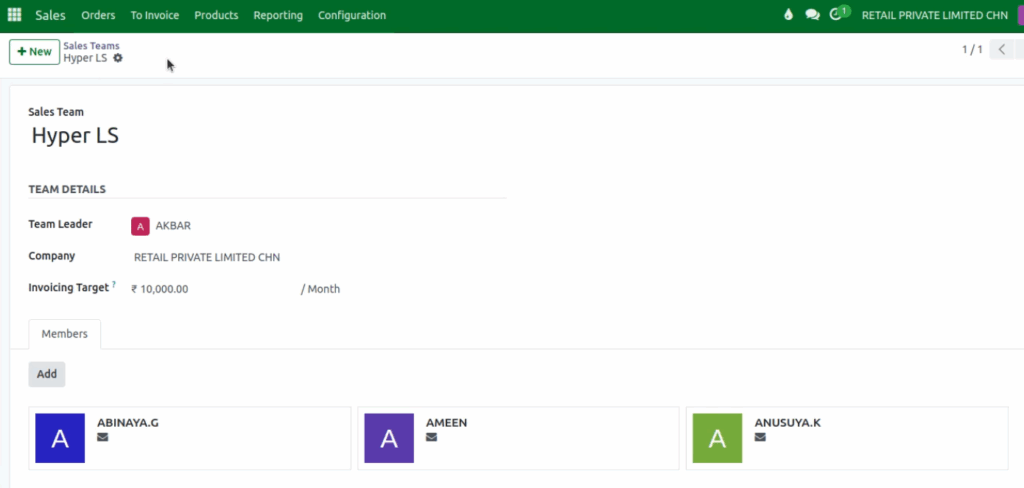
In the Team Details section, you can assign a Team Leader, such as a manager or senior salesperson. Select the leader from the user drop down list. If the user you want does not appear, select Search More to see the full list and choose the right person.
The Team Leader will be responsible for guiding the team, monitoring performance, and managing daily sales activities. You can also enter a Monthly Invoicing Target, which represents the revenue goal for the current month based on untaxed confirmed invoices.
Adding Team Members
Below the team details, you can add salespeople to the team. Click the Add button under the Members section to open a list of all available salespersons. Select the users who should be part of this team.
If you need to create a new salesperson on the spot, click the New button and enter their details. Once members are added, they will appear in the team list, making it easier to track responsibilities and performance.
Saving the Sales Team
After filling in all the necessary information and choosing the team leader and members, click Save to create your new Sales Team. The team will now appear in your Sales Teams list and can be used for reporting, assigning tasks, tracking performance, and managing your sales process more effectively.