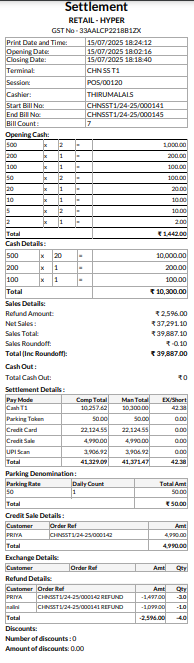
Verify & Print Settlement
Step 1: Open POS Session
- Go to POS Module
- Navigate to Point of Sale → Reports → Session Print.
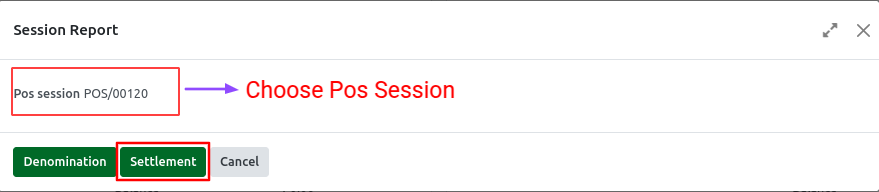
- Select the appropriate Session ID for the POS session you want to verify.
- Click the “Settlement” button for the selected session for Head Cashier.
- The Settlement print will be download.
Step 2: Review the Session Details in Settlement Report
- In the session detail view, verify the following:
- Cashier name
- Opening balance
- Total sales amount
- Payment methods used (Cash, Card, UPI, etc.)
- Any discrepancy amount (difference between expected vs. counted cash)
Settlement Print