How to Handle Different Taxes in Odoo Sales Orders
Managing taxes correctly in Odoo Sales is important for accurate billing, smooth audits, and error-free financial reporting. Odoo automatically applies the right tax CGST, SGST, IGST or Cess based on your customer’s location and the tax setup in the product master. With the right configuration, Odoo reduces manual work, avoids mistakes and ensures every sales order follows proper tax rules.
Creating a Sales Order in Odoo Sales
To begin, go to the Sales module, open the Orders menu and click Orders. On the Sales Order screen, you can create a new order by clicking the +New button. Select the customer from the drop down and once you click Save, Odoo will automatically generate a unique Document Number for the order.
You can then add products by selecting them using the product code or product name. After selecting the product, choose the required lot and enter the quantity needed. This makes it easy to build your order accurately and efficiently.
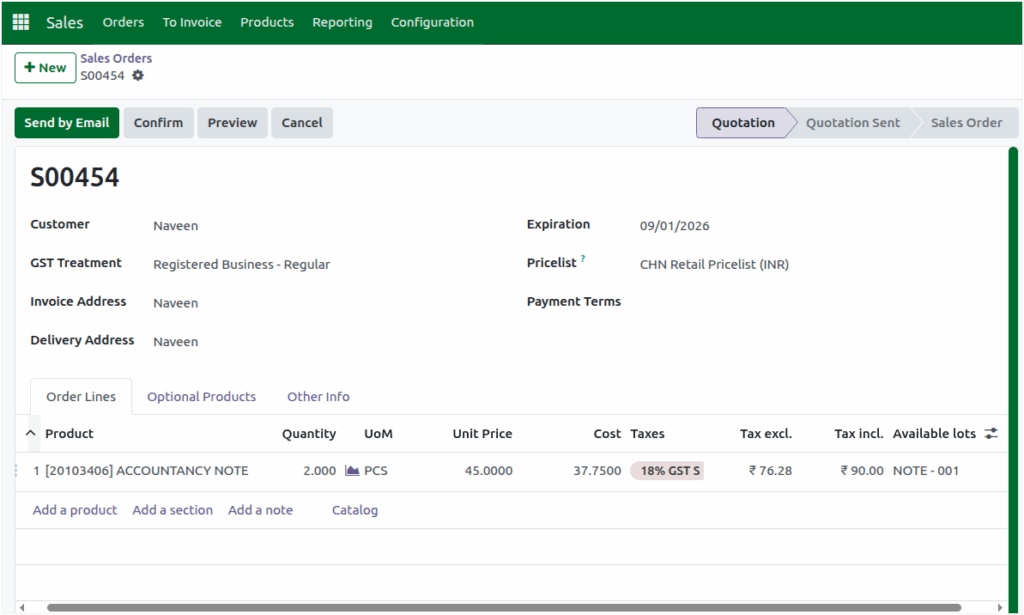
The tax rate configured for that product in the Product Master will automatically appear in the Taxes field. Odoo also adds an “S” suffix next to the tax to show that the applied tax is a sales tax. This ensures that the correct tax rate is fetched without needing manual adjustments.
For the appropriate chosen pricelist, the Unit Price and Cost will be displayed. Odoo then automatically calculates the taxable amount, tax and total amount giving you a complete and accurate pricing breakdown for the Sales Order.
Tax Calculation for IntraState Transactions
For customers located in the same state as your company, Odoo applies intrastate tax rules. This means the total tax percentage is automatically split into CGST and SGST. For example, if a product has an 18% tax, Odoo divides it into 9% CGST and 9% SGST.

This breakdown is clearly displayed at the bottom of the sales order screen, allowing you to verify the tax calculation for each product easily.
Tax Calculation for Inter-State Transactions
If you are selling a Product to a customer in a different state, Odoo applies inter-state tax rules using the customer’s fiscal position. When the fiscal position is set to Interstate, the Taxes field will show the tax in the format Tax Percentage IGST S (for example, 18% IGST S).
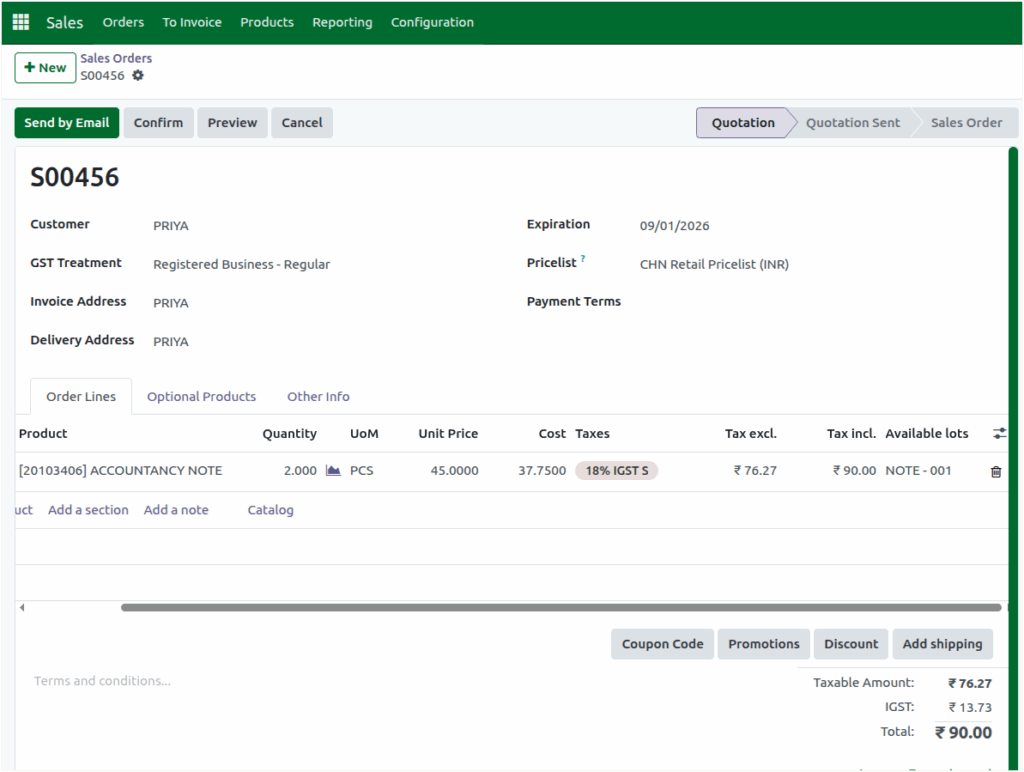
In this case, Odoo applies IGST to all products in the sales order, and the total IGST amount is shown at the bottom of the screen. This ensures correct tax handling for inter-state sales without any manual calculation.
Handling Cess for Specific Products in Sales Order
For products that include Cess, Odoo displays both the tax rate and the cess rate in the Taxes field. The cess amount is calculated separately from the normal tax amount so that your billing and compliance remain accurate.
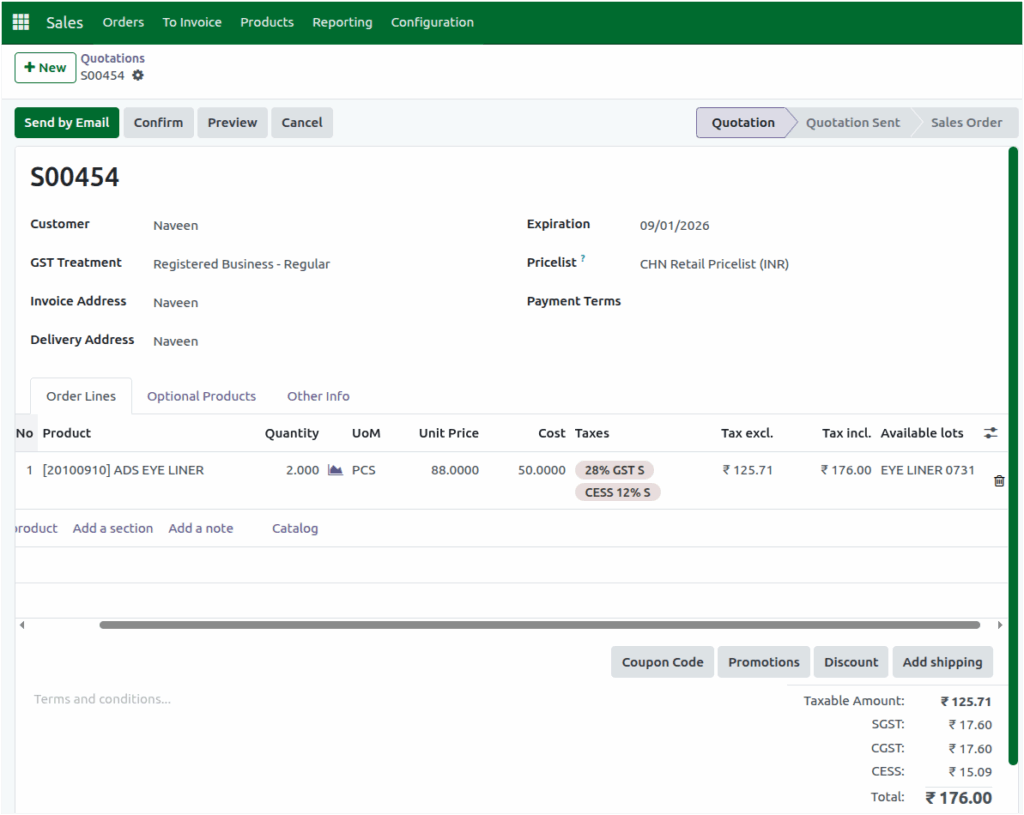
Whether the transaction is intrastate or inter-state, the cess details are always displayed separately, giving you a clear breakdown of all applicable charges. This allows you to handle products with special tax rules easily while keeping all tax components clearly visible within the sales order.
These automated tax features reduce manual work, prevent calculation errors and ensure full compliance with GST rules. With the right setup, Odoo makes tax handling simple, reliable and efficient helping your team focus more on sales and less on tax complexities.
