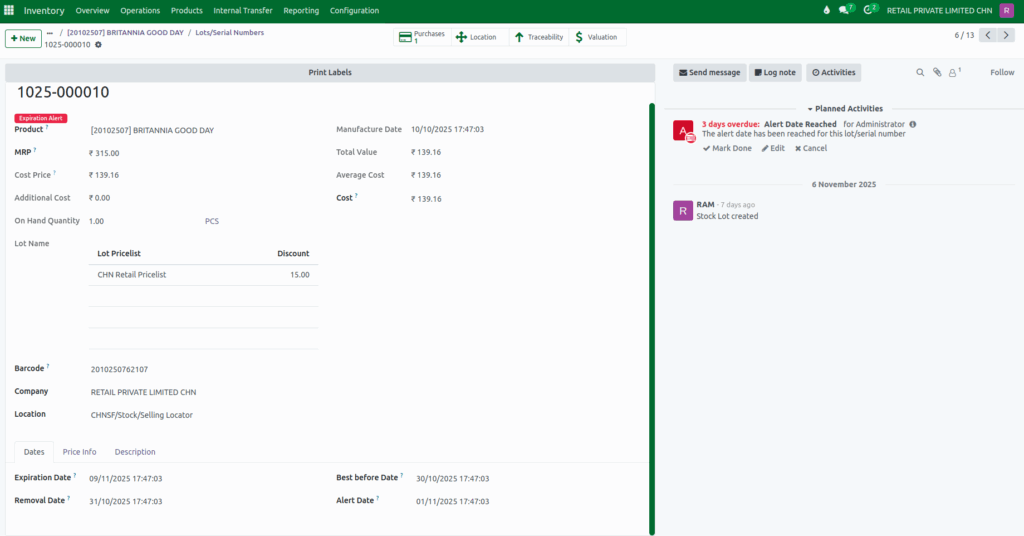
How to Configure Manufacturing and Expiration Dates for Products in Odoo Inventory
Managing products with manufacturing and expiration dates in Odoo Inventory is important for ensuring quality, safety, and proper stock rotation. Odoo makes this process easy by allowing you to track products using lot or serial numbers and set automatic expiry rules. This helps you keep your inventory accurate, avoid expired stock, and maintain full traceability.
Enable Expiration Dates Setting
Go to Inventory → Configuration → Settings. Scroll down to the Traceability section and turn on both Lots & Serial Numbers and Expiration Dates. This will allow you to manage expiration dates for products using lot & serial numbers. Then, click the Save button.

Enable Manufacturing and Expiration Dates for the Product
Next, configure the product to use expiration management. Go to Inventory → Products→ Product Master, select the product, and open the General Information tab.
In the Traceability section, set the Tracking field to either By Lots or By Unique Serial Number. Then only the Manufacturing and Expiration Dates options will appear.
- To capture only the Manufacturing Date, enable the Manufacturing Date field.
- To capture both Manufacturing and Expiration Dates, enable the Expiration Date field. This will automatically enable the Manufacturing Date field as well.
Configure the Dates Section of the Product
After enabling expiration tracking, the Dates section appears in the General Information tab. You can define how the system calculates other related dates by entering the number of days for each duration.
You can set:
- Expiration Date: Number of days after manufacturing when the product expires
- Best Before Date: Number of days before expiry when the product should be used
- Removal Date: Number of days before expiry when the product is removed from stock
- Alert Date: Number of days before expiry when the system will generate an alert

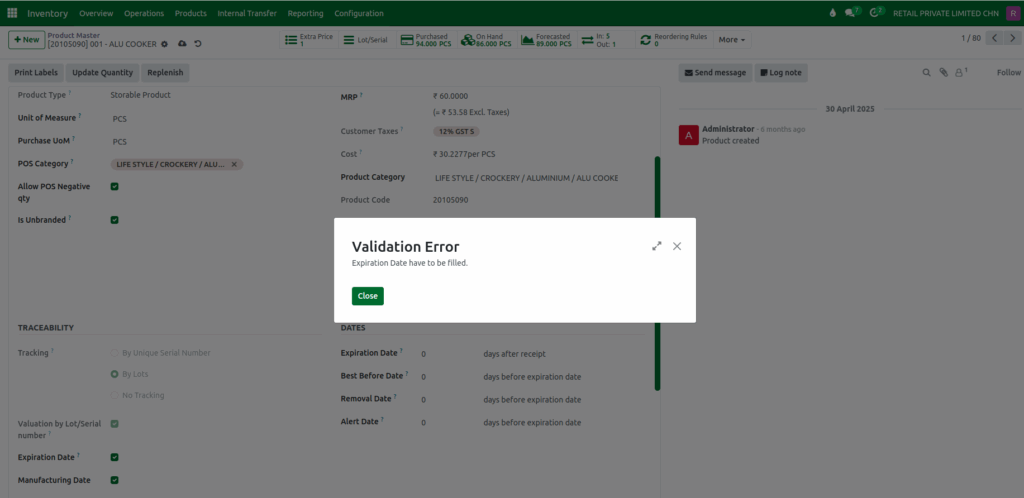
Validation
System throws an Validation Error if the Expiration Date field is not filled.
“Expiration Date have to be filled.”
Expiration Dates in the Lot
Based on the Manufacturing Date entered during Goods Receipt, Odoo automatically calculates all the dates related to expiration in the lot. This ensures that every product received into the system has accurate manufacturing and expiration details, traceable through its unique lot number.