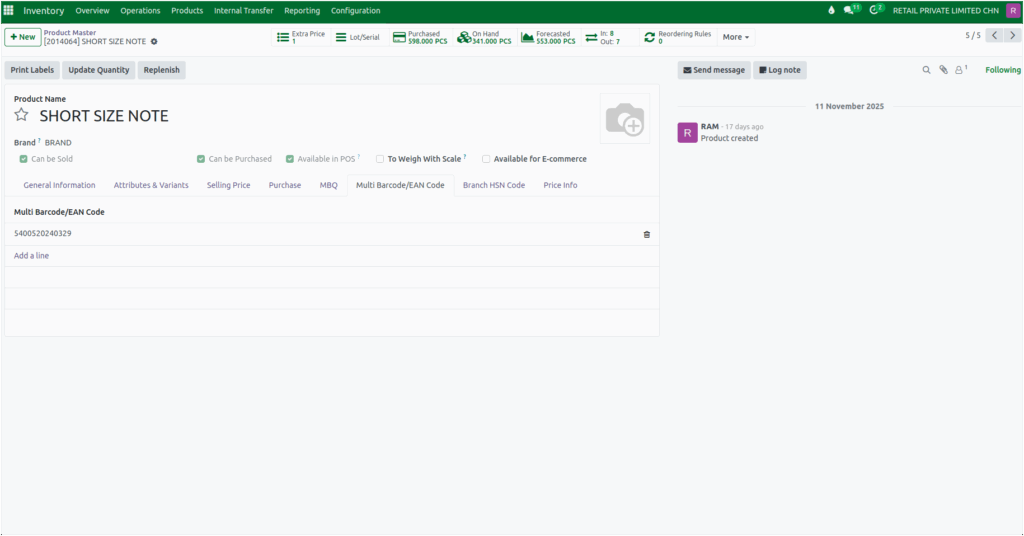
How Odoo Handles Barcode and Multi-Barcode for Products in Inventory
In Odoo Inventory, Barcodes and multi-barcodes are used to identify products quickly and accurately during sales and inventory operations. Each barcode must be unique so that the system can recognize the product without confusion.
Multi-barcode means that a single product can have more than one barcode, which is useful for branded products that often come with different barcode formats. These barcodes help users scan items easily, making operations faster and more reliable.
Navigating to the Product Master
To add barcode details, the user needs to open the Product Master from the Inventory module. This can be done by going to Inventory, selecting the Product menu, and then opening the Product Master list. Once inside, the user can click on the product that has already been created. This opens the product form, where barcode information can be entered or modified.
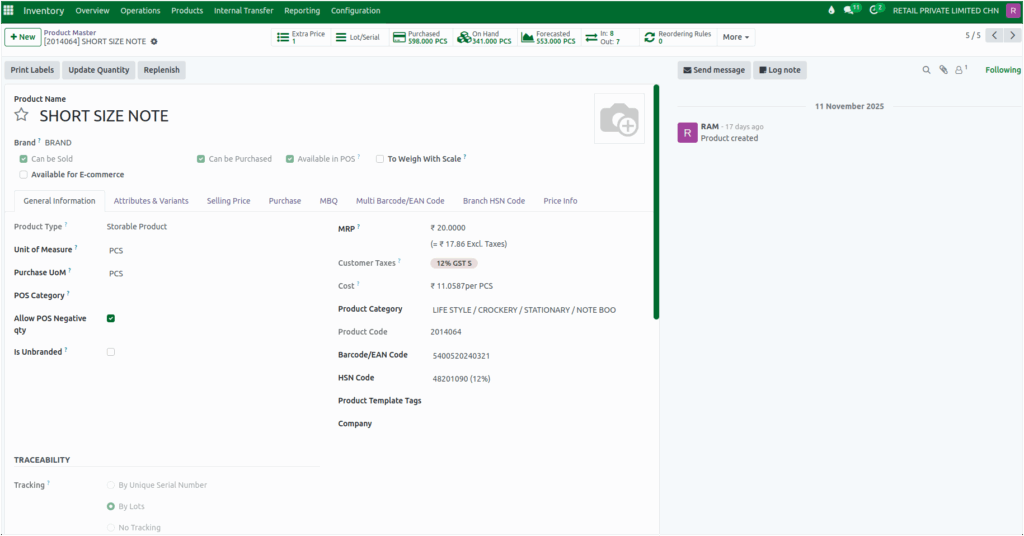
Setting the Barcode or EAN Code
After selecting the product, the primary barcode can be entered in the General Information section. The user simply types the required code, such as 3838104, into the Barcode/EAN Code field. Once the product is saved, this barcode becomes active and can be used immediately for scanning.
If the product requires multiple barcodes, the Multi Barcode/EAN Code section allows the user to add additional codes. By clicking “Add a line”, a new field appears where another barcode can be entered.
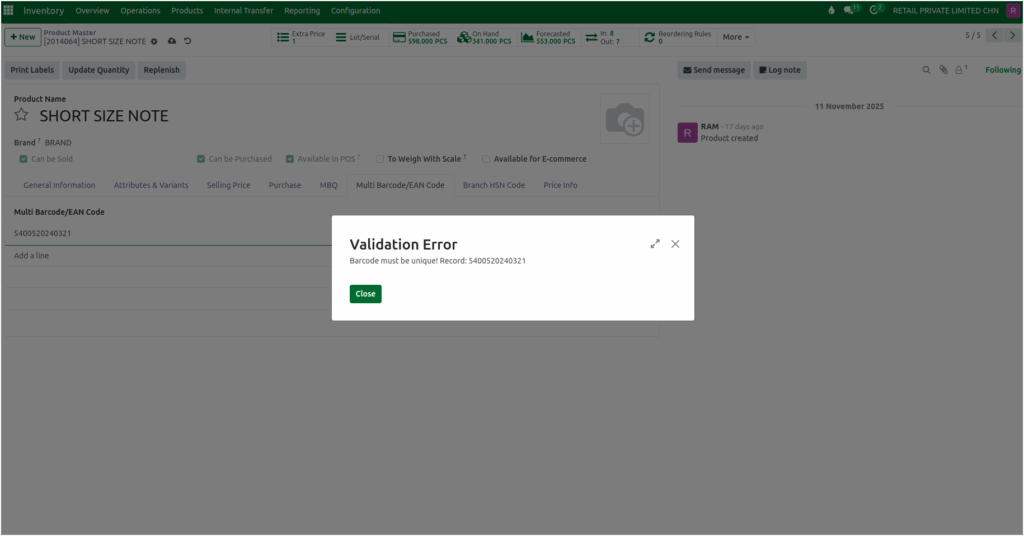
If the same barcode is added again in either the main Barcode/EAN Code field or the Multi Barcode/EAN Code section, Odoo displays a warning message: “Barcode must be unique! Record: ‘Barcode’.” This prevents duplicate codes and helps maintain clean and error-free product data.
After saving, these extra barcodes also become available for scanning, giving flexibility for products with different barcode labels. The system ensures barcode accuracy by validating each entry.