How the E-Voucher Integration Works in Odoo POS
Odoo Point of Sale (POS) allows you to use e-vouchers as a payment method. By integrating e-vouchers, customers can pay using their vouchers directly in the POS system. This guide explains how to enable, configure, and use e-vouchers in Odoo POS.
Configuring E-Voucher in Odoo POS
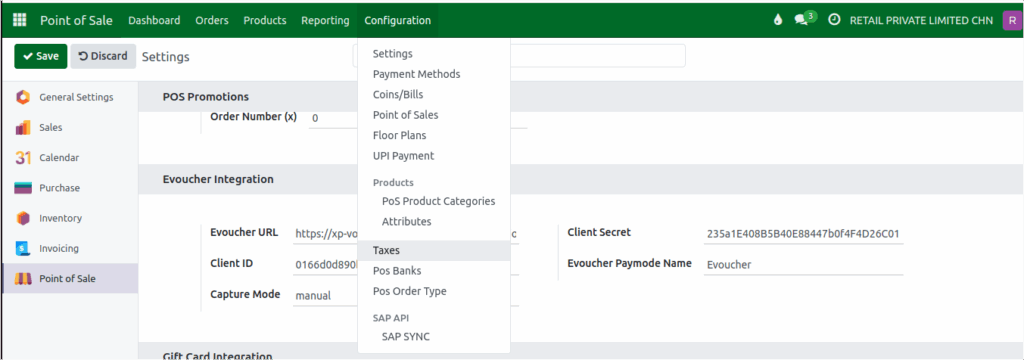
To set up e-voucher as a payment method, go to Point of Sale → Configuration → Settings. You can configure the integration for each POS terminal from this section. Once enabled, the e-voucher option becomes available as a payment method in the POS payment screen.
How to Access and Use Evoucher
- Open your preferred web browser.
- Go to the Evoucher API base URL:
https://xp-voucher-stg-sg-v1.sg-s1.cloudhub.io/api/
Use the following credentials for API access:
- Client ID:
0166d0d890b6474eb003b340b7416307 - Client Secret:
235a1E408B5B40E88447b0f4F4D26C01
- Note that the Capture Mode is set to manual. This means payments will need to be captured manually after the voucher is redeemed.
- When specifying the payment method, use the
E voucher Paymode Name:Evoucher

After integrating the Evoucher in Settings, how can we apply it in POS?
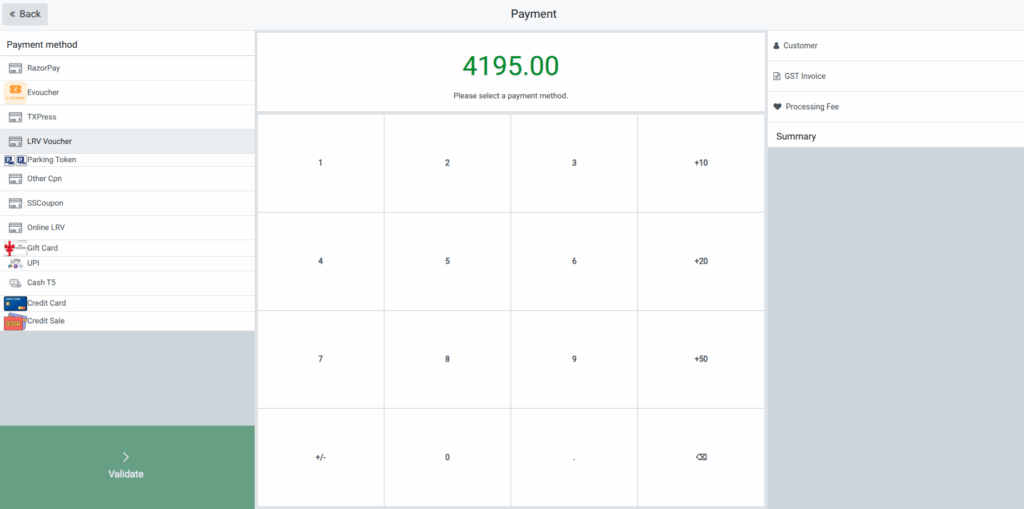
Using E-Voucher in POS
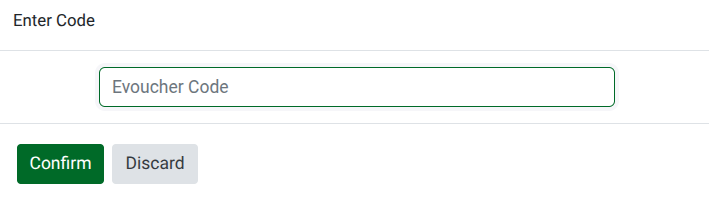
Once the e-voucher is integrated, it can be applied directly in the POS. When a customer is ready to pay, click Payment on the POS screen. Then select Evoucher as the payment method, enter the voucher code, and complete the transaction. The system will process the payment according to the voucher balance.