How the Odoo Gift Card Integration Works in POS
Gift Card integration in Odoo POS allows customers to use gift cards as a payment method during checkout. With this feature enabled, the POS system accepts gift card codes seamlessly, making transactions smoother and giving customers a flexible way to pay. It also helps businesses run promotions, improve customer satisfaction, and track gift card usage directly within Odoo.
Accessing Gift Card Settings
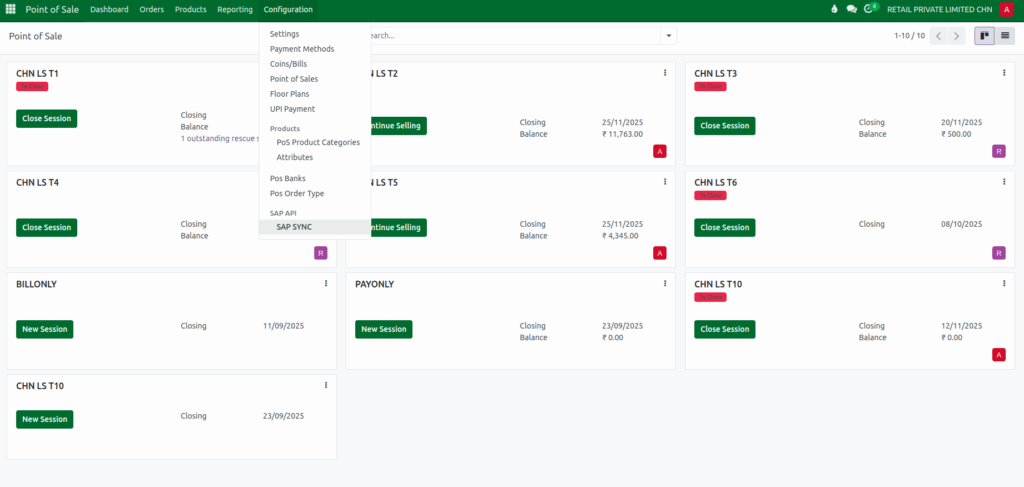
To configure the gift card feature, users can go to Point of Sale → Configuration → Settings. Under the payment method section, the gift card option can be enabled for the POS terminal. Once activated, the POS recognizes gift cards as one of the available payment modes. Any terminal using this configuration will support gift card payments, ensuring a consistent setup across all outlets.

Connecting to the Gift Card Portal
Users can also access the Gift Card Portal through a web browser to manage or verify gift card details. By visiting the provided URL, users can log in using the assigned database name, paymode name, and credentials. This portal helps in checking card validity, managing card information, and confirming balances. Since it contains sensitive data, login details must be kept confidential.
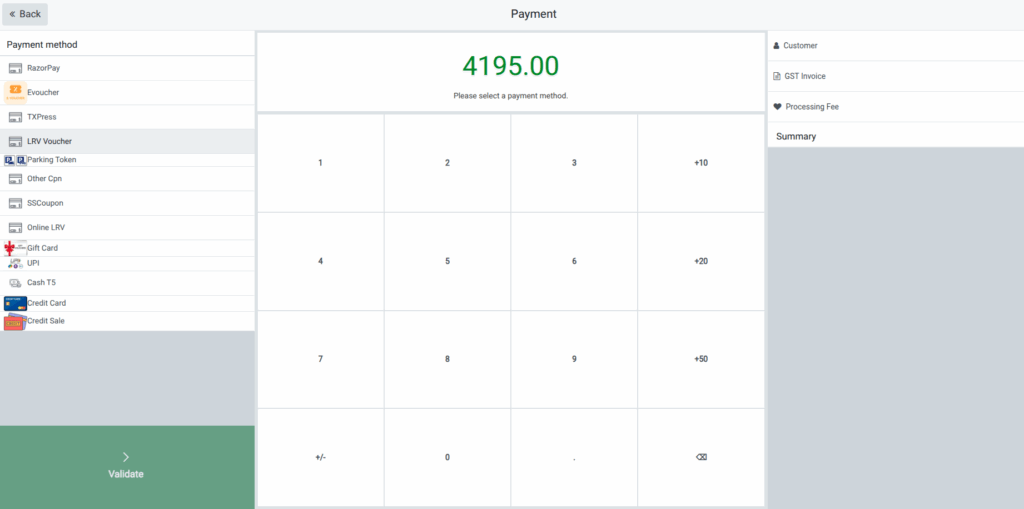
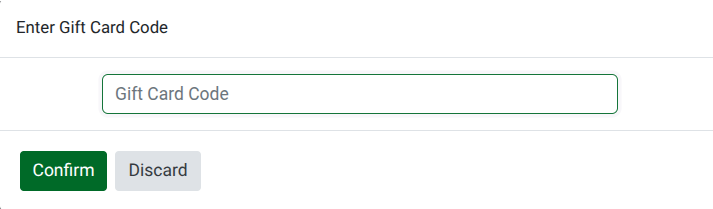
Gift card integration adds flexibility to the payment process and encourages customer loyalty. Businesses can use gift cards for store credit, promotions, returns, or prepaid purchases. The POS system keeps track of each card’s balance, usage history, and validity, helping reduce manual work while improving accuracy and customer experience.
