How to Create Payment Terms in the Odoo Invoicing
Payment terms define the rules for when and how customers should pay their invoices. By setting these terms, businesses can clearly communicate payment deadlines, such as requiring payment within a certain number of days after the invoice date.
They can also offer early payment discounts to encourage faster payments. Having clear payment terms helps companies improve their cash flow and avoid confusion or delays, making the invoicing process more efficient and predictable.
Accessing the Payment Terms Section in Odoo
To create a new payment term, begin by opening the Invoicing module in Odoo. Once inside, go to the top navigation bar and click on the Configuration menu. From its dropdown list, choose Payment Terms under the Invoicing section.
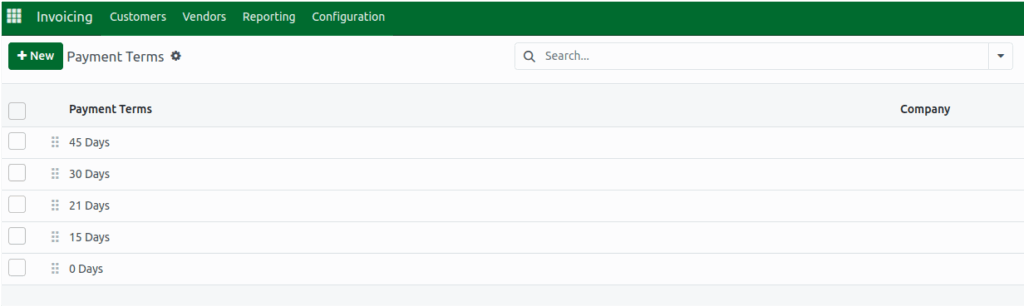
When the Payment Terms page opens, click the New button at the top left to bring up the form where you can create your new payment term.
In the form, the first field you will fill out is Payment Terms, where you should enter the name or description of the term, such as “30 days,” “60 days,” or “Immediate.” This is the name that will appear on your invoices, so it must be filled in. If your Odoo environment manages multiple companies, you can also select the specific company that the payment term applies to.
Applying Early Payment Discount Rules
Odoo allows you to offer customers a discount for paying early. To activate this, enable the Early Discount option on the form. You can then enter the discount percentage such as 2% and specify how many days the customer has to pay in order to receive that discount.
For example within 10 days. Odoo will automatically calculate the reduced amount on invoices. However, it’s important to note that the system will show a validation error if you try to use early payment discounts on payment terms that contain multiple lines.

Creating Flexible Due Terms
In the Due Terms area of the form, you can define how much of the invoice should be paid and when it is due. The Due field lets you enter the percentage of the invoice amount, while the After field allows you to specify how many days after the invoice date that percentage must be paid.
If you want to split the payment into installments, you can simply add more lines and define additional percentages and deadlines. This makes it easy to create flexible payment schedules for your customers.
Using the Payment Terms Preview
On the right side of the form, Odoo provides a preview of how the payment terms will appear on the final invoice. You can adjust the date shown in the preview to match the invoice date. This helps you see exactly how the terms will look before they are applied.
There is also an option to show installment dates directly on the invoice, which can help customers clearly understand their payment schedule. You can review and adjust the description in the preview to ensure it reflects exactly what you want your customers to see.

Once you have confirmed all details and settings, simply click the Save button to store your new payment term. After saving, the payment term becomes available for use in any invoice you create within Odoo. This helps streamline your invoicing workflow and ensures consistent payment expectations across your business.
