How GST Integration Works in Odoo
GST Integration
GST Integration means linking your business’s accounting or ERP system with the Goods and Services Tax rules. When a system like Odoo is integrated with GST, it can automatically calculate the correct tax on sales and purchases, create GST-compliant invoices, and prepare data for filing returns. It also supports e-invoices and e-way bills, which are mandatory for many businesses. This integration helps reduce errors, improve compliance, and save time.
Key Parts of GST Setup in Odoo
In Odoo, GST begins with setting up the right tax rules. Businesses can configure GST rates such as 5%, 12%, or 18% depending on the product or service. Invoices created through Odoo follow GST standards and include necessary details like HSN or SAC codes along with CGST, SGST, or IGST splits. For companies that need e-invoicing, Odoo can send invoice details directly to the government portal and instantly receive the IRN and QR code.
Odoo also supports e-way bill generation, helping businesses create digital travel permits for goods. The system further simplifies return filing by preparing reports such as GSTR-1 and GSTR-3B and letting users export the required formats. It also tracks Input Tax Credit, allowing businesses to see how much GST paid on purchases can be used to reduce their tax liability.
Setting Up Vendors with GST Details
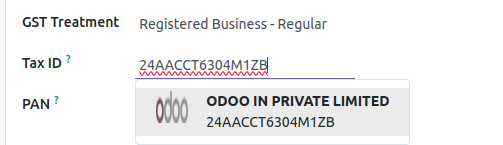
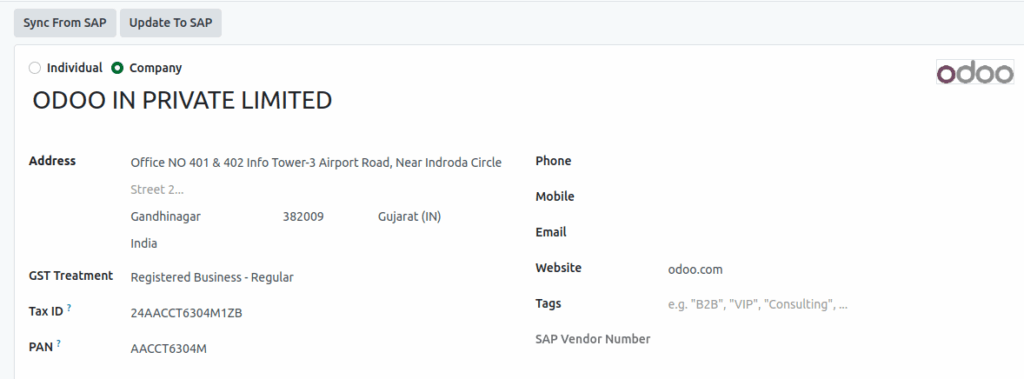
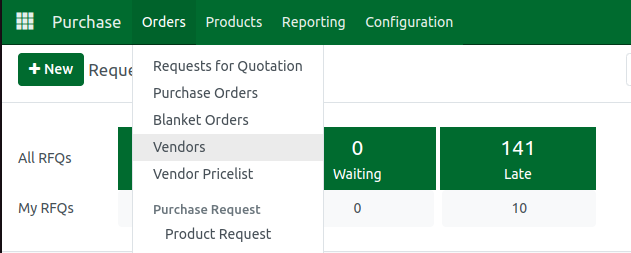
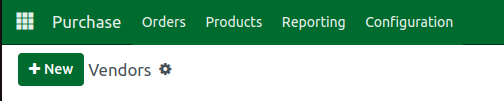
When working with vendors, Odoo makes the process smooth. You can open the Purchases module, go to Orders, and then open the Vendors section to see all supplier records. When creating a new vendor, you can set the GST Treatment to “Registered Business – Regular” and enter the vendor’s GSTIN in the Tax ID field. This helps Odoo understand how taxes should be applied to transactions with that vendor.
Auto-Verification of GSTIN in Odoo
One of the helpful features in Odoo is automatic GSTIN verification. When you enter a vendor’s GSTIN, Odoo connects to the GST system and checks whether the number is valid. If it is correct, the application automatically fills in the vendor’s legal name and address based on government records. This reduces manual work, prevents mistakes, and makes vendor creation much faster and more reliable.