How Selling Price is Determined in a Goods Receipt in Odoo
Accurate pricing is essential for maintaining profitability and consistency across your sales operations. In Odoo, the Goods Receipt process not only helps track incoming stock but also reflects the Selling Price of each product, ensuring alignment with your company’s pricing strategy.
Display and Calculation of Selling Price in a Goods Receipt
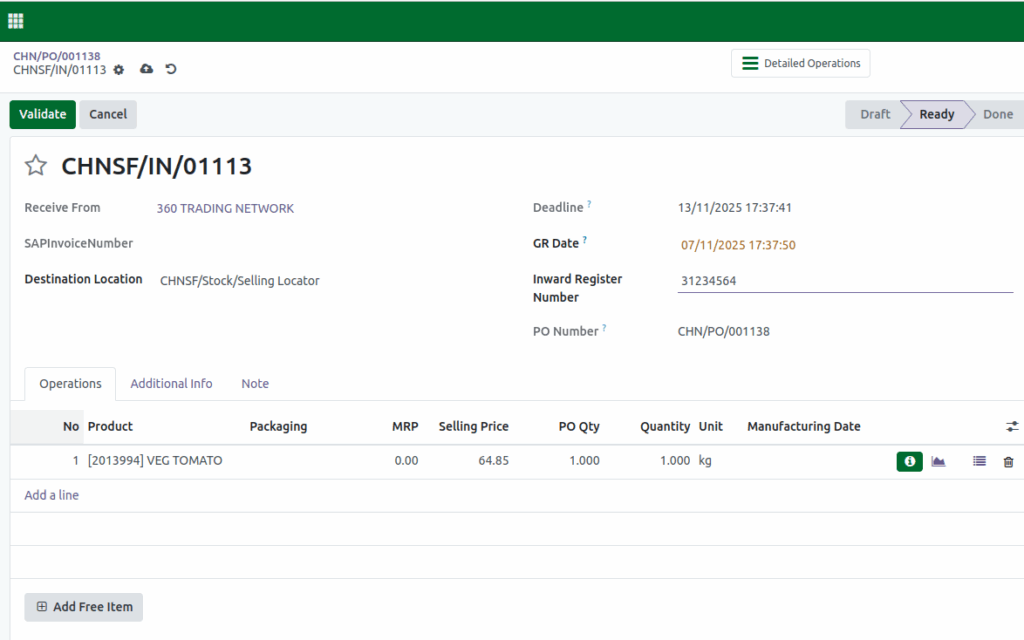
When processing a Goods Receipt, Odoo automatically displays and calculates the Selling Price of each product based on the configured Product Price list.
Here’s how it works:
- Navigate to the Operations tab within the Goods Receipt document.
- In this tab, you can view the Selling Price associated with each product line.
- Odoo automatically calculates the selling price based on:
- The pricing method selected in the price list.
- The discount percentage defined for that method.
- Always verify that the displayed selling price matches your predefined pricing rules and margins.
This ensures that your inventory and pricing remain consistent with your company’s policies.
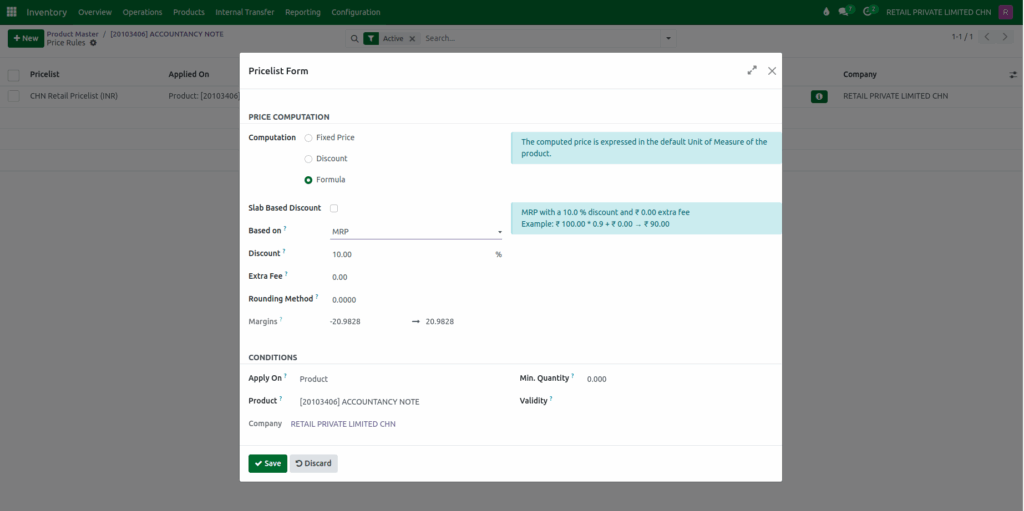
Selling Price Calculation Based on Price list Type
The selling price shown in the Goods Receipt depends on the Price list Type selected for the product. Odoo uses the corresponding formula and margin percentage to determine the final selling price.
MRP – Based Pricing
Selling Price = MRP − Discount%
Example:
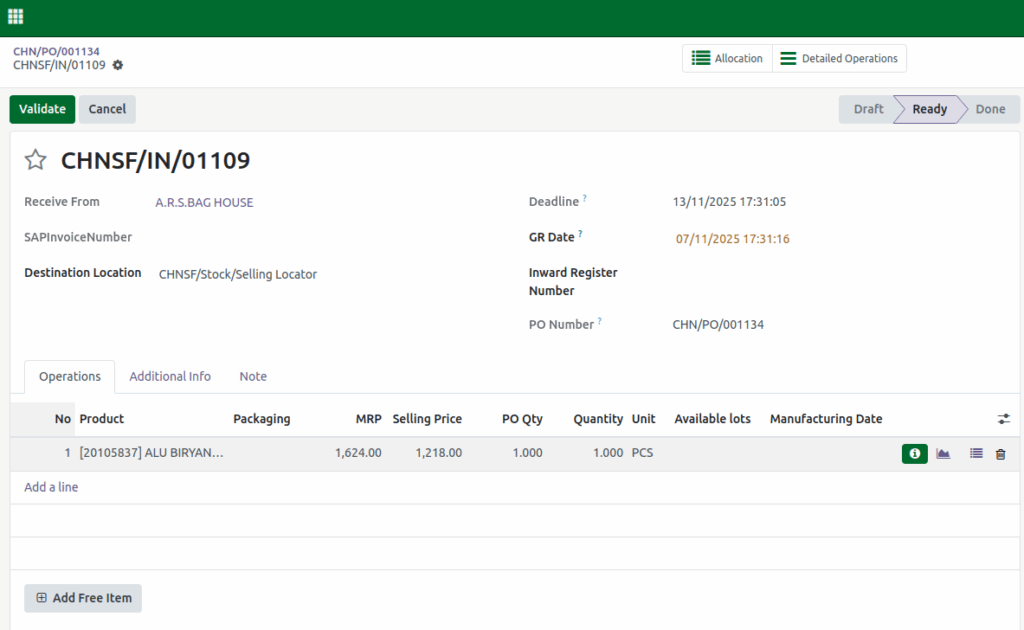
- MRP : ₹1,624.00
- Discount% : 25%
- Selling Price = ₹1,624.00 − 25% = ₹1218.00
In this case, Odoo deducts the defined discount percentage from the product’s MRP (Maximum Retail Price) to calculate the selling price.
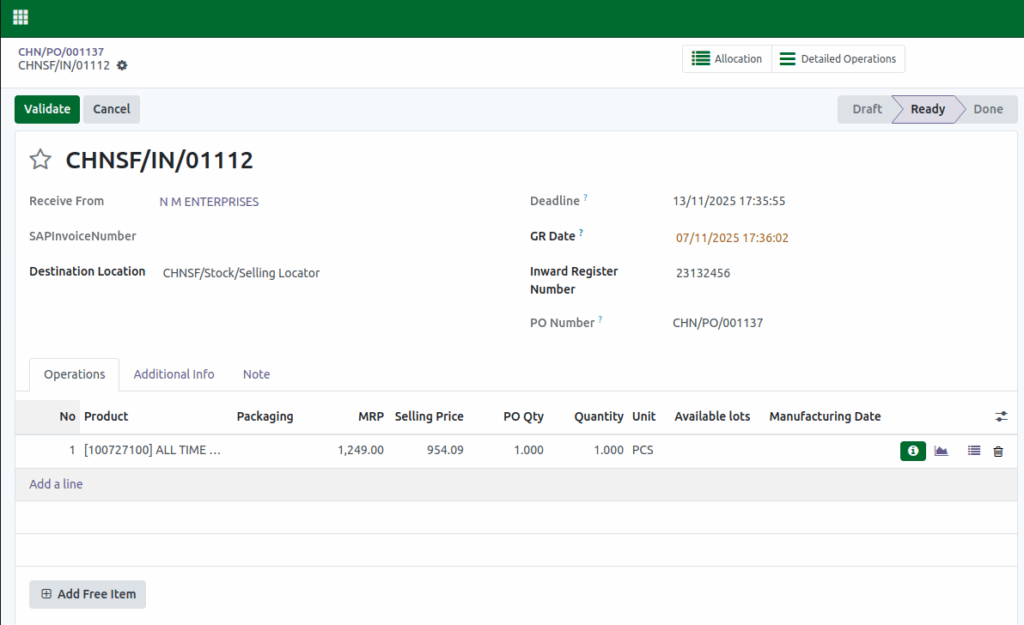
Lot with Landed Cost Pricing
Selling Price = Net Cost of the Lot - Discount%Example:
- Net Cost : ₹836.85
- Discount% : -14.01%
- Selling Price = ₹836.85- (-14.01%) = ₹836.85 + 14.01% = ₹954.09
Here, the selling price is directly calculated by adding the specified percentage to the product lot’s net cost.
Product Cost-Based Pricing
Selling Price = Net Cost of the product - Discount%Example:
- Net Cost : ₹58.96
- Discount : -10%
- Selling Price = ₹58.96 – (-10%) = ₹58.96 + 10% = ₹64.85
Here, the selling price is directly calculated by adding the specified percentage to the product’s net cost. This price list is set for No Tracking products.