How to Validate GKM% Accurately in Odoo Purchase Order
Gate Keeping Margin – GKM
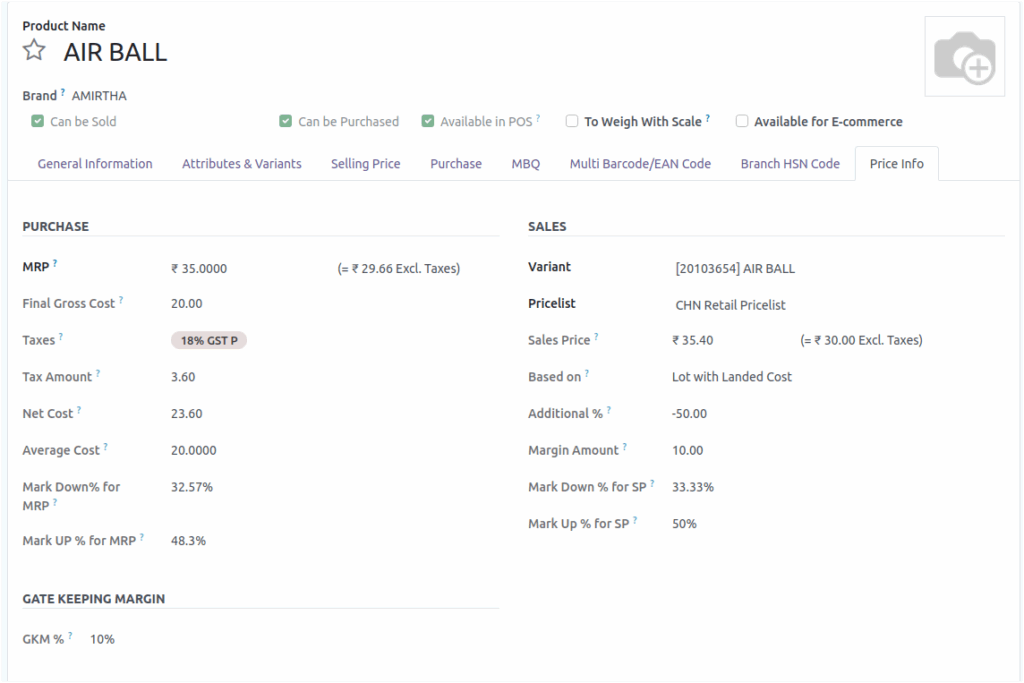
In business like distribution, FMCG, or retail, Gate Keeping Margin (GKM) is an additional margin percentage applied to products, customers, or vendors which control profitability. It essentially acts as a minimum acceptable profit threshold that must be maintained before a sale can be approved or processed.
Purpose of Validating GKM% in a PO
The GKM% validation ensures that the product’s profit margin meets the company’s minimum acceptable threshold. This validation must be satisfied before the Purchase Order (PO) can be confirmed, safeguarding the company’s profitability. It covers their costs and ensures they earn a margin on the product. It helps to determine pricing and maintain profitability across the distribution network.
Creating a Purchase Order
To create a new Purchase Order, begin by clicking New to open a fresh PO form. Select the Vendor from whom the items will be purchased, then proceed to add the required Products to the order line. After entering the necessary details, save the Purchase Order. Once saved, the system automatically generates a unique PO document number, which appears directly on the order form and is also included in the printed version of the Purchase Order.
Basic Cost Handling
The Basic Cost is fetched automatically from the Product Master’s Purchase tab.Manually change the Basic Cost field in the PO if required.When the basic cost is updated.The system recalculates the Mark-Up and Mark-Down values automatically.
GKM% Validation Logic
Gate keeping Margin % is directly Proportional to Mark down % .When Product A is purchased when GKM %=10 and Mark Down % = 9 then system shows the validation “Product margin 9.0 is less than GKM% 10.0 in Product A” When the Markdown Percentage is less than the GKM Percentage, validation is triggered . Product margin is less than GKM% in ‘Product Name’.The user will not be able to proceed with confirming the PO unless the issue is resolved.
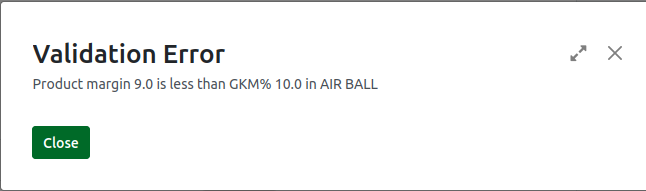
Proceeding with PO Confirmation
When the Markdown Percentage is greater than or equal to the GKM Percentage, the system allows the user to proceed.The PO Confirmation can be completed successfully.No validation message is shown, and the system moves forward with the purchase order.This ensures the product margin meets the required threshold set by the company.
