How to Track the Status of Sales Order in Odoo
A sales order in Odoo is an important document that records a customer’s request to buy products or services. It helps businesses keep track of what has been ordered, how much needs to be delivered, and when payment is expected. Tracking the status of sales orders ensures you always know where each order stands, which makes managing your sales process easier and more efficient.
Viewing and Tracking Sales Orders
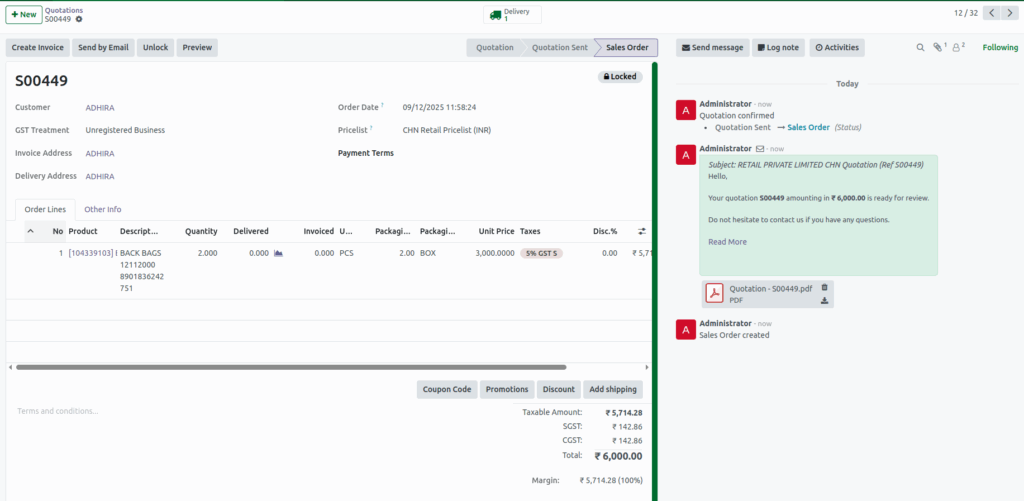
To track the status of a sales order, go to the Sales module and open the Sales Orders list. Each order clearly shows its current status—whether Quotation, Quotation Sent, or Sales Order. Clicking on a specific order provides detailed information such as customer details, ordered products, delivery progress, and invoicing updates. This makes it easy to monitor every order and stay organized.
Quotation
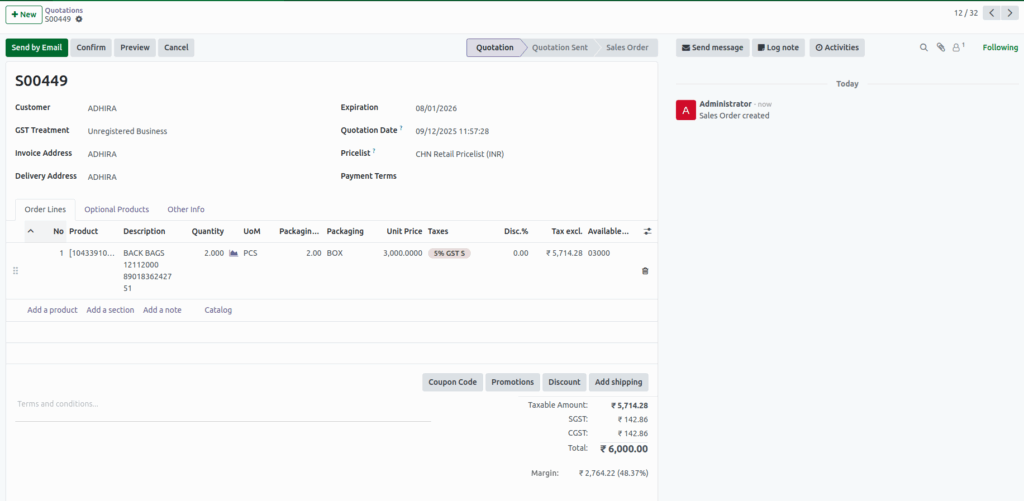
When a sales order is first created in Odoo, its status is marked as Quotation. This means the order is still in draft form and has not been sent to the customer yet. At this stage, you can review the order details, make any necessary changes, and ensure everything is correct before sharing it with the customer. It helps you prepare the order and avoid mistakes before it moves forward.
Quotation Sent
Once the quotation has been sent to the customer, the status changes to Quotation Sent. This indicates that the customer has received the offer and is reviewing it. At this stage, you are waiting for the customer to confirm or approve the order. It allows you to keep track of which orders are pending customer approval and ensures you can follow up if needed.

Sales Order
When the customer approves the quotation, the status updates to Sales Order. This means the order is confirmed and ready for further processing, such as delivery or invoicing. Tracking orders at this stage helps you know which orders are active, plan deliveries, and manage the workflow efficiently. It ensures that confirmed orders are fulfilled correctly and on time.