How Accounting Fact Details Works in iDempiere
Accounting Fact Details is a core inquiry window in iDempiere that shows the actual accounting entries generated by the system after a document is posted. It represents the lowest and most reliable level of financial truth in the ERP—what finally reaches the General Ledger.
Every posted transaction in iDempiere ultimately results in accounting facts, and this window is where those facts are viewed, verified, and audited.
Accounting Fact Definition
Accounting Fact represents a single debit/credit line generated by the accounting engine when a document is completed, successfully posted, and valid under the Accounting Schema. Examples include facts from invoices, payments, material movements, inventory adjustments, and cost adjustments.
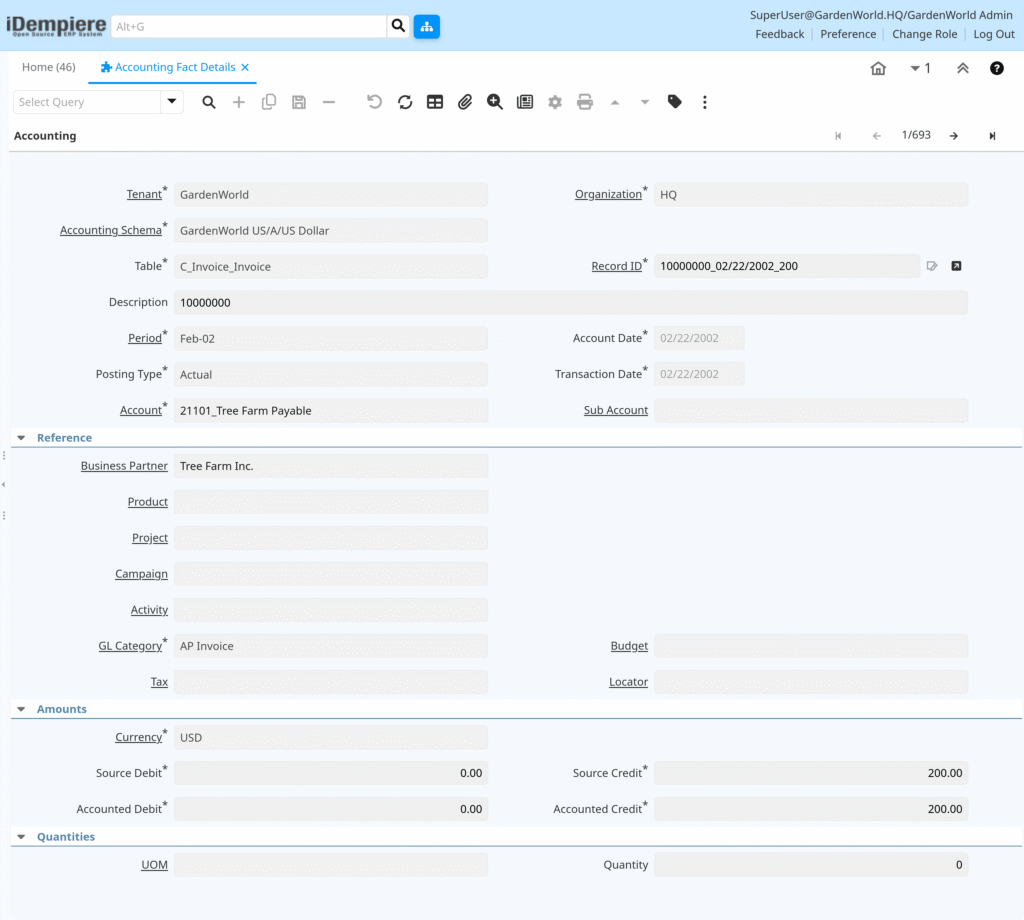
Accounting Fact Data Flow
When a business document is posted, iDempiere applies accounting rules, derives debit/credit entries via the accounting engine, and stores each as an Accounting Fact. These facts appear in Accounting Fact Details window, which displays posted results only—no data creation.
Accounting Schema Compliance
Each fact line strictly follows:
- The active Accounting Schema
- Chart of Accounts structure
- Accounting currency and precision
- Organization and accounting segment rules
If a document cannot generate valid facts, it will not appear here at all.
Accounting Fact Audit Support
Accounting Fact Details acts as a built-in audit trail:
- Every posted amount is traceable
- Facts cannot be edited manually
- Reversals generate new facts, not changes to old ones
Auditors rely on this window to verify financial integrity without needing database access.
Accounting Fact Details is the definitive view of how iDempiere records financial impact. It shows
final, posted accounting entries, fully governed by the Accounting Schema, and provides transparency, traceability, and audit confidence across all ERP transactions.