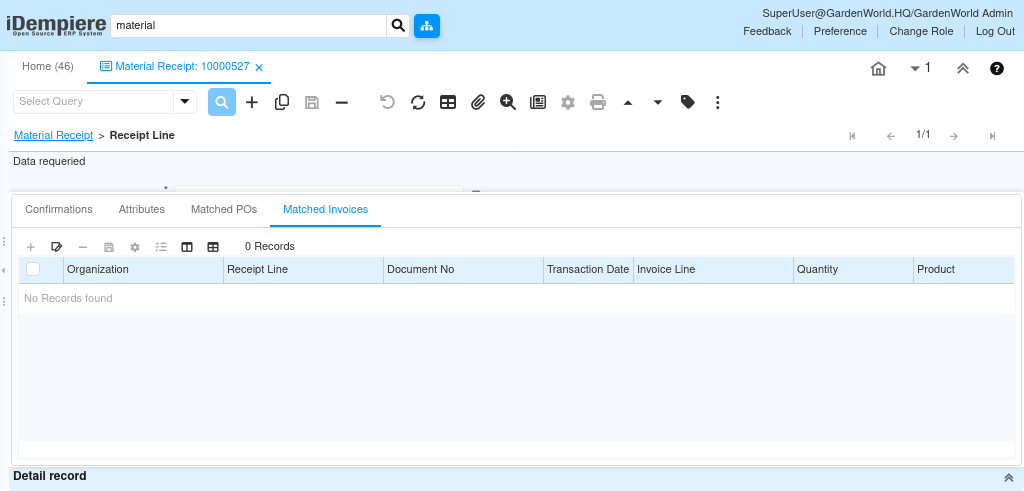
How the Related Tabs in Material Receipt Line Work
The Material Receipt Line includes several related tabs Confirmations, Matched POs, and Matched Invoices that support warehouse validation, procurement accuracy, and accounting matching. These tabs help ensure that every receipt line is validated, linked to the correct purchase order, and correctly tied to vendor invoices.
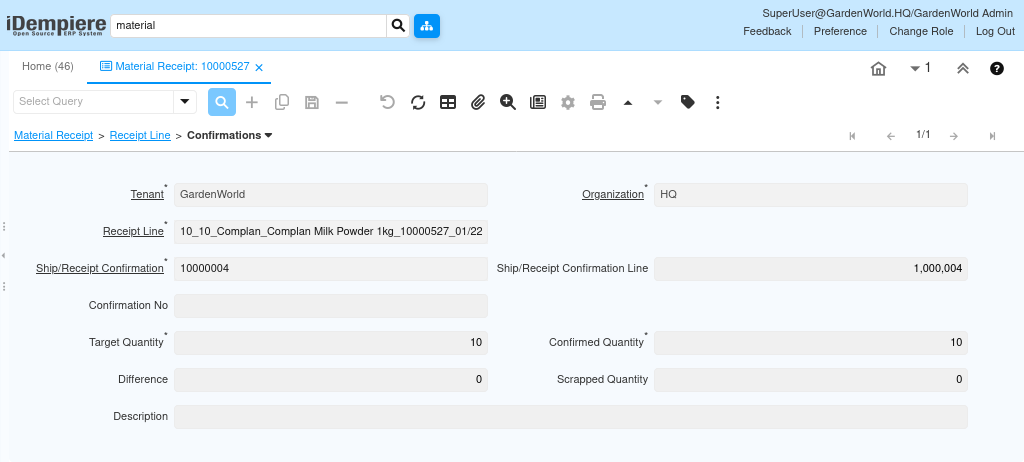
Confirmations validating warehouse operations
The Confirmations tab is used when the warehouse process requires a separate confirmation step before the receipt is finalized.
It supports warehouse execution activities such as verifying picked or received quantities, recording inspected materials, or confirming partial deliveries.
This tab allows warehouse users to
- Confirm received quantities
- Record scrapped or damaged items
- Complete warehouse-level approval after the stock is received.
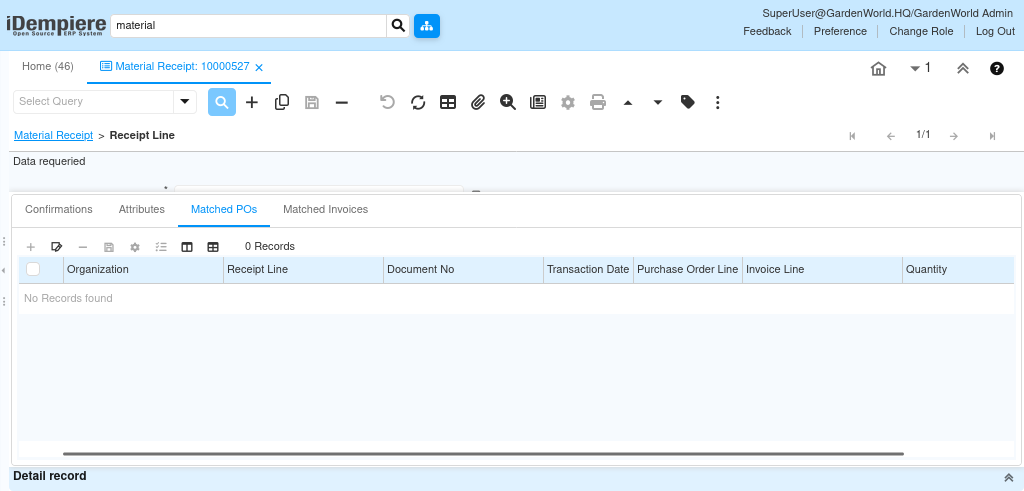
Matched POs Ensuring Purchasing Accuracy
The Matched POs tab represents the link between the Material Receipt Line and the corresponding Purchase Order Line.
This tab reflects the matching process that ensures what was received corresponds to what was ordered.
Matching behavior includes
- Comparing ordered quantity vs. received quantity
- Tracking partial receipts
Matched Invoices linking receipts to vendor invoices
The Matched Invoices tab connects the receipt line to its corresponding Purchase Invoice Lines.
Through this tab, the system tracks
- Quantities invoiced vs. quantities received
- Whether all received goods have been invoiced
Matched Invoices ensure that accounting entries reflect actual physical movement and prevent over-invoicing or under-invoicing.