How are substitute and related products defined for a product in iDempiere
To support flexible procurement, inventory continuity, and informed user decisions, iDempiere allows products to be linked with Substitute Products and Related Products. These configurations help users quickly identify alternative items when a product is unavailable and understand commonly associated or complementary products during purchasing, sales, or project planning.
Defining Substitute Products
Substitute Products are used when the original product is unavailable, discontinued, or temporarily out of stock.
How substitutes work
- The substitute acts as an approved alternative
- Users can choose the substitute during purchasing or planning
- Functional characteristics are typically similar to the original product
Steps to define a substitute product
- Navigate to the Product window
- Open the required Product record
- Go to the Substitute tab
- Create a new Substitute record
- Select the alternative Product
- Maintain Description or Notes if required
Once defined, the substitute relationship becomes available to users during operational decision-making.
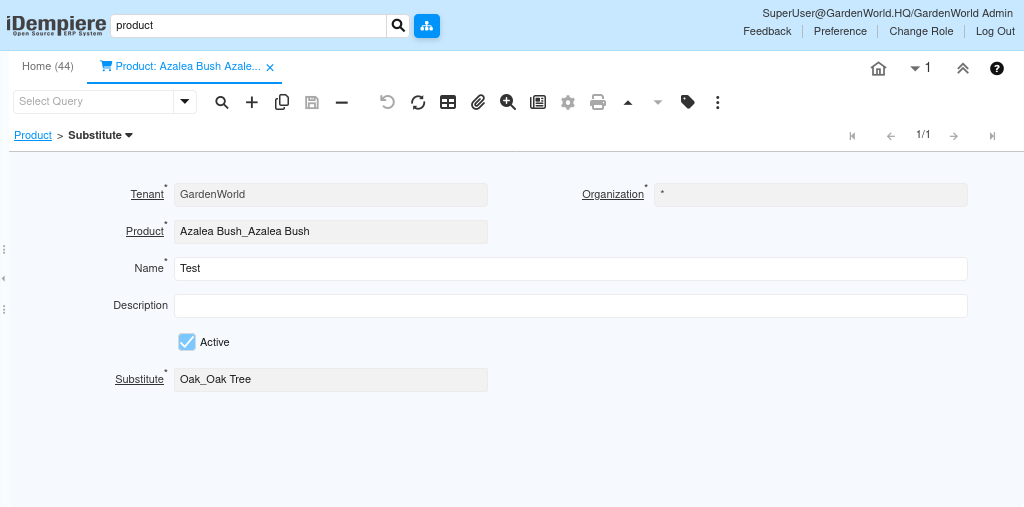
When Substitute Products Are Used
Substitute products are commonly referenced when
- A product is out of stock in the warehouse
- A preferred vendor cannot supply the original item
- Procurement teams need flexibility without manual approvals
- Project timelines require immediate material replacement
This ensures continuity of operations without compromising predefined product standards.
Defining Related Products
Related Products represent items that are commonly used together but do not replace each other.
Examples include
- Cement related to sand and aggregate
- Electrical cable related to conduits and fittings
- Paint related to primer and thinner
Steps to define related products
- Navigate to the Product window
- Open the required Product record
- Go to the Related tab
- Create a new Related Product record
- Select the associated Product
- Maintain Description or Comments if required
This configuration creates a logical association without impacting inventory or accounting behavior.
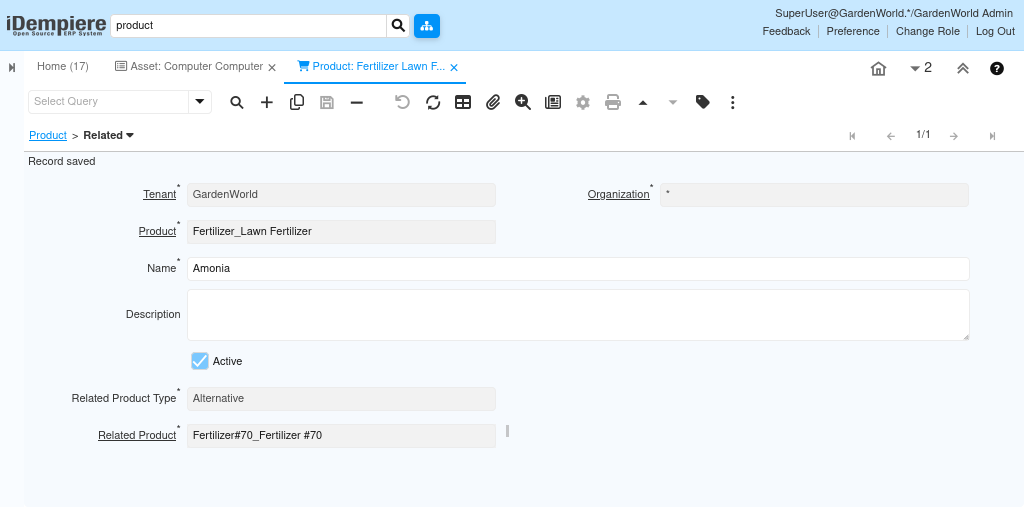
When Related Products Are Used
Related products help users by
- Suggesting complementary items during purchase planning
- Reducing the risk of missing dependent materials
- Improving accuracy in project task line creation
- Supporting standardized material combinations
These associations act as guidance rather than enforced rules.
By maintaining Substitute and Related products, users can quickly identify approved alternatives when a product is unavailable and easily recognize items that are commonly used together. This reduces procurement delays, prevents missing dependent materials, and supports smoother purchasing, inventory, and project planning without manual intervention.