How to enable Automatic Move Confirmation records in iDempiere
Automatic Move Confirmation allows iDempiere to create and process Move Confirmation records automatically during internal stock movements.
This removes manual confirmation steps and is ideal for controlled, high-volume, or system-driven warehouse operations.
Auto Move Confirmation
Automatic Move Confirmation is best for straightforward, low-risk movements such as simple bin-to-bin transfers, internal warehouse transfers where discrepancies are unlikely, system-generated moves from planning or replenishment, and operations in trust-based warehouses where physical checks are not required for every movement.
Warehouse Configuration
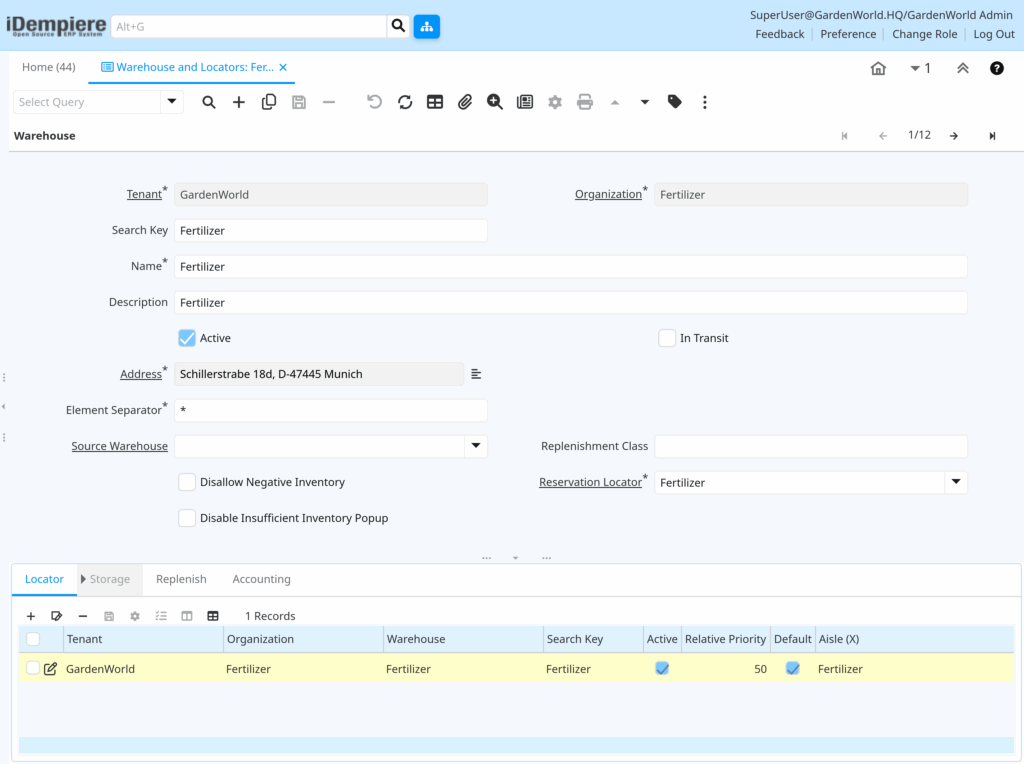
Navigate to Material Management and Pricing → Material Management Rules → Warehouse and Locators. Then in the warehouse record enable “Is Disallow Negative Inventory” (recommended), ensure standard locator structure, and apply consistent movement control rules. Proper configuration ensures automation works safely without stock integrity issues.
Move Confirmation Automation
When a Movement document is completed without manual validation rules, iDempiere automatically generates, confirms with the planned quantity, and completes the Move Confirmation in the background—no user action required for seamless processing.
Locator-Level Control for Automation
Automatic confirmation works best when source and destination locators lack quality control, require no inspection or approval, and remain operational (not blocked or frozen)—quality/inspection settings may still force manual confirmation.library.
Role & Access Considerations
Ensure:
- User role has access to Material Movement.
- Role allows Document Complete action.
- No workflow blocks the confirmation step.
Workflows can override automatic confirmation if approval is required.
Automatic Move Confirmation in iDempiere enables hands-free inventory movement validation by allowing the system to create and complete confirmation records automatically during movement processing. When correctly configured, it improves speed, consistency, and operational efficiency while maintaining full inventory control.