How Vendor Details Works in iDempiere
Vendor Details store and manage all supplier-related master information required for purchasing, invoicing, payments, and compliance.
This window acts as the single source of truth for vendor data across the ERP.
Process Flow

Vendor Master Creation
Business Partners are created and flagged as Vendors, capturing core information including vendor name, complete address details, and primary contact information. This foundational record supports all subsequent vendor interactions.
Purchasing Information Setup
Vendor-specific purchasing preferences are configured, including payment terms, assigned price lists, preferred currency, and delivery rules. These settings enforce consistent procurement behavior and streamline order processing.
Accounting Configuration
Financial posting rules are defined, specifying liability accounts, expense accounts, and cost distribution methods. This configuration controls precisely how vendor transactions flow through the general ledger.
Tax & Compliance Details
Tax categories, registration numbers, and statutory requirements are maintained for accurate invoice tax calculations. These details ensure full compliance with local regulations and support audit documentation.
Usage Across Transactions
Vendor master data automatically populates Purchase Orders, Material Receipts, Vendor Invoices, and Payments without manual re-entry. This eliminates errors and maintains data integrity throughout the procure-to-pay cycle.
Project Management Support:
Vendor costs post accurately to specific projects, enabling project-wise vendor spend tracking and supplier performance analysis. This integration reduces procurement errors and supports precise project cost management.
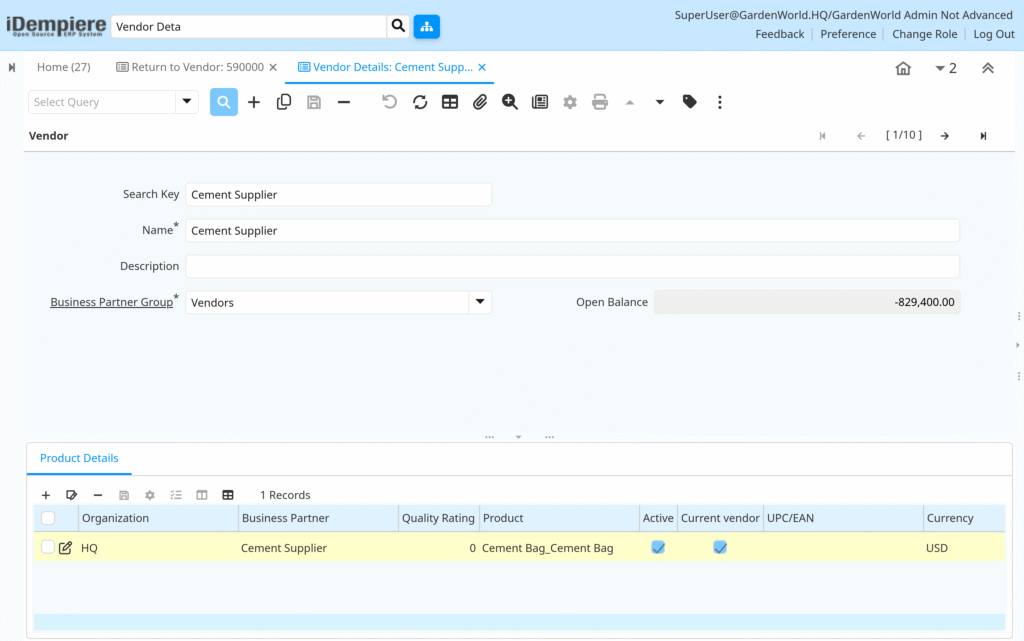
Vendor Details in iDempiere provide a central, controlled, and reusable vendor information system that supports procurement, accounting, and project cost management with accuracy and transparency.