How Inventory Valuation Report Works in iDempiere
The Inventory Valuation Report in iDempiere provides a snapshot of the value of inventory held in one or more warehouses as of a specific date. It lists products on hand, with quantities and value amounts based on selected cost and price settings — giving you a complete view of stock value for accounting, planning, and control.
This report helps you:
- Understand the financial value of current inventory
- Calculate inventory value using standard cost, price list or cost element values
- Support balance sheet reporting
- Analyze warehouse inventory worth as of a given day
- Compare value across different costing methods
By capturing both quantity and value at a point in time, it supports management decisions and statutory reporting.
Report Parameters
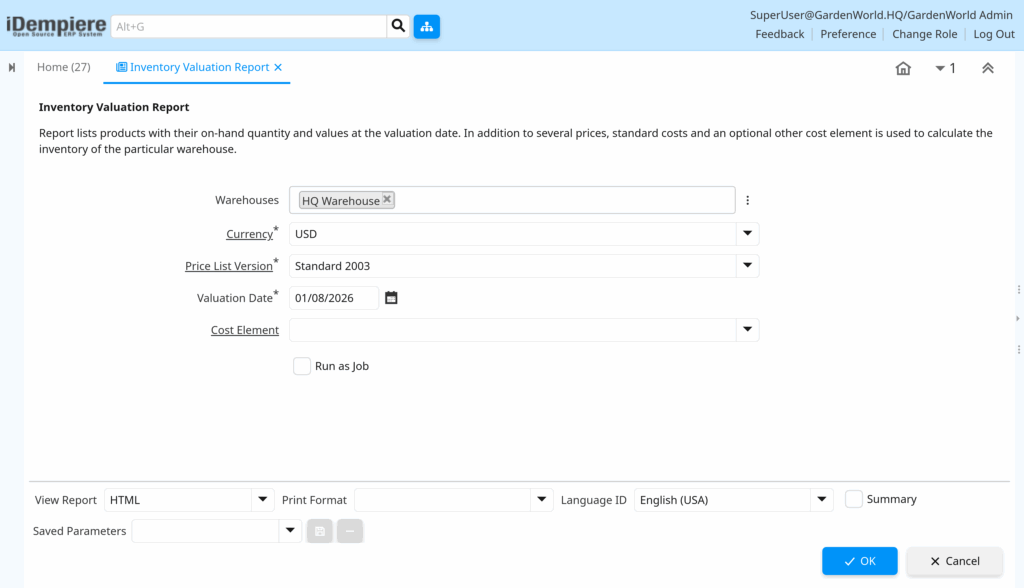
To run the report, you provide key parameters:
- Warehouses – Select one or multiple warehouses to include.
- Currency – The currency in which values are reported.
- Price List Version – The price list version whose prices will be used in value output.
- Valuation Date – The date for which inventory quantities and values are calculated.
- Cost Element – (Optional) A specific cost element to use (if you want a particular cost view).
These filters determine which stock and costs are included in the report.
On-Hand Quantities
iDempiere calculates the quantity on hand for every product in the selected warehouses as of the valuation date. This ensures the report shows the true stock available at that specific moment.
Cost and Price Values
The report combines quantity with value figures drawn from defined sources:
- Standard Cost – The baseline cost defined in the costing setup
- Price List Prices – Price list values for sales or purchase price comparisons
- Optional Cost Element – If selected, a cost element like Actual Cost can override the standard cost for valuation
Each selected value is multiplied by the on-hand quantity for that product.
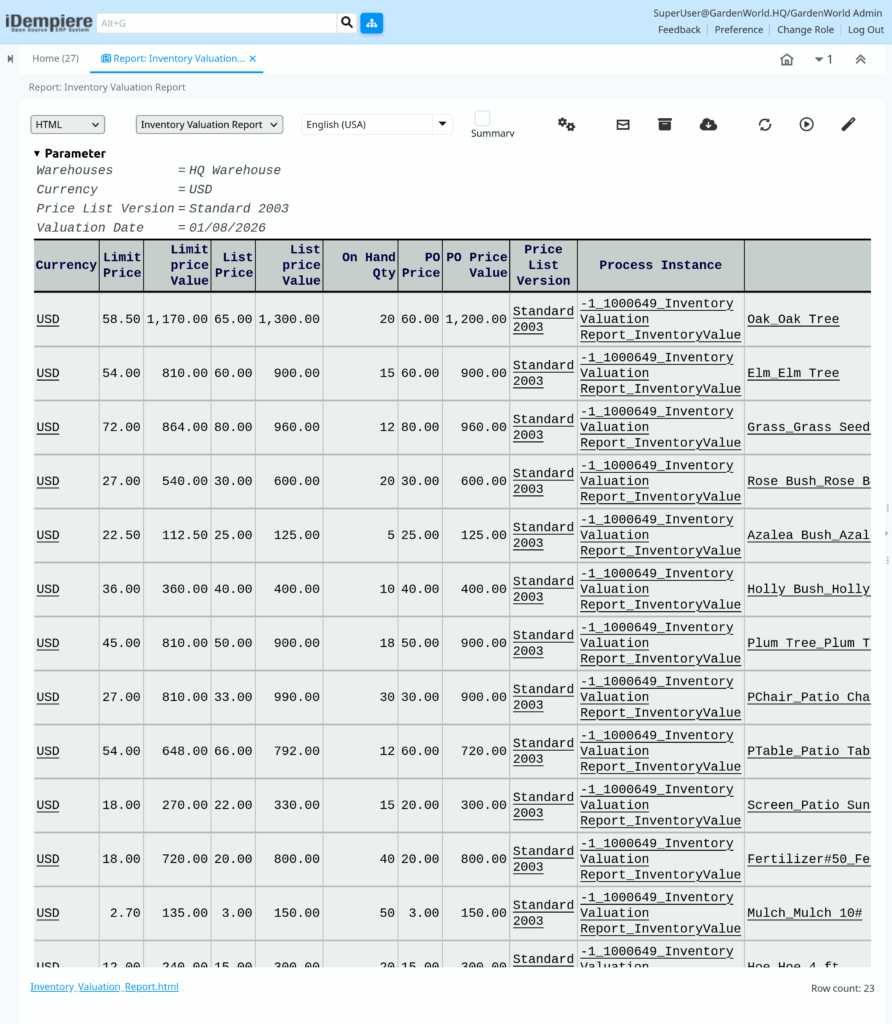
The Inventory Valuation Report in iDempiere shows your stock quantities and values as of a selected date using defined price and cost bases. It is a key tool for financial reporting, inventory management, cost analysis, and operational planning.