How do Asset Balances, Accounting Setup, and Expenses work in the Asset window in iDempiere
iDempiere provides a complete fixed-asset management framework where asset valuation, accounting configuration, capitalization, depreciation, and expense tracking are handled in a structured and controlled way.
The Asset Balances, Accounting Setup, and Expense tabs ensure assets are valued correctly, posted accurately, and tracked across their full lifecycle.
Process Flow
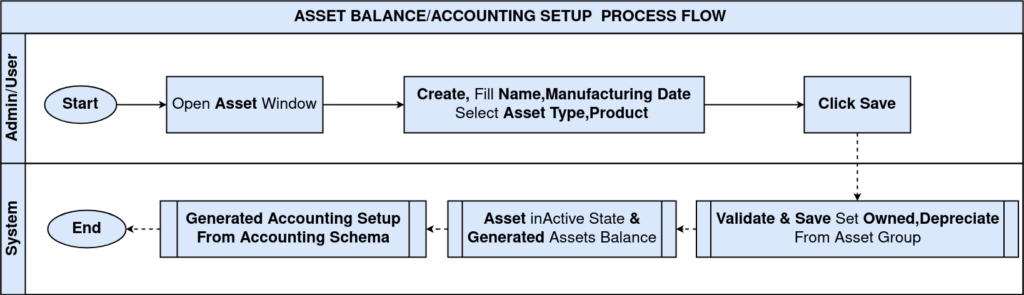
Asset Balances for Tracking Financial Valuation and Movements
The Asset Balances tab shows how the asset’s financial value evolves over time.
It reflects every capitalization, addition, or manual adjustment applied to the asset.
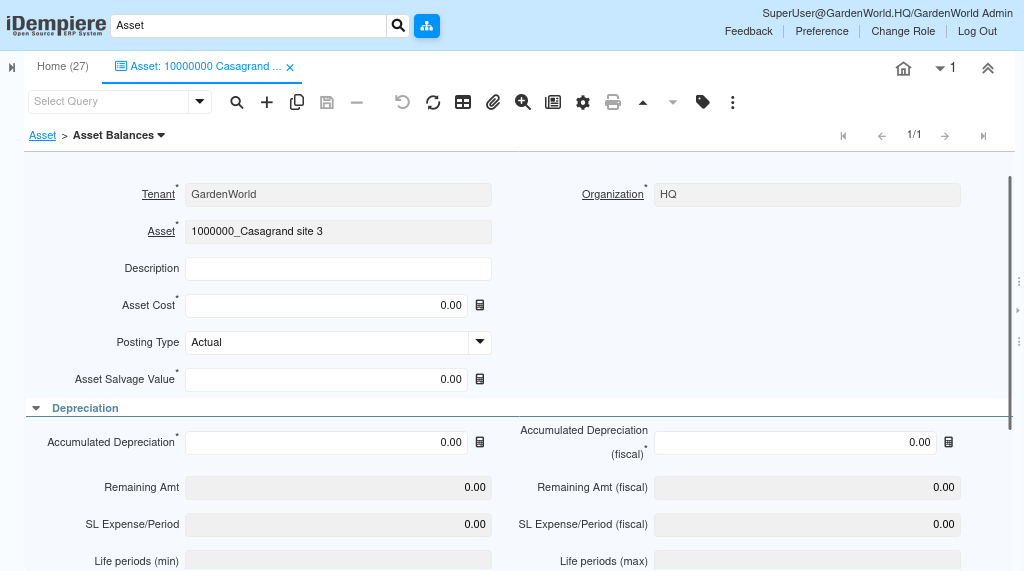
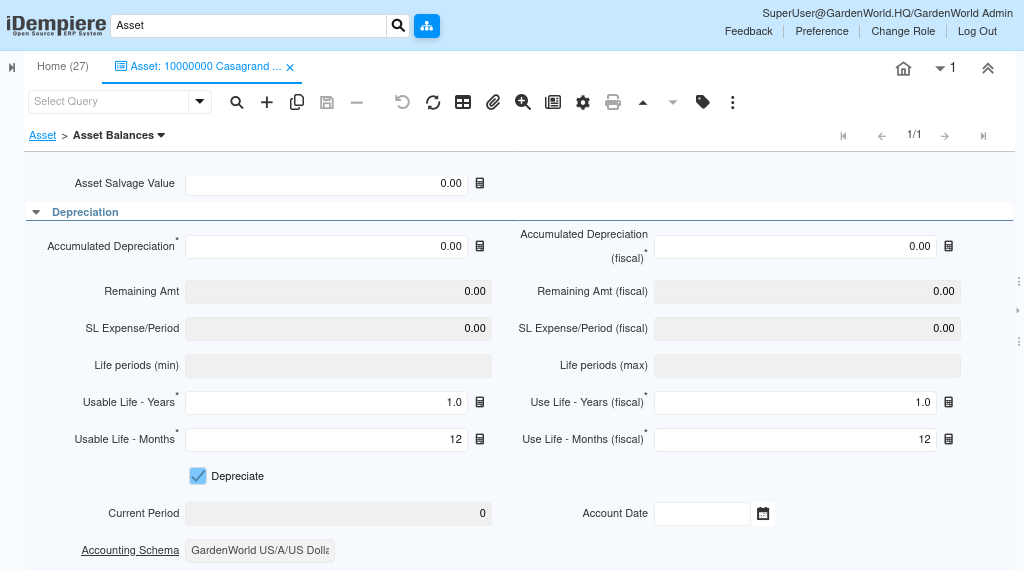
Through this tab, users can see
- Accumulated depreciation
- Remaining amount
- Useful life in years
- Usable life in months
Whenever depreciation is run, a new balance line is generated for the relevant period. Accounting documents such as additions and disposals update the balances automatically.
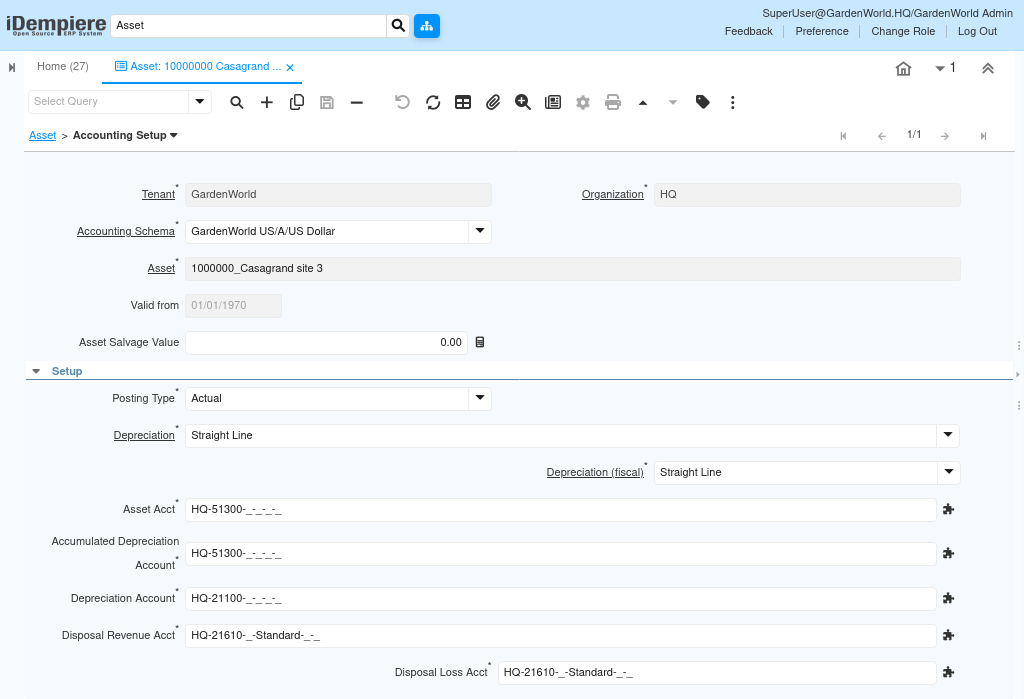
Accounting Setup to Define How the Asset Is Posted to the Ledger
The Accounting Setup tab determines which accounts the asset will use for every financial movement capitalization, depreciation, clearing, disposal gain/loss, revaluation, etc.
Through this tab, administrators configure:
- Asset account (capitalization account)
- Accumulated depreciation account
- Depreciation expense account
- Disposal revenue acct
- Disposal loss acct
How Accounting Setup Works
When a financial document is posted (capitalization, depreciation, disposal), iDempiere reads the accounts defined here.
- The correct account combinations are then used to generate the Fact_Acct entries.
This tab ensures that all financial postings for the asset are done consistently and according to the required accounting policies.
Expense Linking Recurring or One-Time Costs to the Asset
The Expense tab in the iDempiere Asset window provides a controlled way to record all non-capital costs associated with an asset during its lifecycle.
The Expense tab captures these costs and posts them correctly to the general ledger without impacting the asset’s depreciation schedule.
How This Works
Users can register each expense item with details such as amount, date, vendor, and description. These expenses do not affect capitalization but provide visibility into the asset’s total cost of ownership.
Depending on setup, expenses can be posted to expense account. This tab ensures that all non-depreciation costs are associated with the asset for complete lifecycle costing.

- Asset Balances for financial valuation and depreciation tracking
- Accounting Setup for controlling how all postings are generated
- Expense for recording operational costs
iDempiere delivers a complete and transparent fixed-asset lifecycle management system. This structured approach ensures accounting accuracy, compliance, and full visibility of the asset from acquisition to disposal.