How Currency Works in iDempiere
The Currency window in iDempiere lets you define the monetary units — such as Indian Rupee (INR), US Dollar (USD), Euro (EUR), etc. — that your business uses for financial transactions, reporting, and multi-currency operations. Currency setup is foundational for all financial, procurement, sales, and accounting workflows in the system.
Currency Record Creation
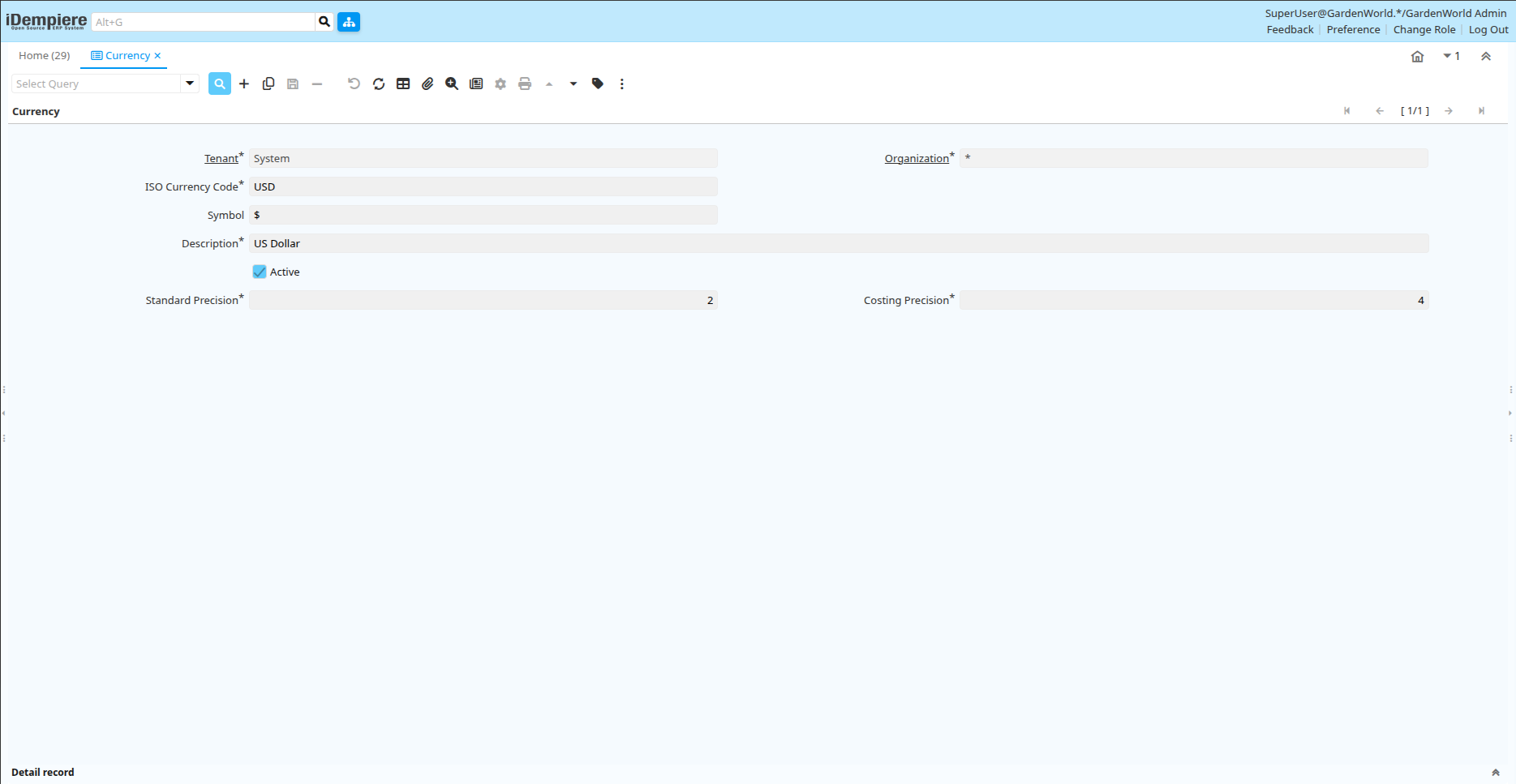
Inside iDempiere’s Currency window, define ISO Code (USD, INR, EUR), Symbol ($, ₹, €), Precision (decimal places), and Currency Name—making each available for transactions and price lists.
Linking Currencies to Price Lists and Accounting Schema
In iDempiere, currencies are assigned to Price Lists (sales/purchase) and Accounting Schemas to control transaction and reporting currencies.
- Price Lists: Set currency for selling to customers and ordering from vendors.
- Accounting Schemas: Define currency for financial postings and reports.

Maintain Currency Conversion Rates
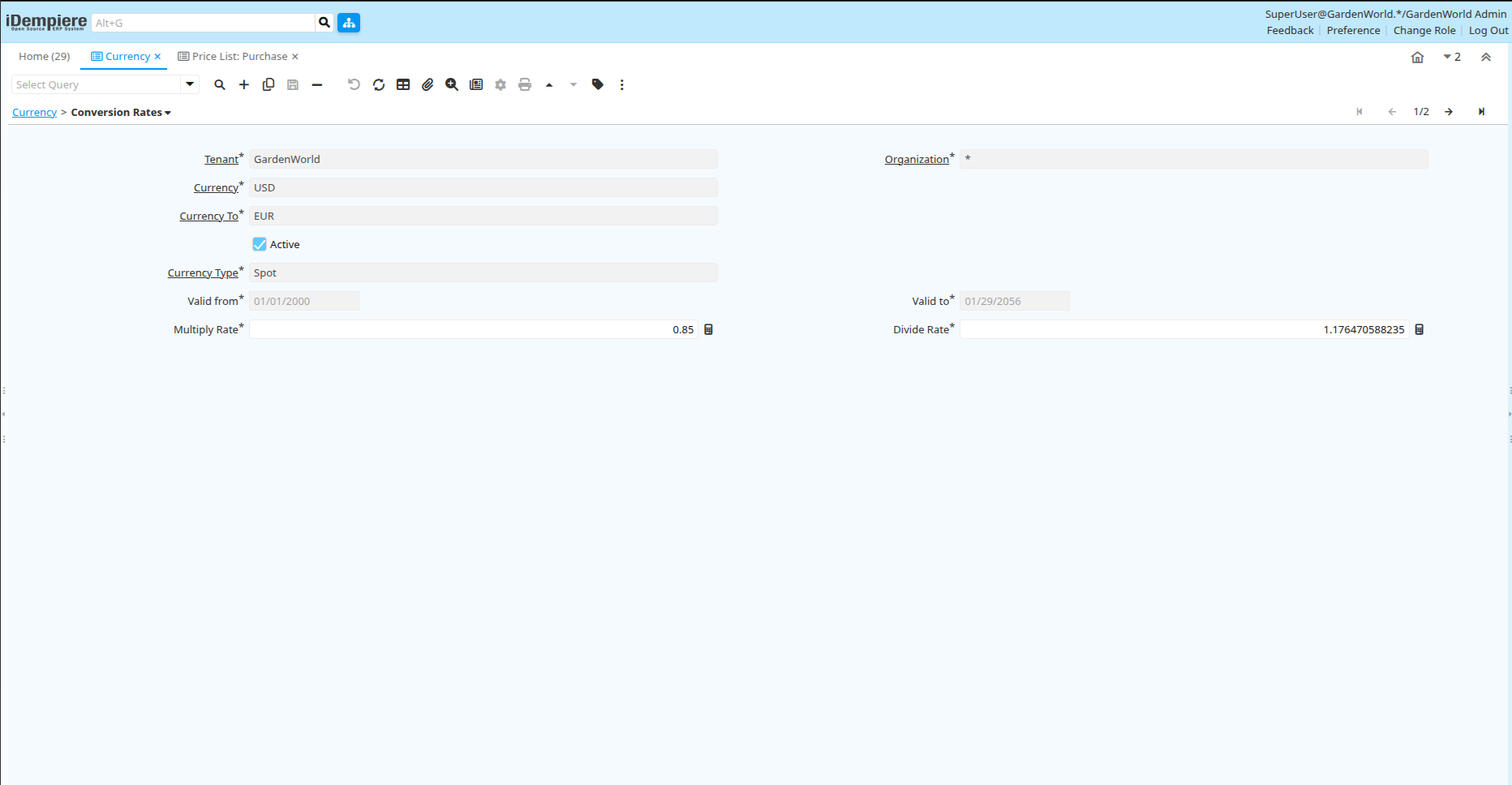
iDempiere stores currency conversion rates through Currency Conversion definitions, enabling automatic value conversion between currencies, accurate posting of amounts in the base accounting currency, and financial precision in multi-currency operations, with finance teams regularly updating rates for global businesses and frequent transactions.
Use Currency in Transactions
In iDempiere, currencies are applied during transaction processing, such as Purchase Orders, Sales Orders, Invoices, and Payments. The selected currency (or default Price List currency) determines transaction values, which the system automatically converts into the accounting currency and tracks any resulting exchange rate gains or losses.
The Currency in iDempiere lets you define and manage the currencies your business uses. Through currency definitions and conversion rate management, iDempiere ensures multi-currency support, accurate global transactions, and reliable financial reporting.