How Location Works in iDempiere
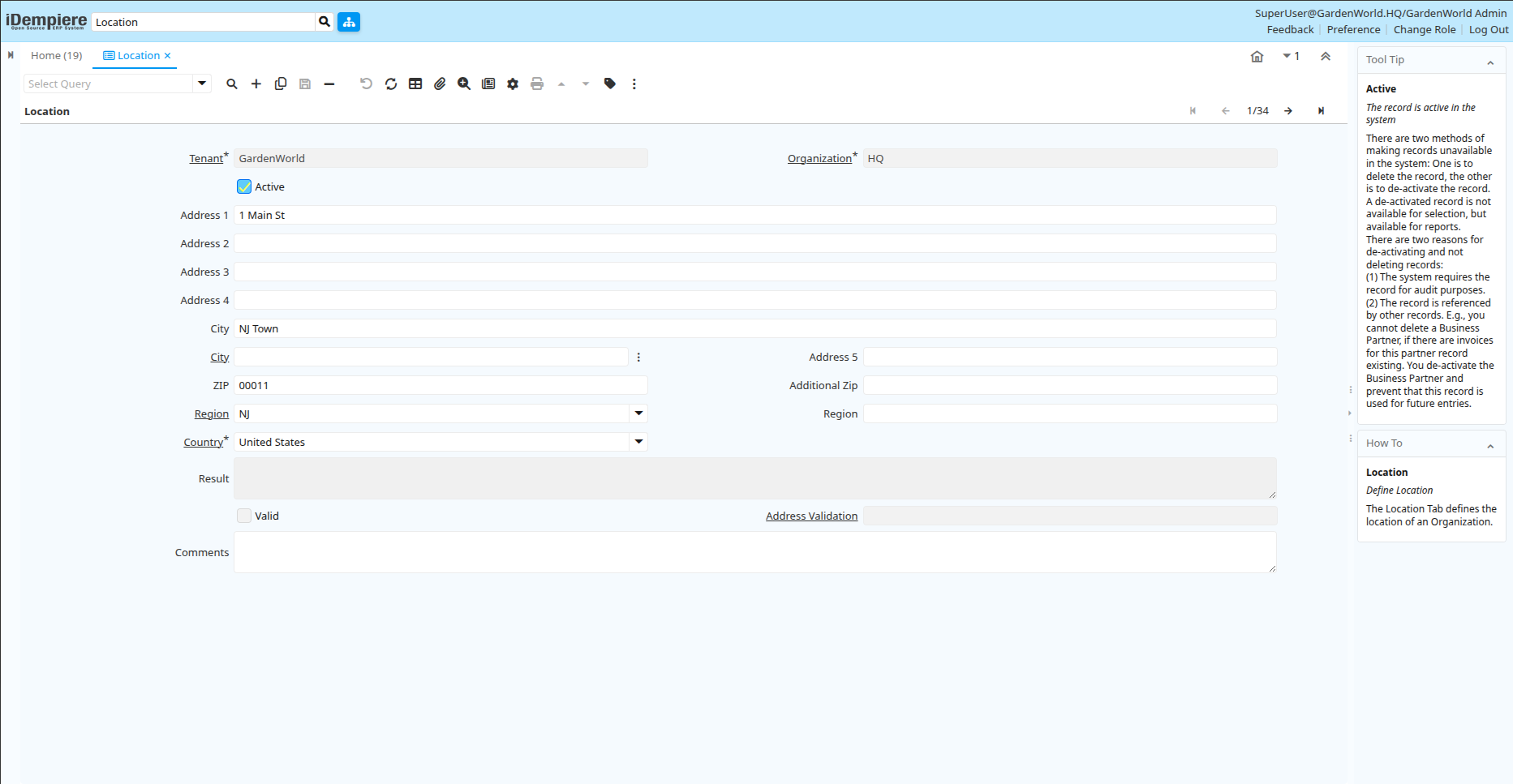
The Location window in iDempiere is used to define and manage address data in the system. This includes physical addresses that are linked to business partners, organizations, warehouses, and other entities. The Location window itself is typically used by system administrators or power users — other users access address information through related screens such as the Business Partner or Organization windows.
Process Flow

Location Window
Enter and Maintain Address Details
Each location record includes:
- Address lines (Address 1, 2, 3, 4, 5)
- City and ZIP/Postal Code
- Region/State
- Country
- Optional additional ZIP
- Comments for extra information
These fields capture a complete physical address for any entity in the ERP.
Organize Addresses by Organizational Structure
Each location record is associated with:
- Tenant (company/legal entity)
- Organization (specific business unit)
This ensures that addresses are properly segregated for each business unit while still allowing shared use where appropriate.
How Location Records Are Used in iDempiere
The Location master record serves as an address reference in many core modules of the system:
- Business Partners
- Customers and vendors have one or more location entries
- Billing and shipping addresses are linked from here
- Organizations and Companies
- Each legal entity or department’s address can be recorded and reused
- Used in legal documents, tax forms, and reporting
- Shipping and Delivery
- Shipment addresses come from Location records
- Packing slips, delivery notes, and logistic documents use this data
In iDempiere, the Location window is the central place to define real-world addresses. These address records are then referenced by customers, vendors, organizations, warehouses, and transactions — providing consistent and accurate address data across the entire ERP system.