How does Asset work in iDempiere
It provides clear visibility into fixed assets by combining asset master data, operational ownership, and accounting lifecycle in a single record.
The Asset window allows users to track where an asset is, who owns or uses it, when it became active, and how its value changes over time. This helps finance, maintenance, and project teams manage assets accurately in iDempiere.
Process Flow

Relationship between Asset master data and system structure
The Asset window is tightly bound to the system’s organizational structure. Each asset belongs to a Tenant and Organization, ensuring legal and reporting separation. The Search Key and Name uniquely identify the asset in daily operations, while the Asset Group plays a critical role by defining depreciation rules and accounting behavior.
Linking an asset to a Product allows assets created from purchasing or inventory processes to remain consistent with the product master, especially for serialized or capitalized items.

Asset identification and traceability
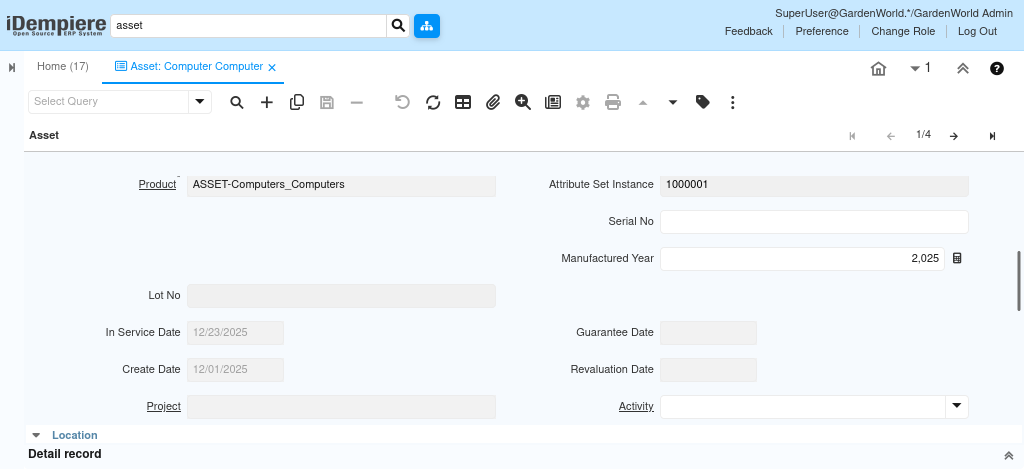
To support audits and physical verification, the Asset window captures identification details such as Inventory Number, Serial Number, Lot Number, and Manufactured Year. These fields are not always mandatory but become important for high-value equipment, regulated assets, or items that require manufacturer-level traceability.
When assets are attribute-controlled, the Attribute Set Instance ensures the physical characteristics of the asset match what was originally purchased or produced.
Asset lifecycle and service control
The operational and financial lifecycle of an asset is driven by key dates rather than manual calculations. The In Service Date and Activation Date determine when the asset starts being used and when depreciation begins. Warranty coverage can be monitored using the Guarantee Date, while Revaluation Date supports asset value adjustments when required by accounting standards.
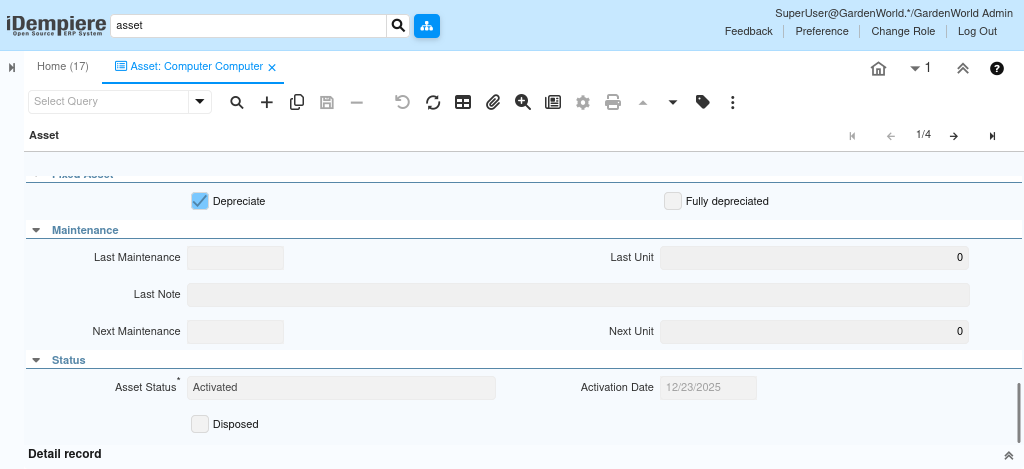
The lifecycle is formally closed by marking the asset as Disposed, which prevents further depreciation and signals the end of its financial use.
Status, possession, and usability
Asset usability is controlled through a combination of status and flags. The Asset Status indicates whether the asset is new, active, under maintenance, or retired, while the Active flag determines whether the record itself is valid in the system.
The In Possession and Owned indicators help distinguish between assets physically held by the organization, leased assets, or third-party assets. This is especially useful in construction and project-based environments where assets may move between sites or be temporarily assigned.
Ownership, responsibility, and location context
The Asset window also captures who is responsible for the asset and where it is located. Associations with a Business Partner identify suppliers, lessors, or external owners. Internal responsibility can be tracked using User/Contact, while Location, Address, and related comments describe the physical placement of the asset.
When assets are used within specific initiatives, linking them to a Project or Activity enables project-level cost visibility and asset usage reporting.
Maintenance and operational monitoring
For maintainable assets, the window provides a simple but effective maintenance history. Instead of managing maintenance in separate systems, users can record the Last Maintenance details and define the Next Maintenance schedule directly on the asset. This allows operational teams to monitor service intervals, capture notes, and plan future maintenance without affecting accounting data.
Accounting impact and asset lifecycle completion
Once an asset is activated, it automatically participates in depreciation and accounting processes based on its Asset Group configuration. All value changes depreciation, revaluation, and disposal are reflected in financial reporting without manual intervention.