How Document Sequence Works in iDempiere
The Document Sequence window in iDempiere controls how unique document numbers are generated and managed across the system. It ensures that every transactional document—such as Orders, Invoices, Shipments, Receipts, and Payments—receives a non-duplicate, audit-safe number at the right stage of processing.
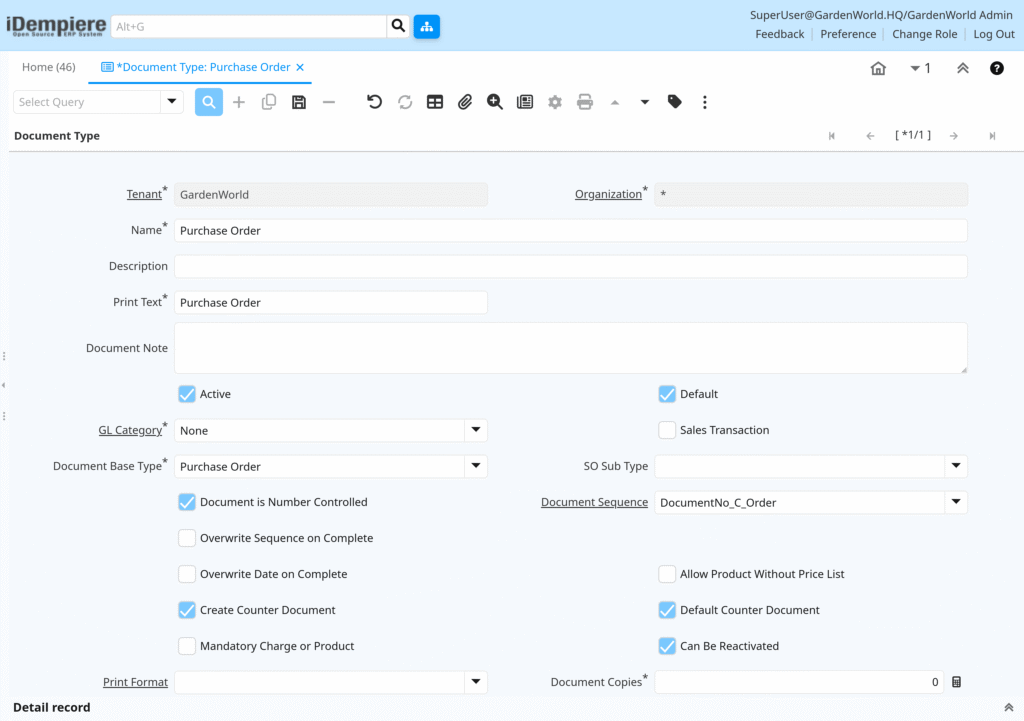
Document Sequences are tightly linked to Document Types, and they become active when a document is completed or prepared, depending on configuration.
Document Sequence Importance
Document Sequence ensures legal/statutory compliance, audit traceability, prevents duplicate or skipped numbers, and supports multiple numbering formats. Without a valid sequence, iDempiere blocks document completion.
Document Sequence Generation
Each Document Sequence defines:
- A prefix (optional)
- A suffix (optional)
- A current next number
- Increment logic
When a document is processed, iDempiere locks the next available number and assigns it permanently. Once assigned, the number cannot be reused, even if the document is voided or reversed—this preserves audit integrity.
Sequence-Document Linking
Document Sequences link to Document Type level and Organization level (optional). This enables different sequences for business units, separate numbering for Sales vs Purchase documents, and country/compliance-specific formats.

In iDempiere, Document Sequence defines how document numbers are generated, controlled, and secured. It works together with Document Type to ensure numbering consistency, legal compliance, and audit-ready operations across all transactional documents.