How to Create Project Type in iDempiere
To standardize project creation and reduce manual setup, iDempiere allows users to configure
Project Types with predefined phases and tasks.
This configuration enables the automatic population of project structures, ensuring consistency across similar projects and improving setup efficiency.
Process Flow Diagram

Creating a Project Type
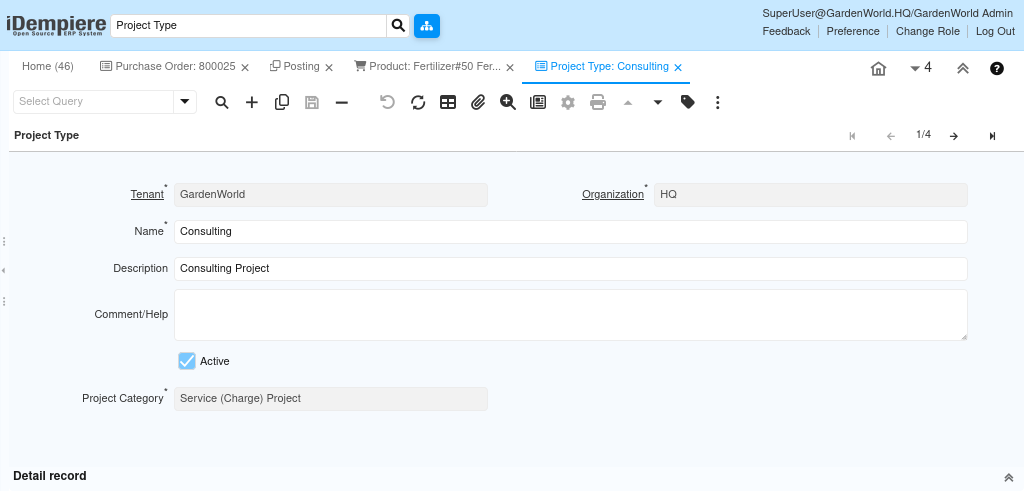
The first step is to create a Project Type. The Project Type acts as a reusable template that defines how projects are structured, including their category, phases, and tasks.
- Navigating to the Project Type window
- Creating a new Project Type record
A well-defined Project Type ensures uniform project setup and alignment with organizational processes. Once the Project Type is created, essential attributes must be defined to control how projects behave when they are created using this type.
Configuration includes
- Entering a meaningful Project Type name
- Selecting the applicable Organization
- Providing Description and Comments for clarity and documentation (if required)
These details help users identify the purpose and usage of the Project Type during project creation.
Defining the Project Category
The Project Category determines the functional behavior of the project and how costs, revenues, and structures are managed.
Available project categories include
- Asset Project
- General
- Service (Charge) Project
- Work Order (Job)
Note: Selecting the Service (Charge) Project category enables automatic population of project phases and tasks from the Project Type’s Standard Phase and Standard Task definitions during project creation.

Defining Standard Phases for the Project Type
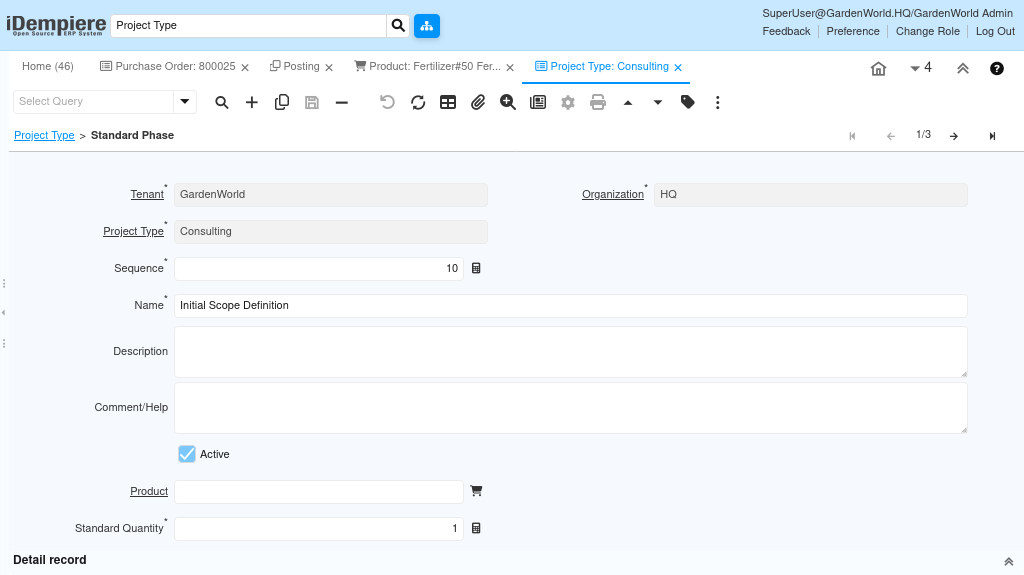
Standard Phases represent predefined stages of execution that can be reused across multiple projects.
After selecting the appropriate project category, standard phases can be configured as follows
- Create a new Standard Phase
- Enter the Phase Name
- Maintain Description and Comments if required
- Assign the Product and Planned Quantity needed for the phase
Note: The Standard Phase is automatically added to the project when
- The project line level is set to Phase
- The Project Type uses the Service (Charge) Project category
This ensures consistent phase-level planning across projects.
Defining Standard Tasks for Each Phase
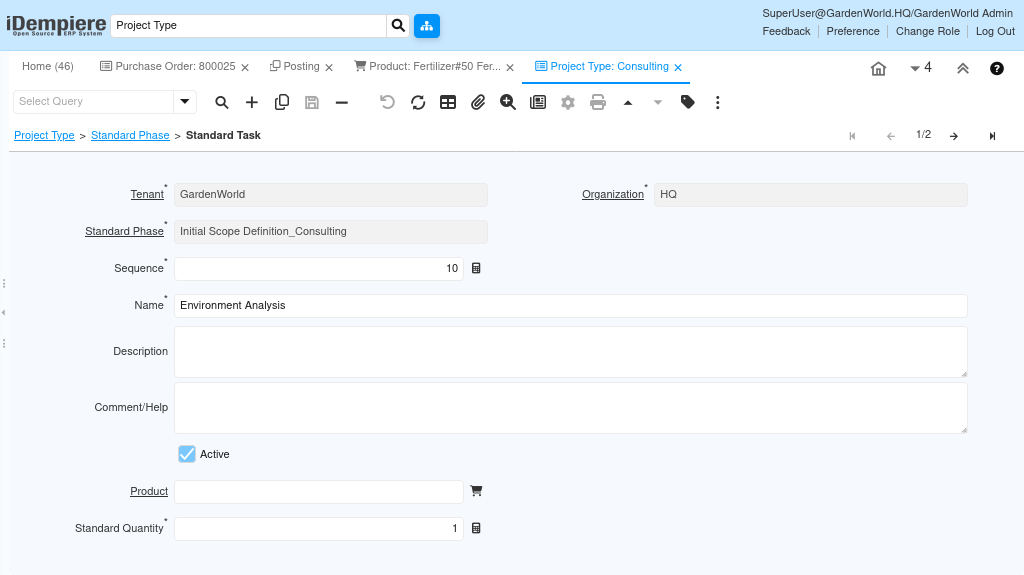
Standard Tasks allow detailed planning within each phase and define the operational activities required to complete the project.
Task configuration includes
- Creating a new Standard Task under the Standard Phase
- Entering the Task Name
- Maintaining Description and Comments if required
- Assigning the Product and Planned Quantity needed for the task
Note: Standard Tasks are automatically added to the project under the corresponding phase when
- The project line level is set to Task
- The Project Type uses the Service (Charge) Project category
This automation ensures faster project setup and accurate task-level planning.
By configuring Project Types with predefined categories, phases, and tasks
- Projects are created with a standardized structure
- Manual data entry is reduced significantly
- Planning accuracy and consistency are improved across similar projects
This setup enables efficient project initialization while ensuring alignment with organizational project management practices.