How Create PO from Requisition works in iDempiere
The Create PO from Requisition process in iDempiere is used to automatically generate purchase orders (POs) from existing material requisitions. This process helps procurement teams efficiently transform internal requests for goods or services into formal purchase orders without manual data entry.
Requisition to PO Process
At its core, this process reads approved requisition lines and creates corresponding purchase order lines. It can operate in two modes:
- Create from a specific requisition:
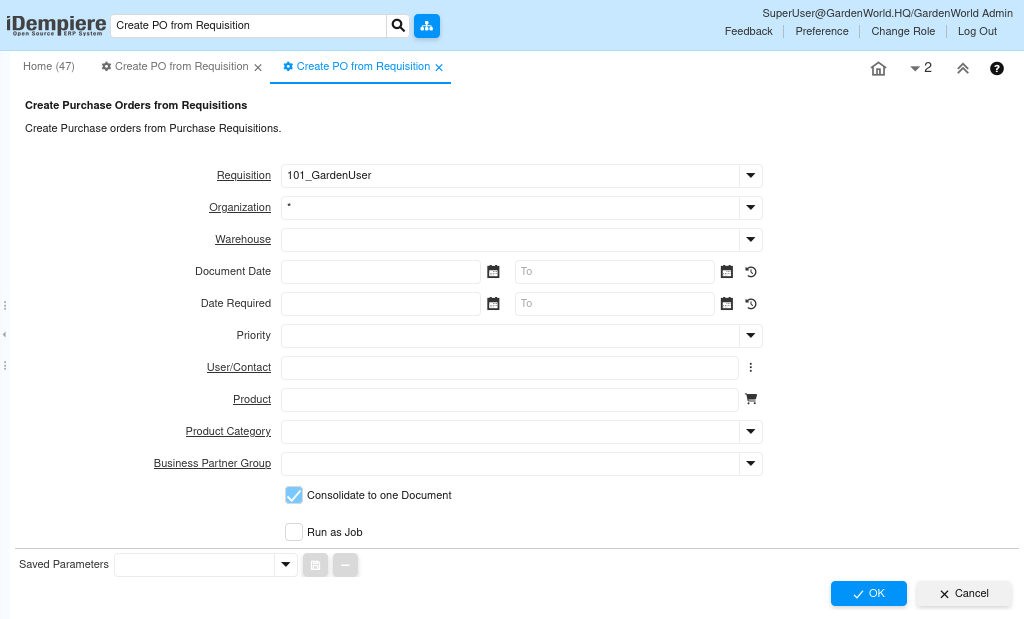
A specific requisition is selected, the process uses all lines from that requisition as the source. It then generates one or more purchase orders based on those lines. - Create based on conditions:
To run the process without a specific requisition by using filters like warehouse, date, priority, user, product, or product category. Based on these criteria, iDempiere finds all matching requisition lines and creates purchase orders accordingly.
In both cases, the requisition lines serve as the foundation for the new purchase order lines.
Requisition Data Transfer to PO
When a PO is created, the system carries many details directly over from the requisition:
- Header values such as organization, warehouse, and dates are inherited.
- Line details like product, quantity, and required date are also transferred.
- The business partner (vendor) on the new PO is determined based on requisition settings. iDempiere chooses the vendor from the requisition line if present; if not, it looks at purchasing data on the product’s vendor list or charge definitions to select an appropriate vendor.
This ensures the PO reflects the intent and details of the requisition while respecting supplier information.
Handling Multiple Requisitions
To run the process on multiple requisitions at once — for example, using filter criteria —iDempiere may create:
- Multiple Purchase Orders — one for each unique supplier or grouping,
- Or a consolidated PO if the “consolidate to one document” option is selected and conditions allow.
This flexibility helps procurement teams group orders logically and reduce redundant paperwork.
Enforcing Business Rules
iDempiere applies standard business rules during PO creation:
- Requisition lines are only included if they meet the selected criteria (e.g., warehouse, dates).
- Each PO line is validated against product and vendor master data.
- The process respects document sequencing and organizational policies defined in iDempiere.
This ensures purchase orders are generated consistently and accurately.
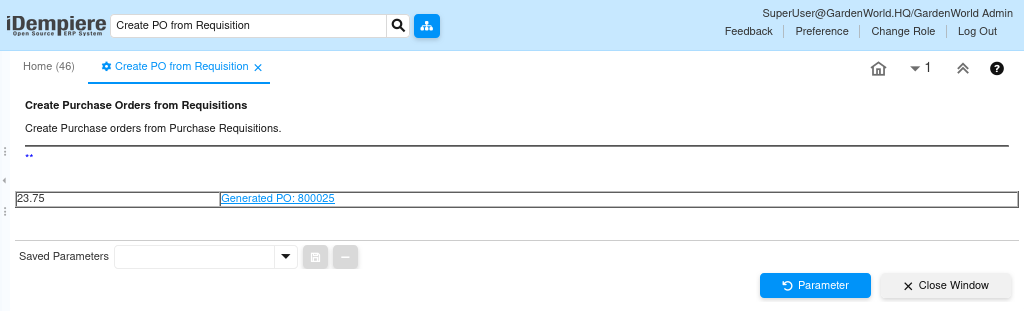
In iDempiere, the Create PO from Requisition process removes manual steps by automatically turning requisition lines into purchase orders. It supports both single requisition processing and batch PO creation based on filters, ensuring efficient and accurate procurement execution that adheres to organizational rules.