How Import Inventory Move Works in iDempiere
The Import Inventory Move process in iDempiere allows organizations to load and create Inventory Move documents from external files .
This is used when large numbers of stock transfers need to be created at once such as warehouse organizations, bulk relocations, system migrations, or integrations with external logistics systems. The import table acts as a staging area where data is validated before being converted into actual Inventory Move and Move Line records.
Process Flow Diagram
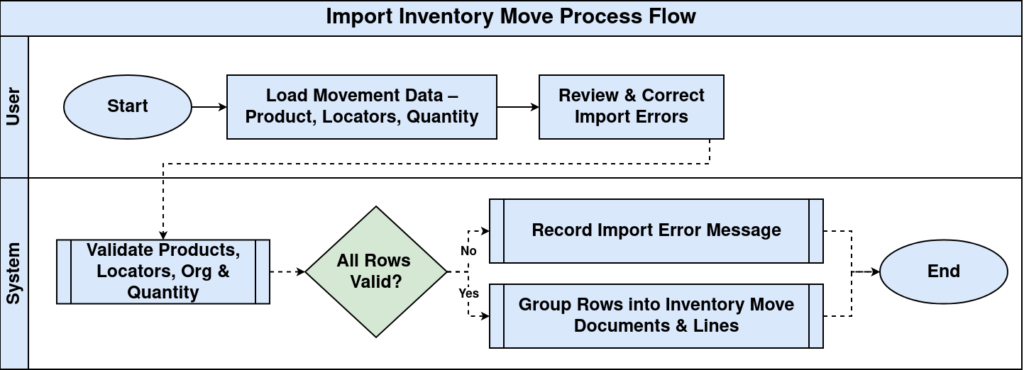
Overall Process and Workflow
The import table is first populated with raw data that represents the details of each material movement, including product, source locator, destination locator, quantity, document header info, and organizational references. iDempiere then validates each row to ensure that products exist, locators are valid, organizations match, and quantities are acceptable. Any issues detected during validation are recorded in the Import Error Message field so that users can correct the records before proceeding.
After validation, the system groups the rows into Inventory Move documents based on shared header values such as Document No, Organization, Movement Date, and Document Type. Each row becomes a Move Line, containing the product being moved and the quantity being transferred from one locator to another. Once the import is processed, the system creates standard Inventory Move documents exactly as if they were entered manually.
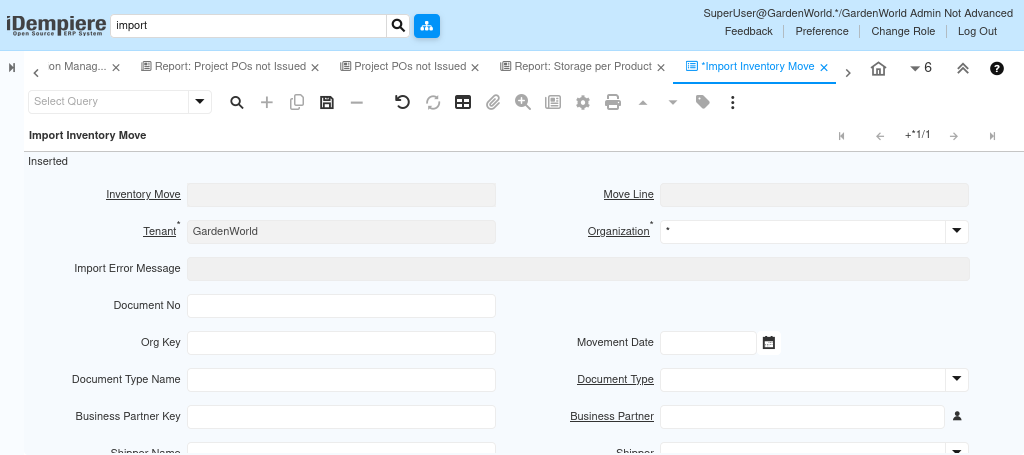
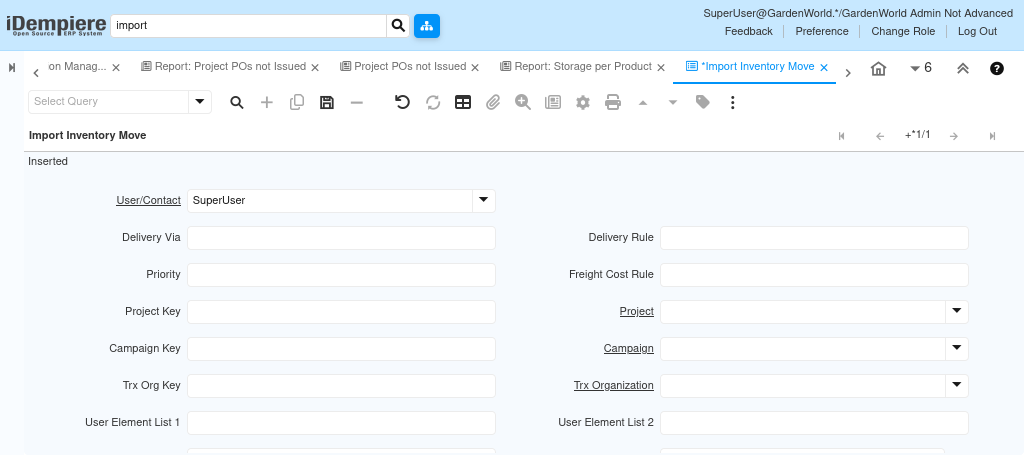
Validation and Processing Behavior
When the import process is run
- The system checks that all key references (organization, product, locators, user-defined dimensions, project/campaign, etc.) exist and match master data.
- It ensures that the Movement Quantity is valid and that both source and destination locators belong to the correct warehouse.
- If any issue is found, the record remains unprocessed and an error message is stored.
- Once all data validates, iDempiere generates the Inventory Move and marks the imported rows as Imported and Processed.
This ensures that no invalid or incomplete movement data enters the live inventory system.
After the import completes successfully, fully formed Inventory Move documents appear in the Inventory Move window, with all Move Lines created automatically. These documents can then be reviewed, printed, approved, and posted to update stock levels across locators or warehouses. The import process ensures accuracy, consistency, and efficiency when handling large-scale or automated stock movement operations.