How Project Margin (Work Order) Works in iDempiere
The Project Margin (Work Order) report compares planned project revenue with actual costs from project issues. It gives a consolidated view of profitability and budget status, helping project and finance teams assess performance once execution and accounting transactions are in progress.
Prerequisites Before Running the Report
Before using the project margin (Work Order) report, ensure the project lifecycle has progressed far enough to produce meaningful data. The report relies on both planning and execution data.
At minimum:
- The project header must be created and active
- Phases, tasks, and task lines must exist
- Planned amounts must be defined on task lines
- Costs must be posted, typically through:
- Material issues to the project
- Service or expense postings
- Purchase orders followed by receipts and issues
If costs have not yet been issued to the project, the margin will reflect planned revenue only.
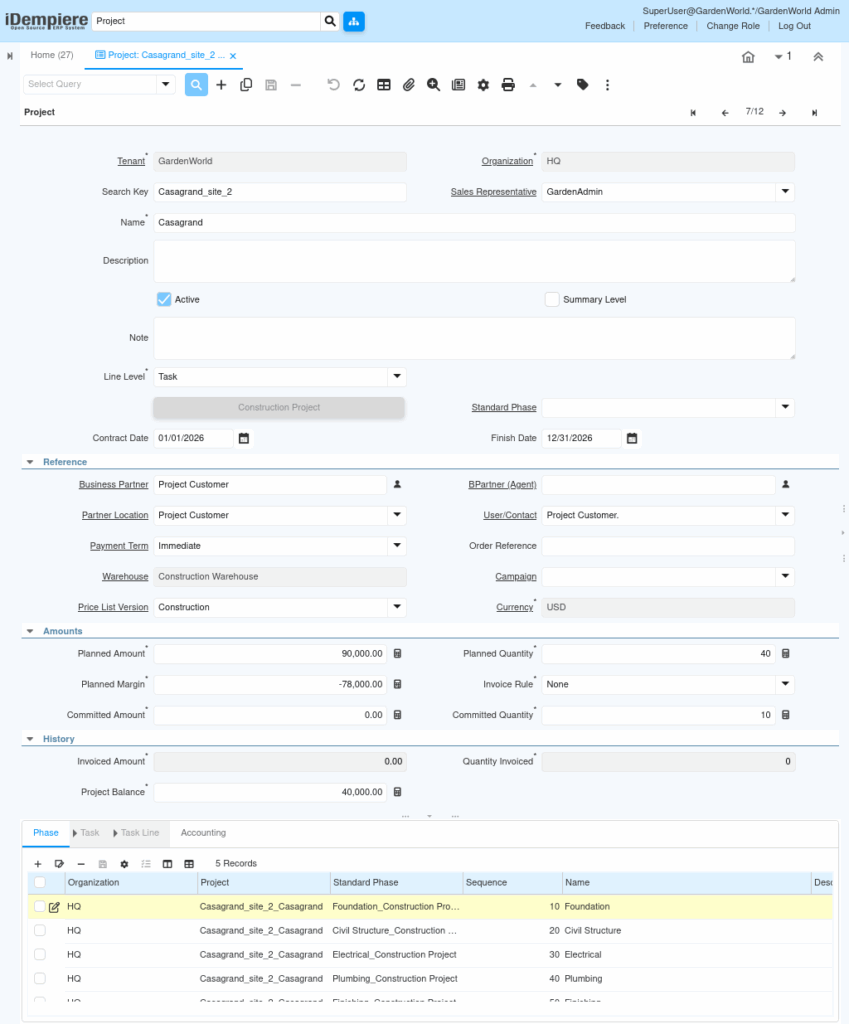
Accessing the Project Margin (Work Order) Report
To generate the report, navigate to the project margin (Work Order) window from the reporting menu. This report is designed to be run per project, ensuring focused and accurate margin analysis.
Once the window opens:
- Select the project you want to analyze
- Confirm the accounting schema, which defines the currency and accounting rules used for cost comparison
- Optionally enable run as job if you want to schedule or automate the report
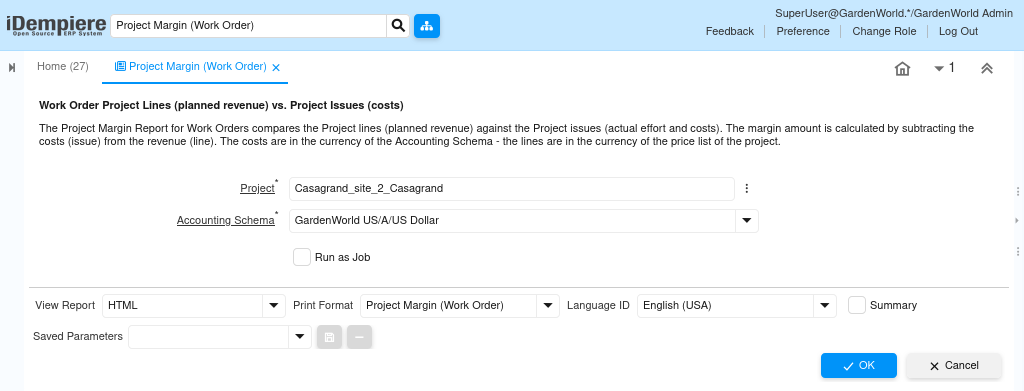
How the Report Calculates Margin
The report works by directly comparing what was planned against what actually happened.
Planned values are taken from:
- Project task lines (planned revenue)
Actual values are taken from:
- Project issues (materials issued, services consumed, costs posted)
The margin is calculated internally using a simple and reliable formula:
Planned Revenue − Actual Project Costs = Project Margin
Because both values are pulled from posted transactions, the margin shown reflects real execution, not estimates.
Understanding the Report Output
Once the report is executed, it displays a line-level comparison between revenue and cost elements associated with the project.
The report helps you quickly identify:
- Which project lines are profitable
- Where costs exceed planned values
- How much margin remains at the project level
Key insights typically visible in the report include:
- Planned revenue from project lines
- Actual cost from issued materials or services
- Calculated margin per line or project
- Currency consistency based on accounting schema

When to Use This Report
The Project Margin (Work Order) report is most valuable at specific points in the project lifecycle:
- During project execution, to monitor cost overruns early
- Before project closure, to validate final profitability
- During management reviews, to compare performance across projects
- For finance and audit, to ensure costs and revenue align with posted transactions
Because the report relies entirely on system-recorded data, it eliminates manual reconciliation and ensures decision-makers see a single source of truth.
Outcome
By using the project margin (Work Order) report, iDempiere provides a real-time, transaction-driven view of project profitability. Planned revenue and actual costs are automatically compared using posted data, enabling accurate margin analysis, early risk detection, and confident financial decision-making without spreadsheets or manual adjustments.