How Business Partner Group Works in iDempiere
A Business Partner Group standardizes how multiple partners behave across sales, purchasing, pricing, discounts, and accounting. Shared rules are defined once at the group level and applied automatically, ensuring consistent behavior, faster setup, and fewer configuration errors.
The Transaction Control Layer
Business Partner Group sits between master data and transactions.
It does not process transactions itself.
Instead, it injects defaults and rules into:
- Sales Orders
- Purchase Orders
- Invoices
- Payments
- Accounting postings
Once assigned, its configuration flows automatically into transactional behavior.
Business Partner Group During Partner Creation
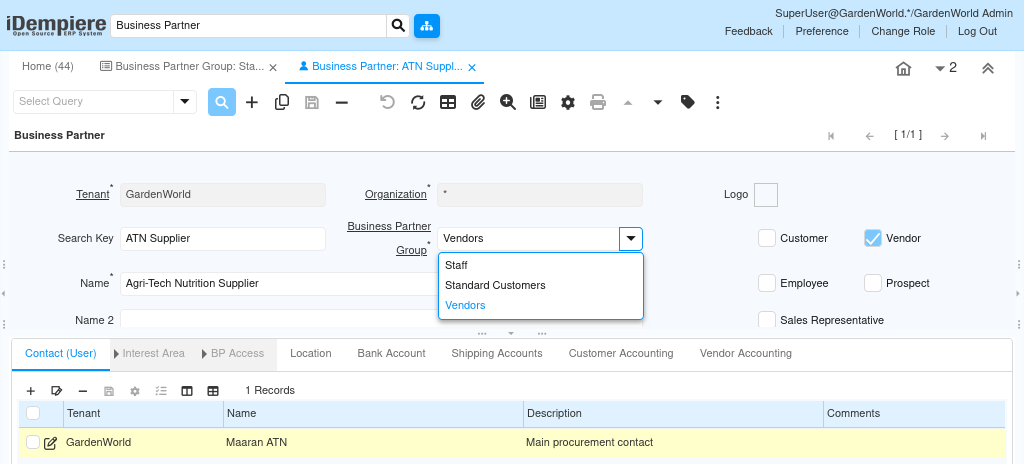
When a Business Partner is created or updated:
- A Business Partner Group is selected
- Pricing, discount, and accounting defaults are inherited
- The partner becomes transaction-ready without extra setup
This allows large vendor or customer bases to behave uniformly while still allowing exceptions at the partner level when needed.
Pricing and Discount Behavior
Business Partner Group controls default commercial rules.
Depending on configuration, it can define:
- Default Sales Price List
- Default Purchase Price List
- Default Discount Schema
- Default PO Discount Schema
During order entry:
- The system first checks partner-specific settings
- If not found, it applies group-level defaults
- Pricing and discounts are calculated automatically
This is why quantity-based discounts, promotional pricing, or negotiated vendor pricing can apply without manual intervention.
Accounting Behavior and Financial Control
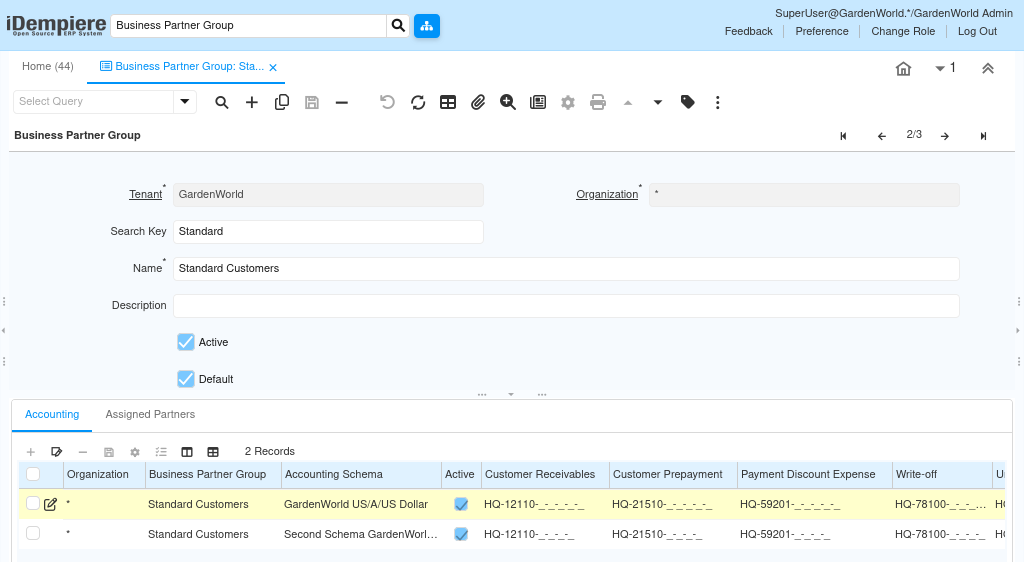
The Accounting tab of the Business Partner Group defines how transactions post to the ledger.
It controls:
- Vendor Liability accounts
- Customer Receivable accounts
- Prepayment accounts
- Write-off accounts
- Payment Discount accounts
- Not-invoiced Receipts accounts
When transactions are posted:
- iDempiere resolves accounts from the Business Partner Group
- Partner-specific overrides apply only if explicitly defined
- Otherwise, group accounts are used
This ensures financial consistency across all partners in the group.
Transaction Flow Impact
During transaction processing:
- Sales Orders inherit pricing and discount rules
- Purchase Orders inherit vendor pricing and PO discounts
- Invoices use group-defined accounting defaults
- Payments and settlements follow group financial rules
No additional configuration is required at the transaction level.
The Business Partner Group quietly governs the behavior in the background.
Why Business Partner Group Is Critical at Scale
Without Business Partner Groups:
- Each partner must be configured individually
- Accounting inconsistencies increase
- Pricing errors become common
- Maintenance effort grows exponentially
With Business Partner Groups:
- Configuration is centralized
- New partners are onboarded quickly
- Audit and compliance become easier
- ERP behavior remains predictable
Common Use Cases
Business Partner Groups are typically used to:
- Separate customers and vendors
- Define domestic vs international partners
- Control wholesale vs retail pricing
- Apply vendor-specific PO discount policies
- Enforce accounting segregation by partner type
They are especially important in multi-schema or multi-organization environments.
Outcome
- Business Partner Group standardizes partner behavior
- Pricing and discount logic flow automatically into transactions
- Accounting entries remain consistent and audit-safe
- Partner onboarding becomes faster and safer
- ERP configuration scales cleanly as the business grows
Business Partner Group is the foundational layer that keeps partner-driven transactions stable, consistent, and controllable across iDempiere.