How GL Journal Batch Works in iDempiere
GL journal batch groups multiple general ledger journals under a single batch so they can be reviewed, validated, approved, and posted together in a controlled way. It is mainly used for manual adjustments, month-end entries, accruals, and write-offs, where finance teams want structure, traceability, and balance control before posting to the ledger.
Process Flow
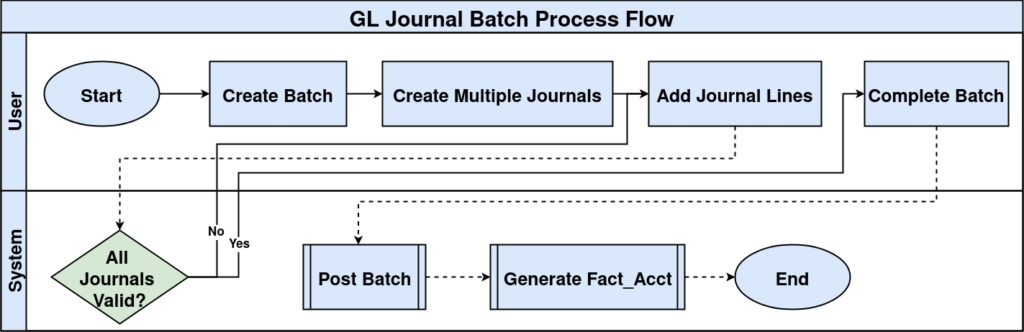
Batch Creation and Control Context
A GL journal batch is created first and acts as the container and control layer. It defines the accounting schema, posting type, document type, period, and currency that all journals inside the batch must follow. This ensures consistency and prevents accidental posting to the wrong period or schema.
At this stage, the batch is only a shell. No accounting impact happens yet. The batch exists to collect journals and enforce validation rules before posting.
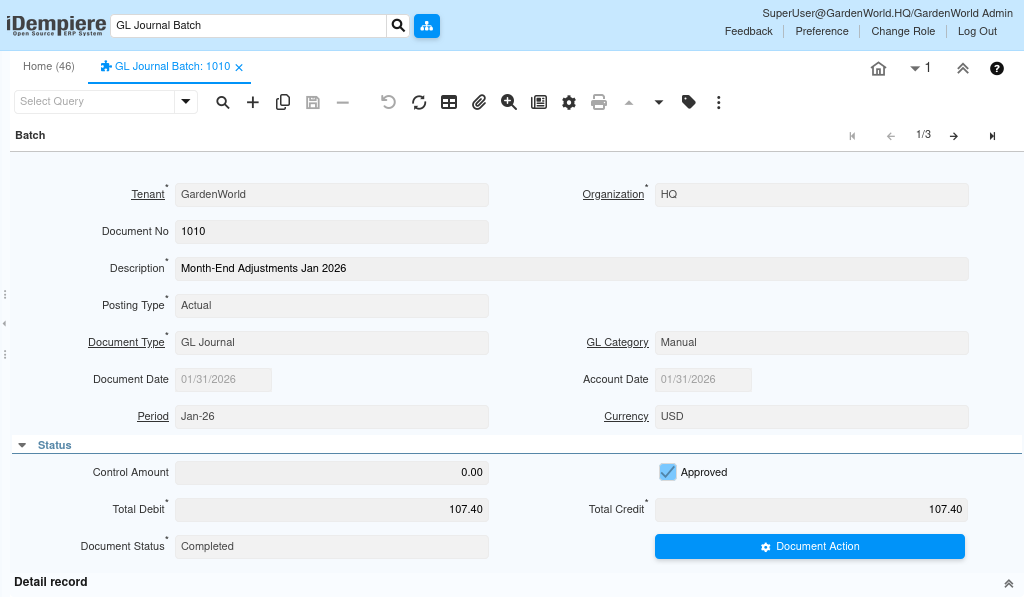
Journal Population Inside the Batch
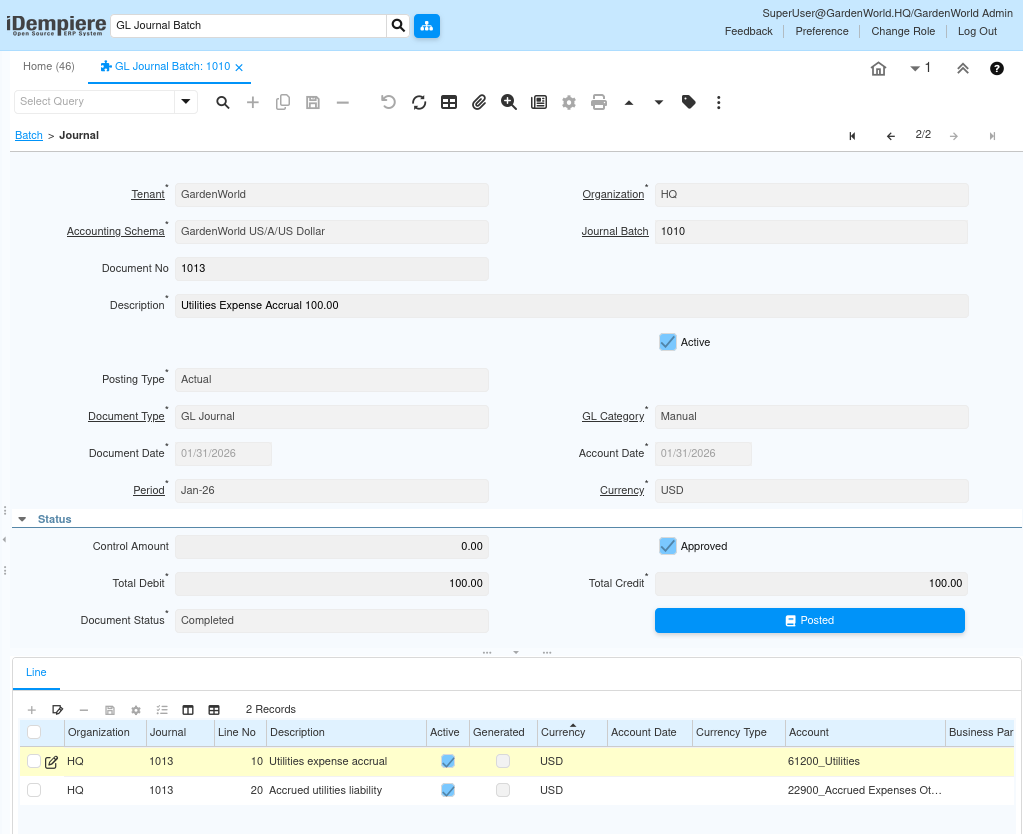
Each batch can contain multiple GL journals, and each journal represents a logical accounting document (for example, “Utilities Expense Accrual” or “Bad Debt Write-Off”). Journals inherit key controls from the batch, such as period and currency, but can have their own descriptions and accounting intent.
Within each journal, journal lines are added. Each line specifies the account combination, debit or credit amount, and optional dimensions like business partner, product, project, activity, or campaign. iDempiere enforces double-entry logic at the journal level, not the line level.
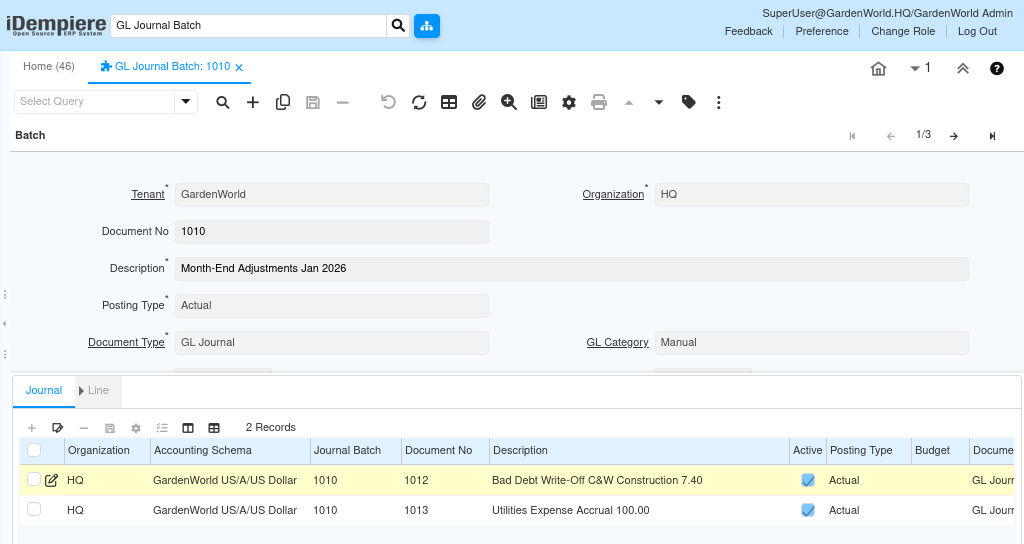
Validation and Balance Enforcement
Before a batch can be completed, iDempiere validates all journals inside it. This includes checking that each journal is balanced (total debit equals total credit) and that the batch control amount, if used, matches the sum of journal amounts.
If any journal is unbalanced or uses a restricted account (for example, a document-controlled account in a manual journal), the batch becomes invalid and cannot be completed. This prevents incorrect accounting entries from reaching the ledger.
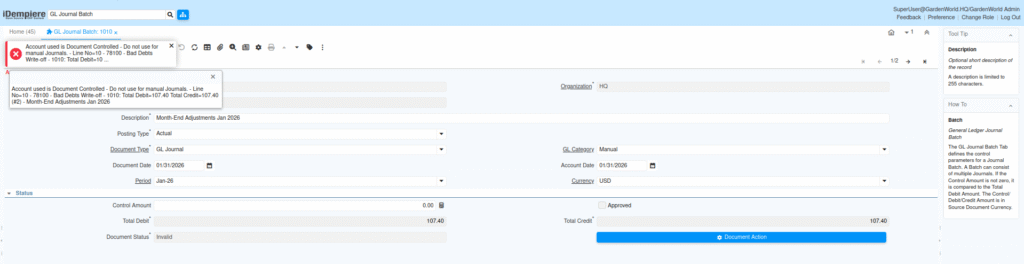
Approval and Completion Flow
Once all journals are valid, the batch can be approved. Approval signals that the batch is ready for posting and locks down structural changes. After approval, the document action is used to complete and post the batch.
Posting the batch triggers posting of all journals inside it in one controlled operation. The system generates accounting facts and updates the general ledger for the selected period.
Posting and Accounting Impact
When posted, each journal line creates corresponding fact_acct records. Debits and credits flow to the respective GL accounts, respecting the accounting schema and dimensions defined earlier. The batch status changes to completed, and journals become read-only.
This centralized posting ensures that related adjustments move together, which is especially important for month-end activities where multiple entries must stay in sync.
Typical Usage Patterns
GL journal batch is commonly used in scenarios such as:
- Month-end adjustment batches (accruals, provisions, corrections)
- Bad debt and receivables write-off postings
- Manual reclassification or correction entries
- Audit-driven adjustment sets that must be reviewed together
By batching journals, finance teams gain better control, cleaner audits, and safer postings, without posting individual journals one by one.