How View Allocation Works in iDempiere
View Allocation provides visibility into how payments and credit notes are allocated against invoices.
It helps users track settlement status and maintain financial transparency.
Process Flow Diagram
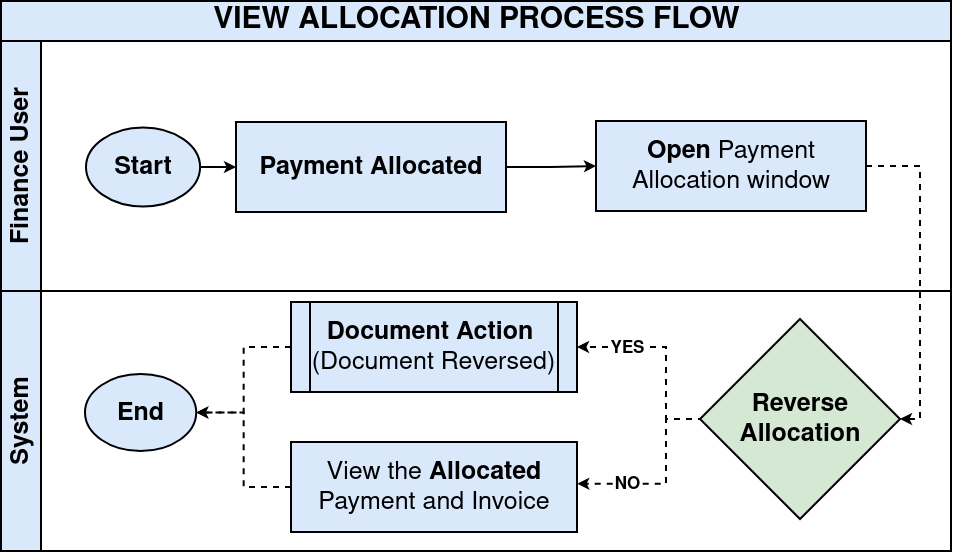
Transaction Creation
Vendor and customer invoices are posted alongside payments, receipts, or credit memos, initially remaining in open status. These unallocated transactions await matching to achieve proper financial settlement and balance clearing.
Allocation Process
Allocations occur automatically upon payment completion or credit application, or through manual processes. The system links invoices precisely to payments or credit memos, handling both full and partial settlements accurately.
Allocation Record Generation
iDempiere creates detailed internal allocation records capturing allocated amounts, allocation dates, and related document references. These records form the permanent audit trail documenting every settlement transaction.
View Allocation Window
The View Allocation window displays:
- Invoice number
- Payment or credit reference
- Allocated amount
- Remaining balance
Users can trace settlement history clearly
Accounting Impact
Allocations automatically update open balances, vendor liabilities, and customer receivables for accurate financial reporting. This ensures general ledger postings reflect true economic reality with full audit trail support.
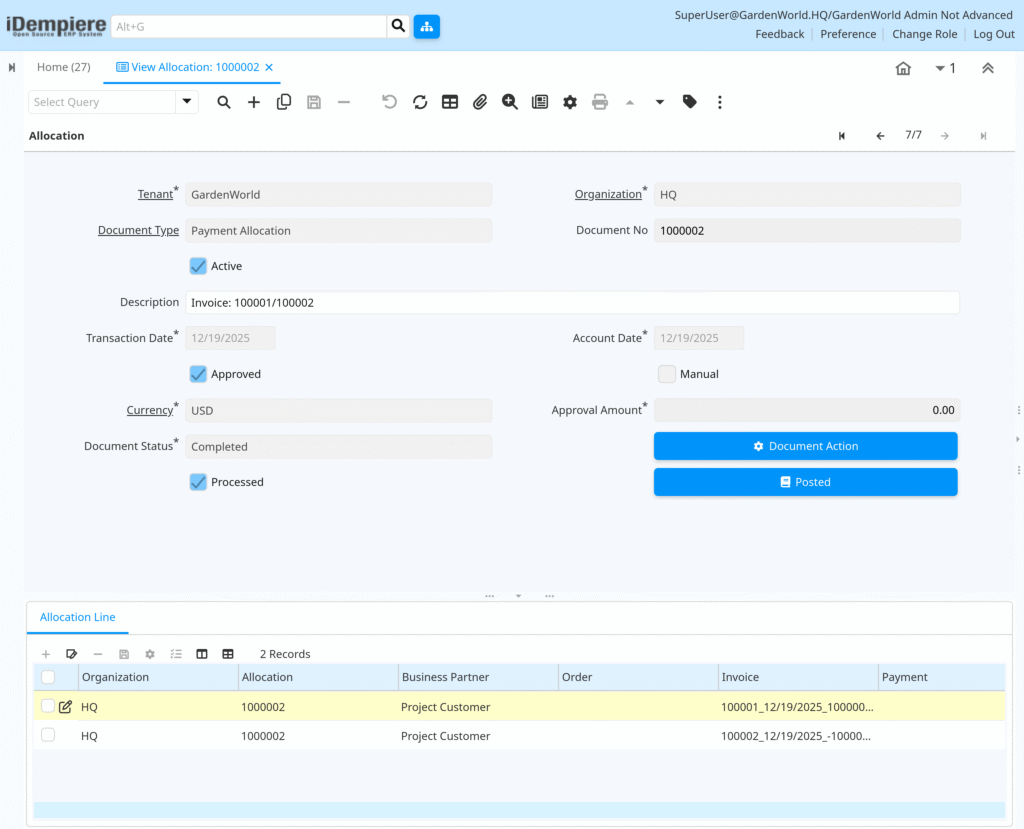
View Allocation in iDempiere provides a clear settlement view, showing exactly how invoices are cleared by payments or credits, ensuring accuracy, transparency, and audit compliance.