How Quality Test Works in iDempiere
The Quality Test window in iDempiere is used to define quality check types that can be associated with products. These tests represent specific inspection criteria your organization wants to track — for example, weight check, color check, or pH test. Quality Tests are standalone definitions that do not by themselves perform inspections, but they serve as the master list of test types that can later be applied to products.
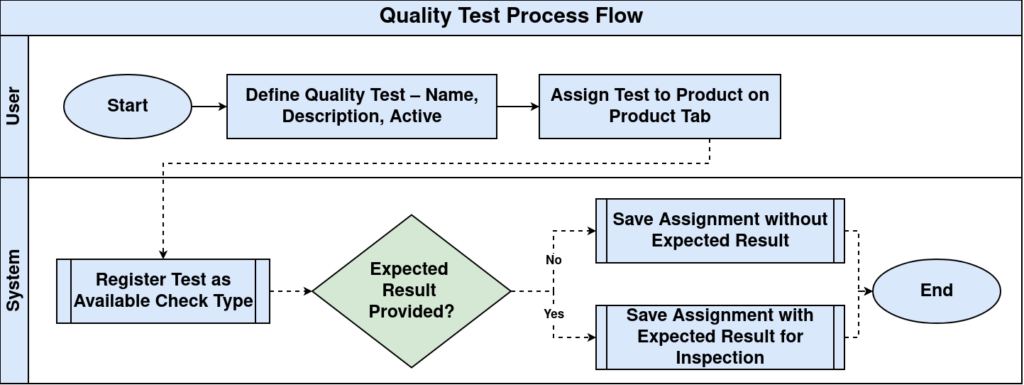
Process Flow
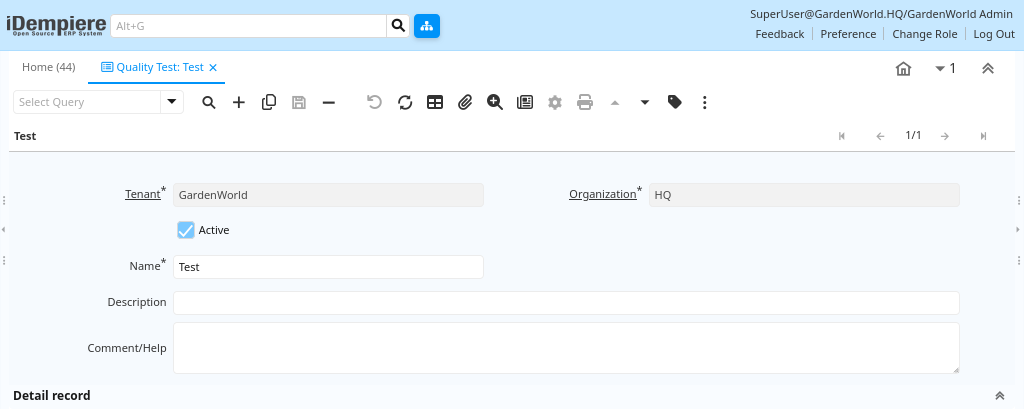
Quality Test Creation
In the Quality Test main tab you enter:
- Name – A unique label for the test (e.g., Moisture Content, Density Test)
- Description – An optional short explanation of the test
- Comment/Help – Additional notes for users
- Active flag – Makes the test available for use in the system
This establishes the test as a recognized quality check type within the ERP.
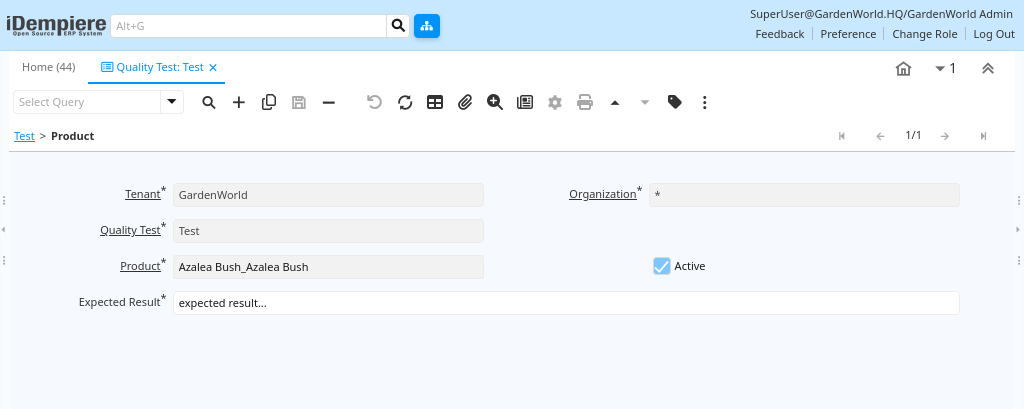
Quality Test Product Assignment
Once defined, quality tests can be linked to products on the Product tab of the Quality Test window:
- Select a Product
- Choose the related Quality Test
- Optionally set an Expected Result
This indicates which test must be considered when that product is produced, received, or inspected.
The Quality Test in iDempiere lets you define the types of quality checks your business uses and assign them to products. This ensures that quality inspections are consistent, traceable, and linked to the actual products you manage in production or inventory.