How do Calendar Year and Period work in iDempiere
It provides a structured way to control time-based accounting, posting, and reporting. In iDempiere, the Calendar, Year, and Period define when transactions can be recorded, which periods are open or closed, and how financial reports are grouped. This ensures accurate accounting control and regulatory compliance in iDempiere.
Relationship between Calendar, Year, and Period
The Calendar is the top-level structure that defines an organization’s financial timeline. A Calendar contains one or more Years, and each Year is divided into Periods.
This hierarchy works as
- Calendar → defines the overall fiscal structure
- Year → represents a fiscal year (for example, FY 2025–26)
- Period → represents a smaller time unit within the year (month)
All accounting activity is validated against this structure.
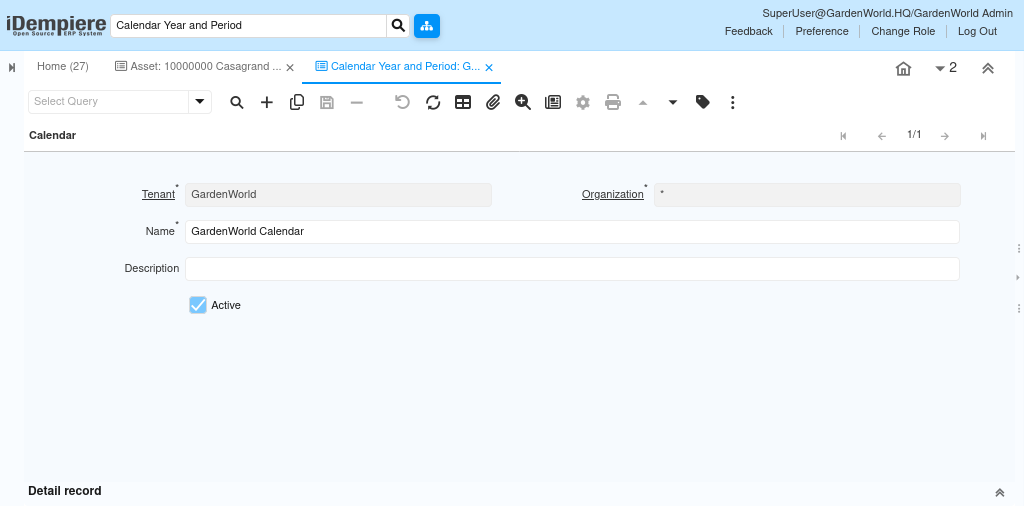
Year – defining the fiscal year
A Year in iDempiere represents a fiscal or accounting year, which may or may not align with the calendar year. The Year defines:
- Whether the year is active and available for posting
- The periods that belong to that year
Organizations can define multiple years in advance to support future postings and planning.

Period – controlling when transactions can be posted
Periods are the most critical control point. Every transaction date falls into a specific period, and iDempiere checks the period status before allowing posting.
Each period defines
- The Period name
- Start date and End date of the period (For example: 01/01/2025 – 01/31/2025)
It also defines two period types
- Standard Calendar period
- Adjustment Calendar period

An adjustment calendar period is a special timeframe used in accounting systems for final year-end entries, adjusting balances, and closing books after regular periods, allowing for precise corrections without affecting live operational data.
Period control by document types
iDempiere allows periods to be controlled per document type (for example, Purchase Invoice, Sales Invoice, GL Journal). This means
- One document type can be open while another is closed
- Finance teams can phase-close periods gradually
This provides flexibility during month-end and year-end closing.
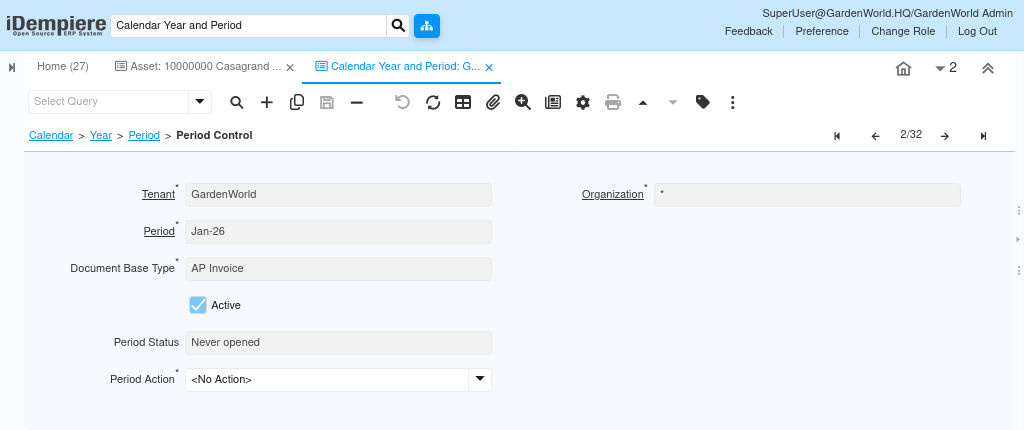
How periods affect document processing
When a document is completed or posted
- iDempiere checks the document date
- The system identifies the corresponding period
- The period status is validated for the organization and document type
If the period is not open, the system blocks completion or posting. This prevents backdated or unauthorized accounting entries.
Year-end closing and rollover
At year end
- All periods are closed
- Final adjustments are posted
- The next year’s periods are opened
iDempiere ensures that once a year is closed, historical data remains unchanged, protecting financial integrity.
By using Calendars, Years, and Periods together, iDempiere enforces strong time-based control over accounting and reporting. This structure prevents unauthorized postings, supports accurate period closing, and enables reliable financial analysis across fiscal years.