How Invoice Schedule Works in iDempiere
The Invoice Schedule in iDempiere lets you define recurring invoicing rules for a business partner (usually a customer). Invoice schedules help you automatically generate summary or batch invoices at specified intervals instead of invoicing each shipment or delivery separately.
This is especially useful when a customer requires periodic consolidated billing (e.g., weekly or monthly invoices for multiple deliveries).
Key Benefits
- Reduces manual invoicing effort
- Ensures consistent billing frequency
- Consolidates multiple shipments into single invoices
- Improves cash flow predictability
Main Configuration
Invoice Schedule tab includes:
| Field | Purpose |
| Name & Description | Clear identifier for schedules |
| Amount Limit | Minimum invoice amount threshold |
| Invoice Frequency | Daily, Weekly, Monthly |
| Invoice Day/Week Day | Specific generation day |
| Invoice Day/Week Cutoff | Last date for transaction inclusion |

Weekly/Monthly Options
- Even weeks only for weekly billing
- Cutoff dates determine transaction grouping (e.g., 25th cutoff → next month invoice)
- Day of week/month when invoices generate
Where Invoice Schedules Are Used
Invoice Schedule is often linked to the Business Partner (Customer) master record. The schedule you define is then used by the system when generating invoices — particularly when using batch or automated invoice processes.
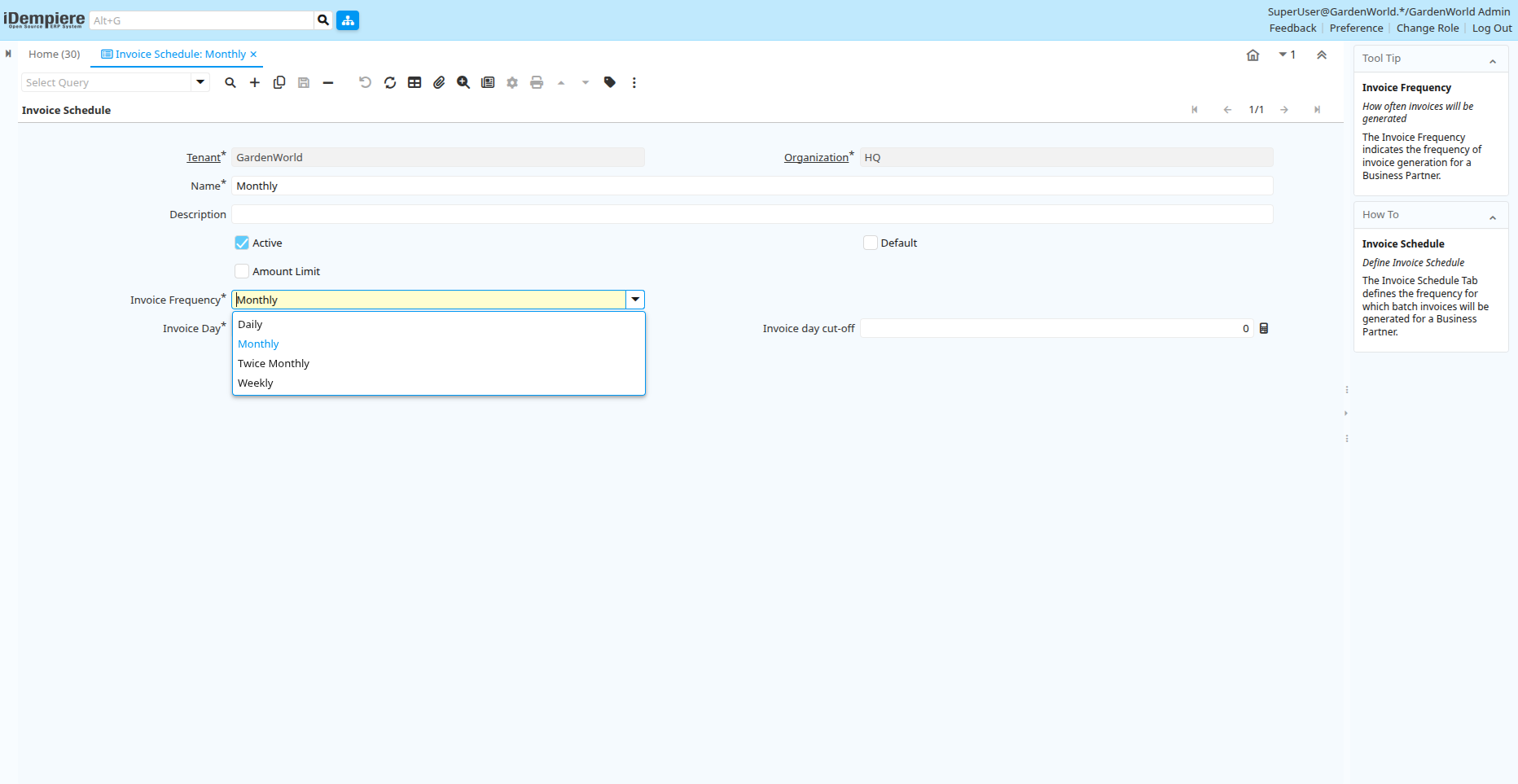
The Invoice Schedule in iDempiere lets you define and manage rules for periodic or batch invoicing. By specifying frequency, cut-off dates, and amount limits, you ensure that the system automatically generates consolidated invoices according to your business’s billing policies.