How Material Receipt Details works in iDempiere
The Material Receipt Details report in iDempiere provides a detailed view of goods received into inventory. It is used to review what materials were received, in what quantity, on which date, and through which receipt document. This report is strictly informational and does not create or modify any transactions.
Report Data Retrieval
When the report is executed, iDempiere reads data from material receipt transactions that were already completed in the system. Only posted receipt documents are considered, ensuring that the report reflects actual inventory entries.
The report focuses on physical receipt activity, not accounting postings.
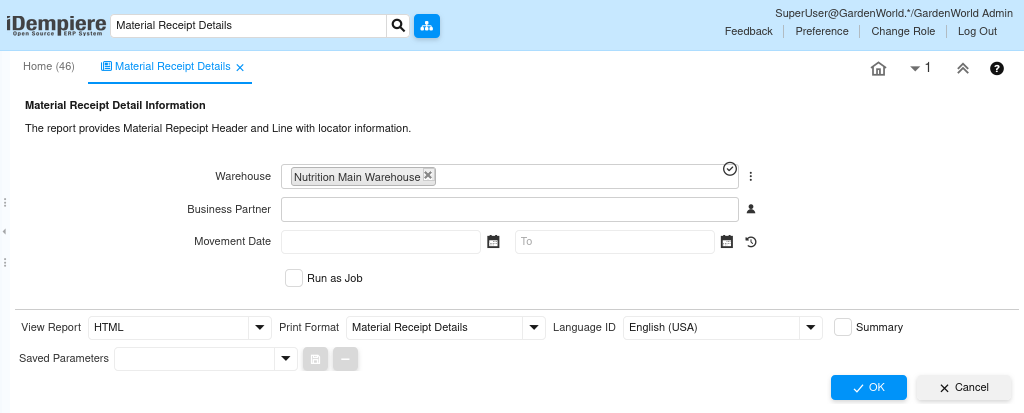
Receipt Information Presentation
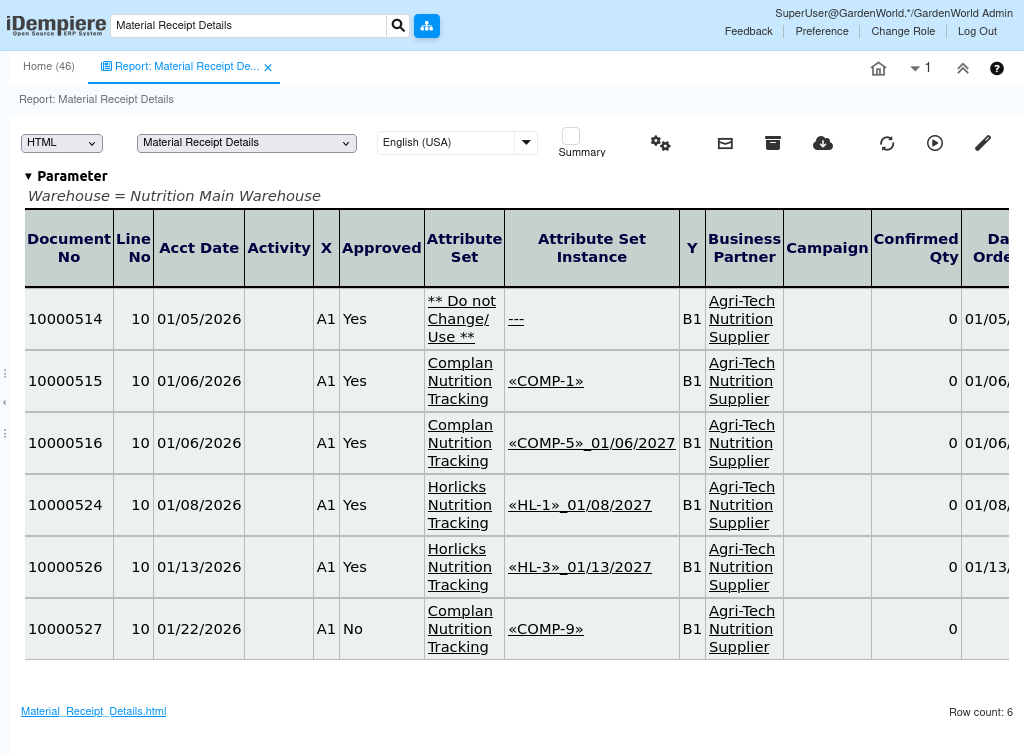
Each line in the report represents a receipt detail and typically includes:
- Receipt document number
- Product
- Quantity received
- Receipt date
- Warehouse and locator
- Business Partner (Vendor)
This allows users to clearly see what was received and where it was stored.
Daily Uses of Material Receipt Report
The Material Receipt Details report is commonly used to:
- Verify vendor deliveries
- Review inbound material history
- Support stock verification
- Cross-check against purchase orders or invoices
It is especially useful when discrepancies are found between expected and received quantities.
Report Audit Support
The report reads only completed receipt transactions, it provides a reliable audit trail of inbound inventory. Users can trace each line back to the original receipt document without navigating through multiple windows.
The report does not depend on costing or allocation processes, making it suitable for both operational and audit reviews.
Material Receipt Details improves visibility into inbound inventory flow, helping organizations maintain accurate stock records, vendor accountability, and operational transparency.