How do Workflow and Task Access work in iDempiere
It provides controlled participation in business workflows and tasks by defining exactly which workflows a role can execute and which workflow tasks a user is allowed to act on. In iDempiere, workflows often automate approvals, validations, and operational steps, so access to them is tightly governed through roles in iDempiere.
Workflow Access controlling workflow participation
Workflow Access defines which complete workflows a role can execute or be involved in. If a workflow is not assigned to the role
- The user cannot trigger the workflow
- Workflow-driven buttons or actions remain unavailable
- Approval or automation logic tied to that workflow is effectively blocked for that role
This is commonly used to restrict approval workflows to managers or finance roles.

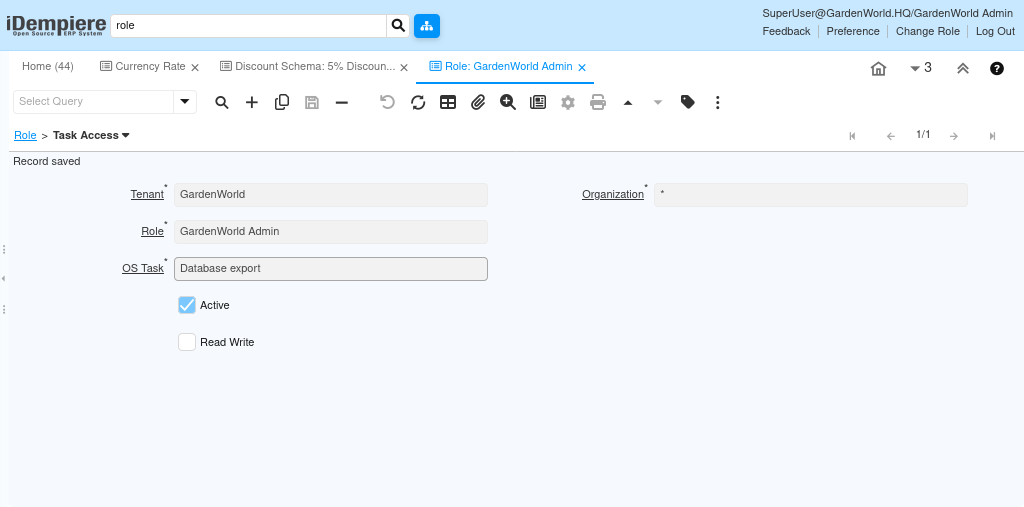
How do OS-level commands work in the Task tab
The Task tab is not limited to user actions or approvals. It can also execute operating system level commands as part of a workflow. This allows system or maintenance activities such as database export, backups, or batch jobs to be triggered automatically or conditionally within business workflows in iDempiere.
Note: Task is can be mapped to a Workflow Node when the Node Action is set to “App Task”.
By managing Workflow Access and Task Access within roles, iDempiere ensures that business workflows are executed only by the right users, at the right step, and at the right time. This supports strong internal controls, clear responsibility, and secure automation across organizational processes.