How do Included Roles and Document Status Access work in iDempiere Roles
In iDempiere, Included Roles and Document Status Access work together to reuse permissions, simplify role design, and strictly control document lifecycle visibility, ensuring users can access only the authorized document states without duplicating configuration.
Included Roles – role inheritance and reuse
Included Roles allow one role to inherit permissions from another role. Instead of redefining the same window, process, and workflow access multiple times, an administrator can include an existing role inside a new role.
When a role is included
- All access permissions from the included role are inherited
- The user effectively gains the combined permissions of both roles
- Maintenance becomes easier, as changes to the base role automatically apply to all roles that include it
This is commonly used to create layered roles, such as an Admin role that includes all permissions of a User role plus additional approvals.
Note: To use a role as a template the role should have “Role Template” checkbox ticked.
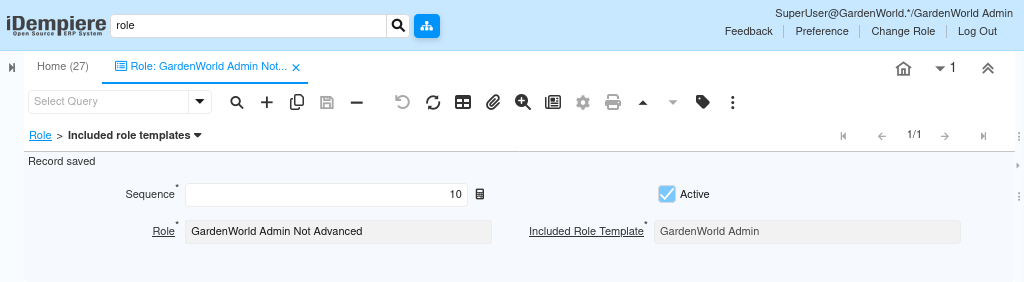
Document Status Access – controlling lifecycle visibility
Document Status Access defines which document statuses a role is allowed to access or interact with. Business documents move through lifecycle states such as Drafted, Completed, Closed, or Reversed, and not every role should work with every state.
Through this tab, administrators decide
- Which statuses are visible to the role
- Which statuses can be modified or acted upon
This ensures that users work only within their authorized stage of the business process.
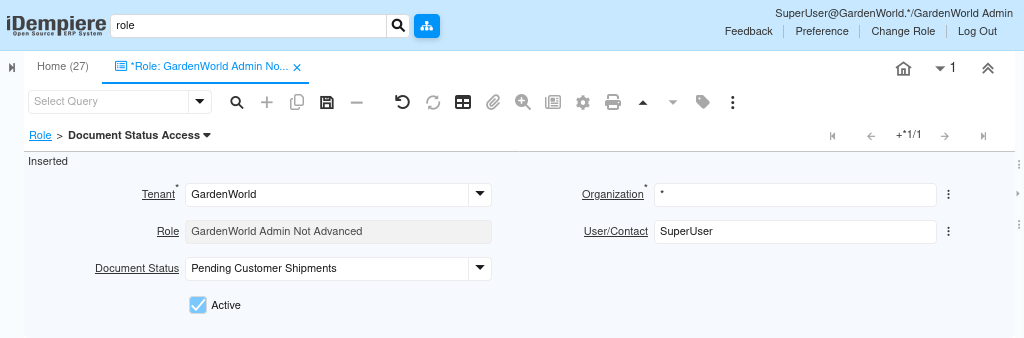
By using Included Roles for permission reuse and Document Status Access for lifecycle control, iDempiere enables scalable, maintainable, and secure role management. This approach reduces configuration effort while ensuring users interact with documents only at authorized stages.